Month: February 2016

  • What is a call-back function?

    Example by Parable and Analogy

    I have a secretary. At the end of the day, I ask her to: (i) take the firm’s outgoing mail and to drop it off at the post office, and in addition to that, after she has dropped the mail off, I ask her to do something else: (ii) whatever task I wrote for her on one of those sticky notes. Now, what is the task on the sticky-note? It depends on the day. Sometimes it might be to: (i) purchase some stationary. Other times it might be to: (i) file some papers, (ii) send some emails, (iii) print some documents etc.

    Suppose on this particular day, I require her to print off some documents. In summary, first, she needs to drop off the mail and immediately after that is done, she needs to print off some documents.

    Applying the story to some techno-computer geek speak

    The method name in this case is: DropOffMail. And the call back function is: PrintOffDocuments. The PrintOffDocuments is the call back function because we want the secretary to do that, only after PrintOffDocuments has run.

    So I would “pass: PrintOffDocuments as an “argument” to the DropOffMail method. Now the DropOffMail method must be able to accept functions in its method signature. After the DropOffMail is run, then the call back function, PrintOffDocuments would be called and would run.

    So in short, the mail would be delivered, and she would run a print job (which would be the call-back function).

    I hope that was simple enough for you!
  • What is an ObservableCollection?

    For those wanting a simple answer without the geek-speak, I’ll try to explain:

    Normal Collections

    Every now and then I go to NYC and my friend asks me to buy stuff for him. So I take a shopping list with me. The list has a lot of things on there like:

    1. Hugo Boss jacket
    2. Clive Christian’s Imperial Majesty ($215,000/16.9 oz.)
    3. Mont Blanc – pen. $500.
    4. Fur coat. ($4500)
    5. Ferrari ($750,000)

    Well I”m not buying that stuff. Way tooo expensive! So I cross them off and remove them from the list and I add in:

    1. 12 dozen Titleist golf balls.

    The ObservableCollection

    So I come home and my friend is not pleased. But that was in the old days, now he’s got onto this whole smart phone thing – and he now has an Iphone with an IShoppingList app that’s on the cloud. Here’s how it works: whenever you remove something from the online shopping list on the cloud: he gets a notification on his phone (i.e. an sms or email etc) and in addition to that stuff happens. What happens exactly? Usually a phone call asking me to put the stuff back on the list.

    The observable collection works just the same way. If you add or remove something to or from it: someone is notified. And when they are notified, they do stuff. What stuff exactly? Well whatever you want! they can sing, dance, do the hokey-pokey etc.

    That sums it all up!

  • The difference between Synchronous and Asynchronous Execution

    Synchronous Execution

    My boss is a busy man. He tells me to write the code. I tell him: Fine. I get started and he’s watching me like a vulture, standing behind me, off my shoulder. I’m like “Dude, WTF: why don’t you go and do something while I finish this?”

    he’s like: “No, I”m waiting right here till you finish it off”. This is synchronous

    Asynchronous Execution

    The boss tells me to do it, and rather that waiting right there for my work, the boss goes off and does other tasks. When I finish my job I simply report to my boss and say: “I’m DONE!” This is Asynchronous Execution.

    …….it really boils down to something as simple as that!

  • Getting a Selection Set

    This is a code block from my award winning BlockUtility static class.. But you would want to create the selectionFilter according to your own requirements – hence I have not used a static class for getting the selection filter. Apologies for the lack of readability in my code. The blog just kills the formatting.

    What do we want to do?

    1. We want to prompt the user to select some objects on the screen.
    2. And we want to select only certain objects using a selection filter and
    3. we want to place all the filtered objects in a selection set.

    And Viola! You now have your selection set which you can use to further read and manipulate Autocad objects!

  • Showing an Assembly in the Model via a Tekla Drawing (Part I) – Tekla Open API Plugin

    I’ve created another Tekla plug in. And I’m calling it using a macro.

    What does this plug in do?

    Here is a demo:

    Basically it display an assembly in the model, from a given assembly drawing. Does that make sense? Well if not let’s elaborate:

    The Problem:

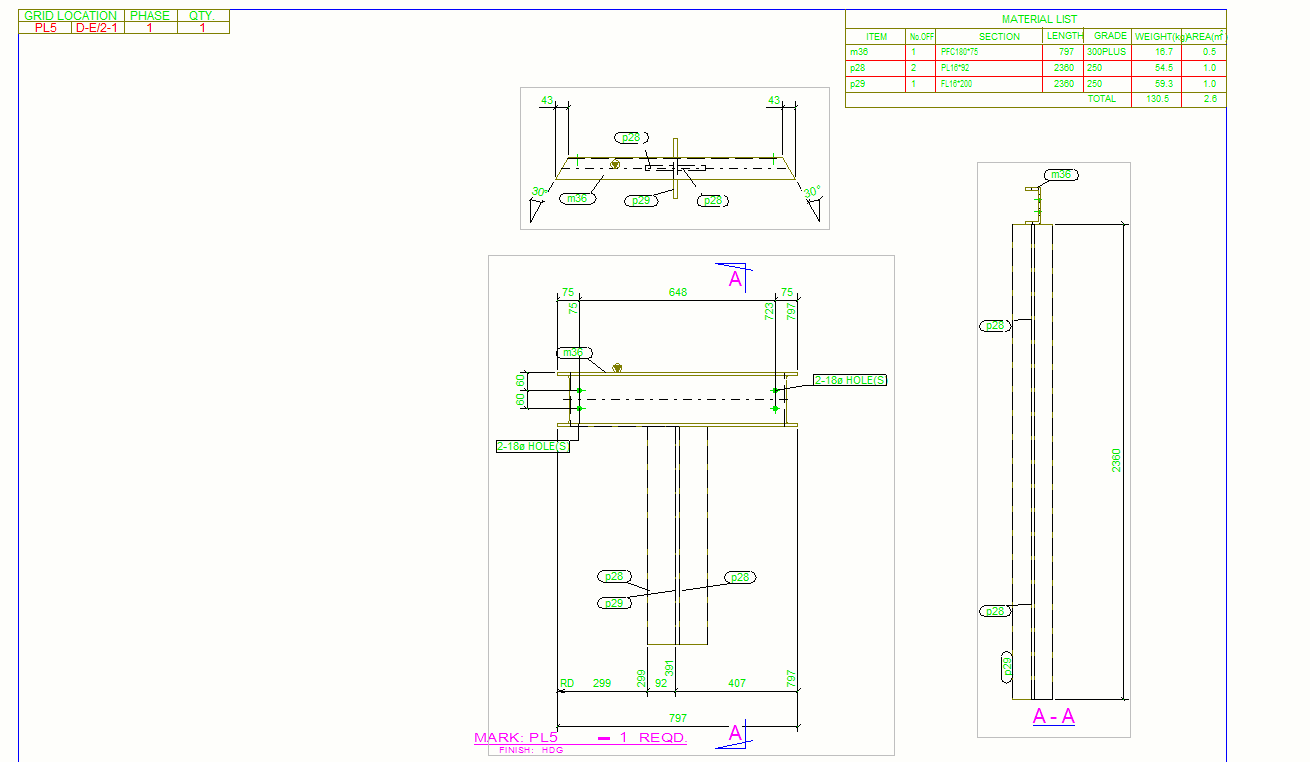
    I’m sure you’ll be having similar issues. So I’m working in Tekla. I’m busting my brains on this model that we’re working on, the boss is on my back like a monkey, and to add to all of that, I’m looking at an assembly drawing, but I have no idea how the actual drawing looks in real life. Can you make any sense of this?

    Can you make sense of this drawing? How does it look in 3d?

    This is simply an assembly drawing. Can you imagine how it would look in real life, or in the model?

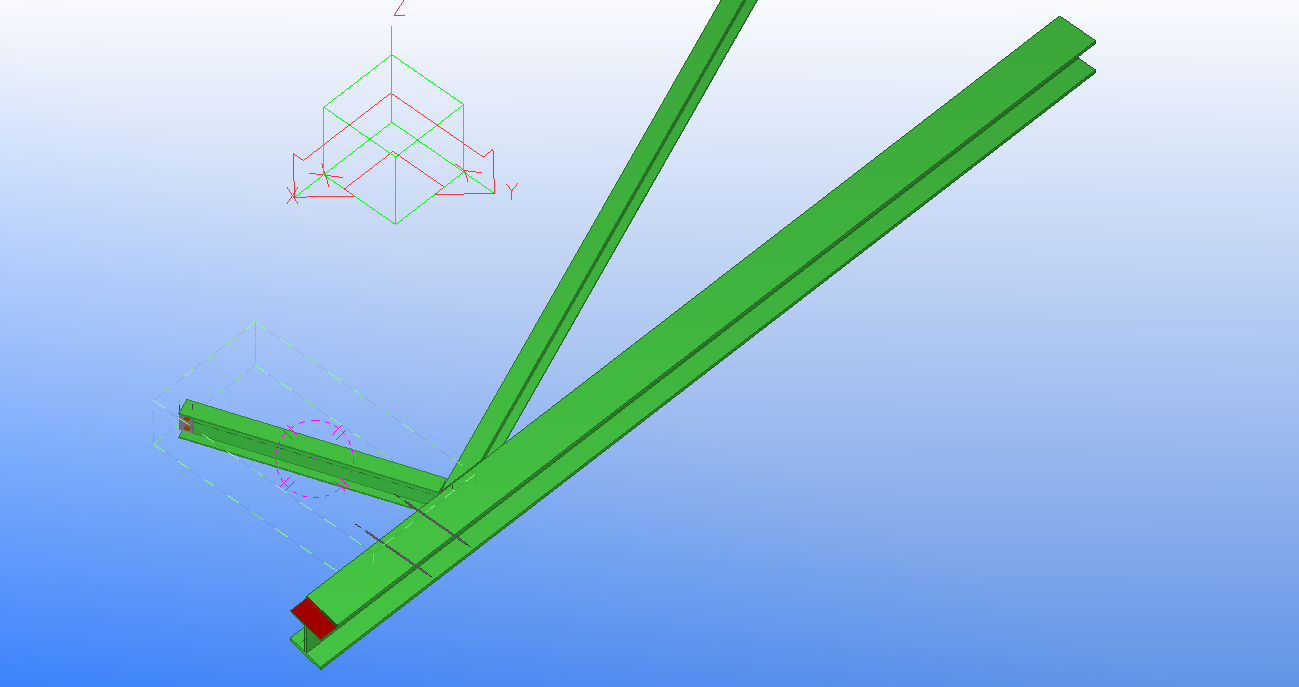
    I guess not. What you want to see is the assembly in the model space. Well prior to my plug in, there’s a lot of rigormorale in finally getting to and seeing the drawing. Now you just run the macro and BOOM you can see exactly what that assembly drawing is referring to. In this case it’s referring to this lovely assembly in the model.

    Saves a lot of time and effort, hey?

    Ahh the glorious power of knowing .net and the Tekla API. Makes life a lot easier. But the hard part is learning programming,  .net, Tekla and the Tekla API. I suppose just save yourself the trouble and hire someone who already knows how!

    Where is the code?

    Please click here to access the code associated with this post.


    Ben Koshy