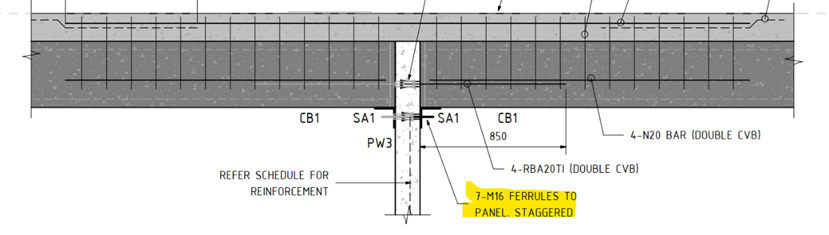
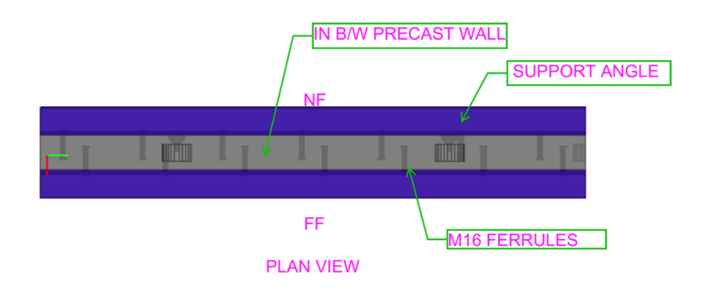
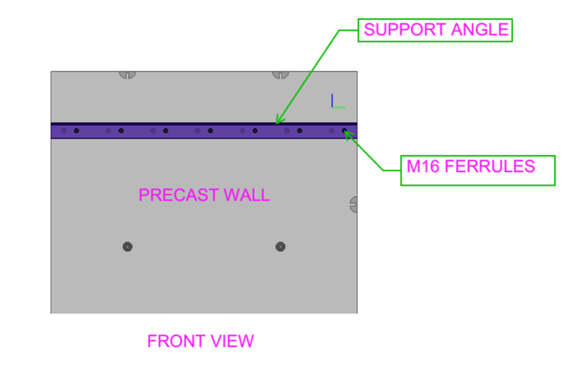
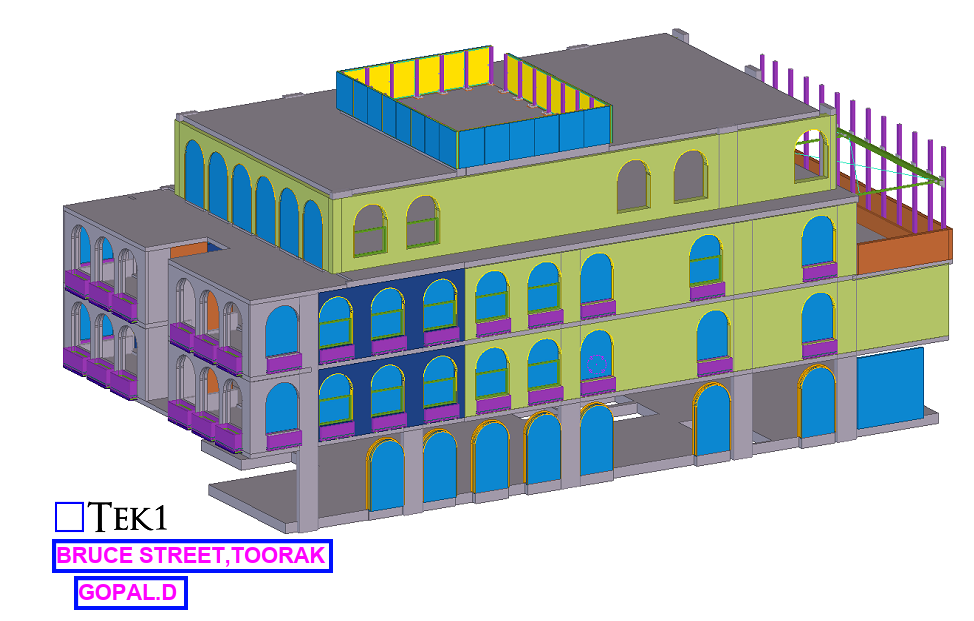
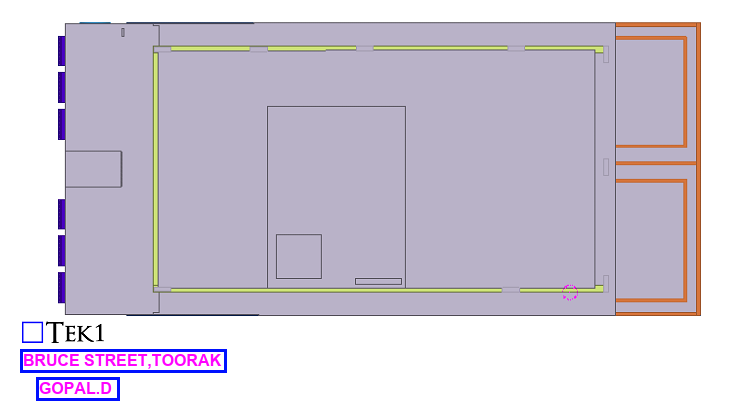
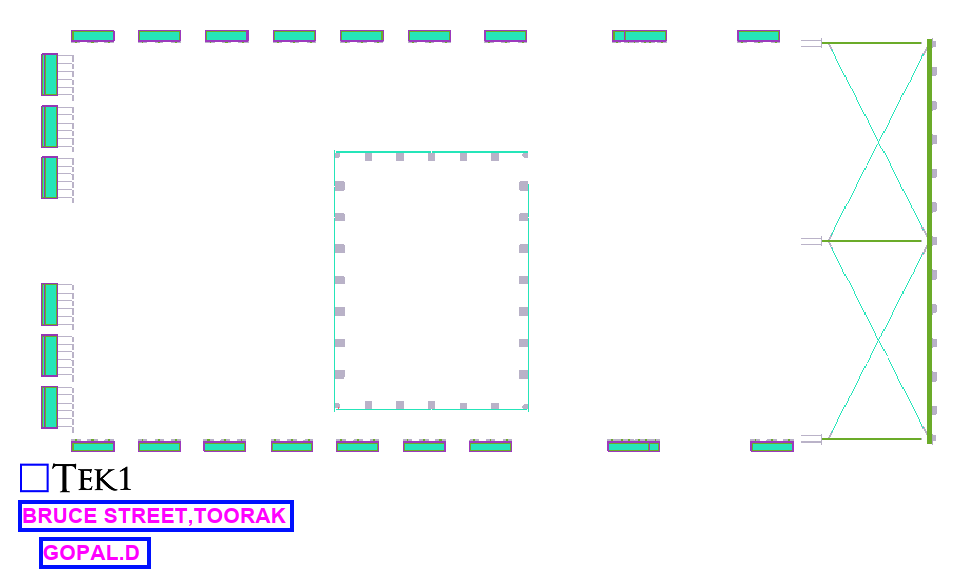
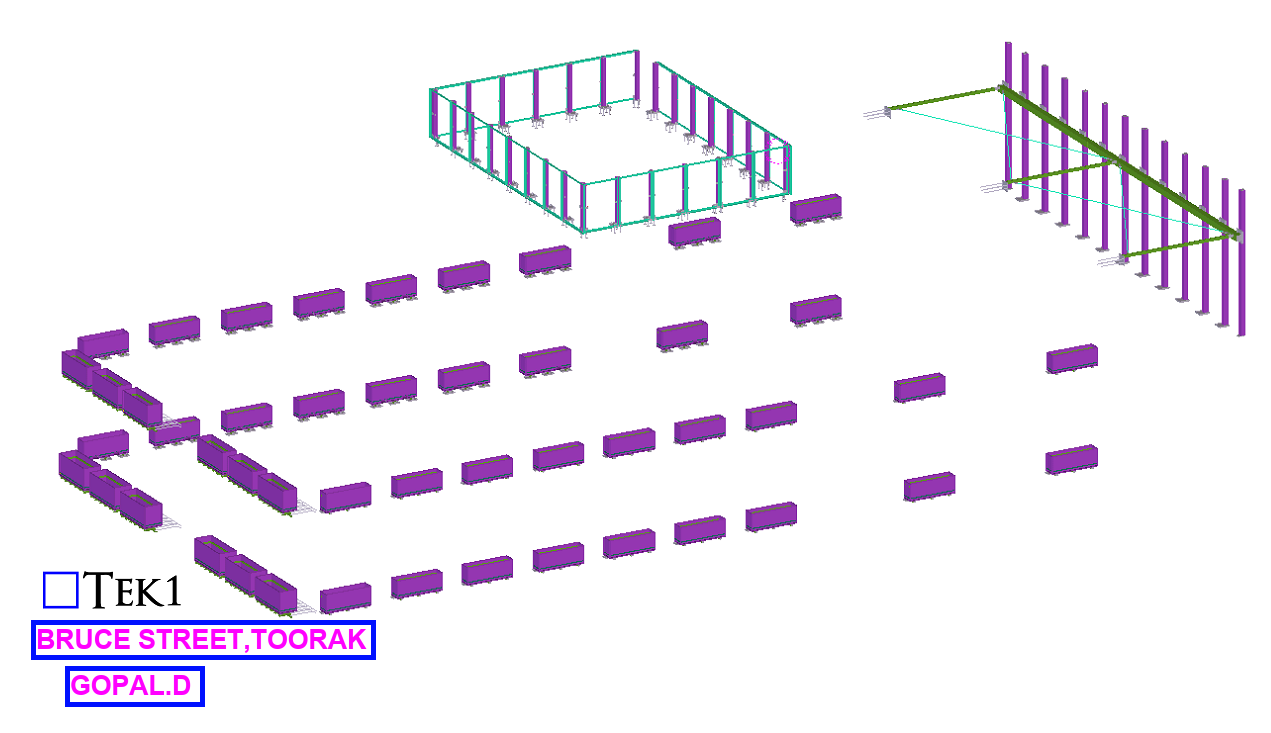
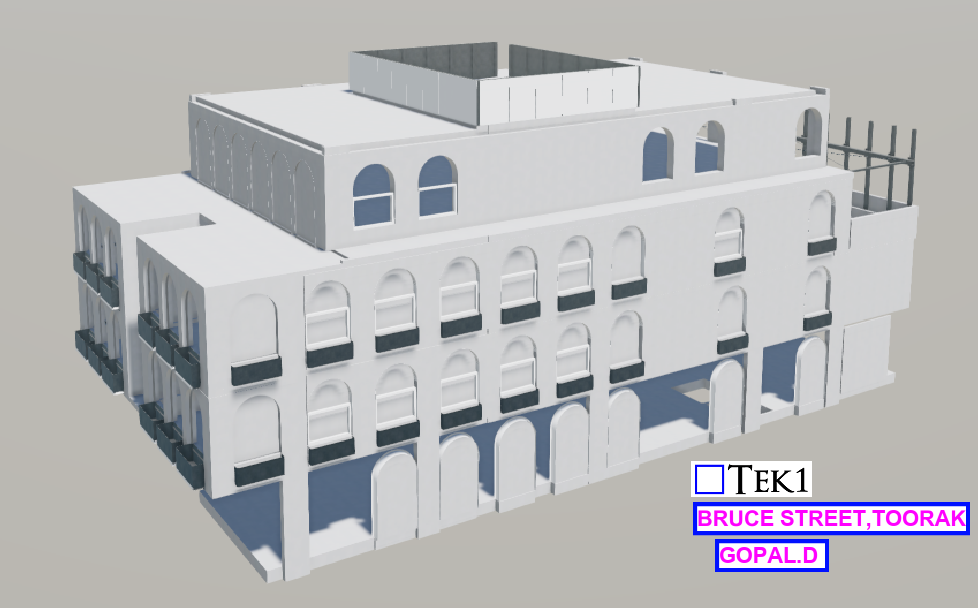
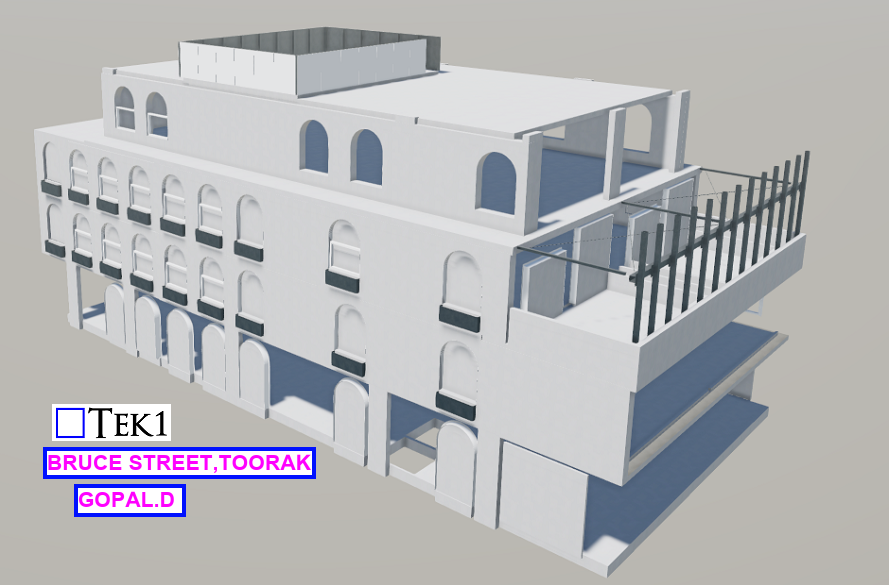
The design drawings for one of our Precast Project we were working on suggests ferrules must be placed staggered as noted below.
The Problem:
However, these casting components, such as ferrules cannot be placed on both sides of a precast panel with a thickness of less than 250mm. This mainly causes ferrules to clash along its length. This approach will not work. Can you see why
The Solution:
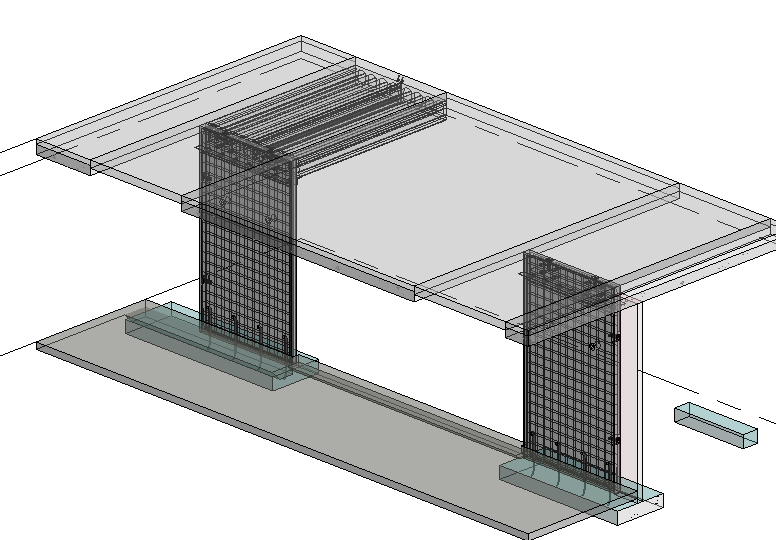
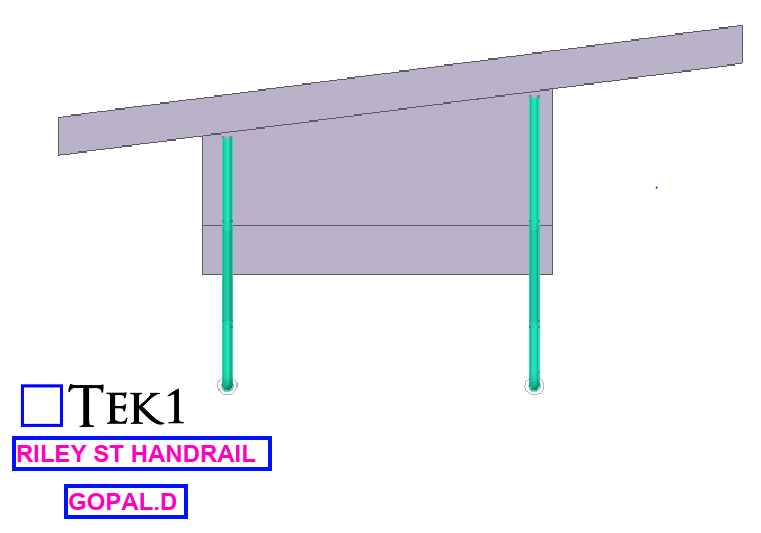
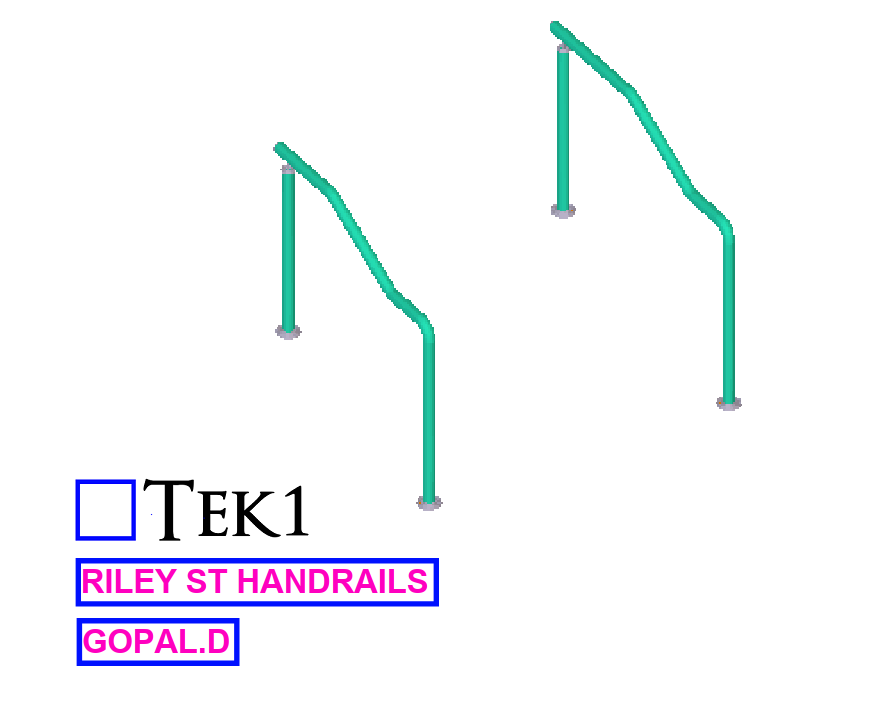
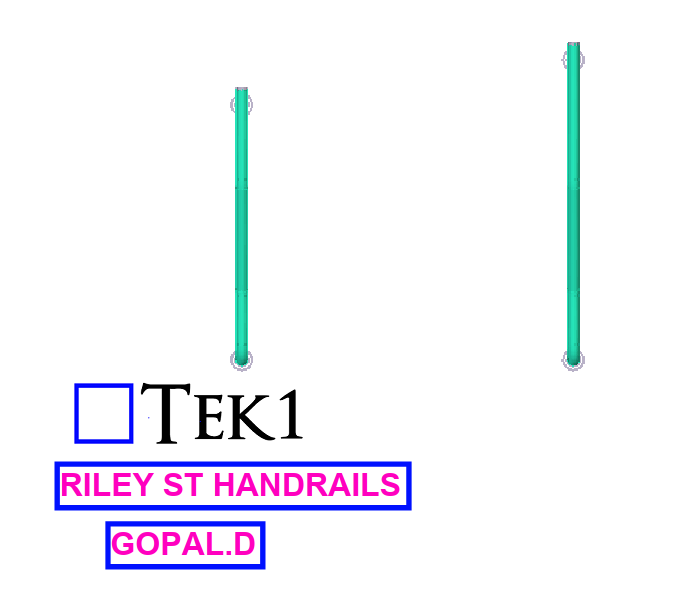
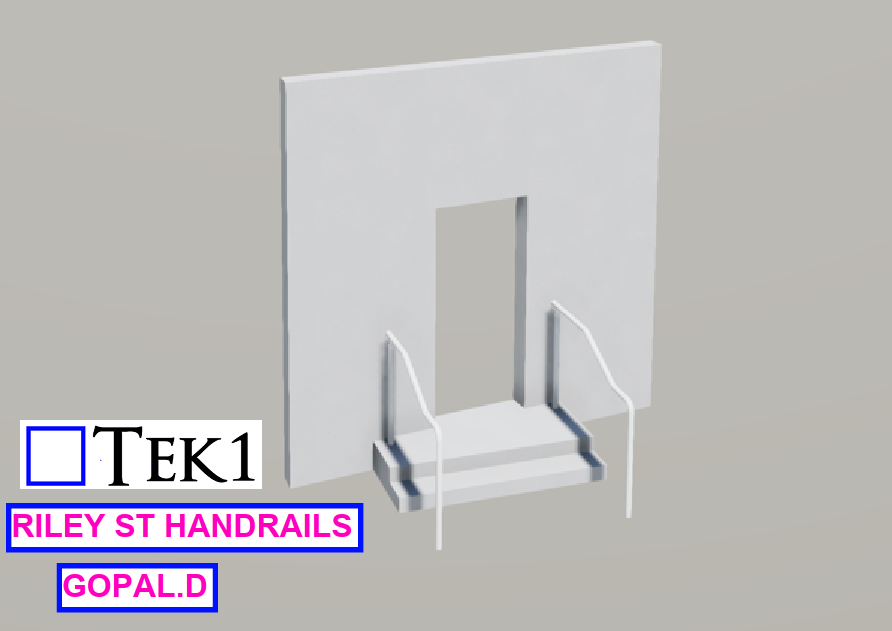
One of the projects, for our client involves utilizing the staggered arrangement approach. Look at the (fg.1)
(fg.1)
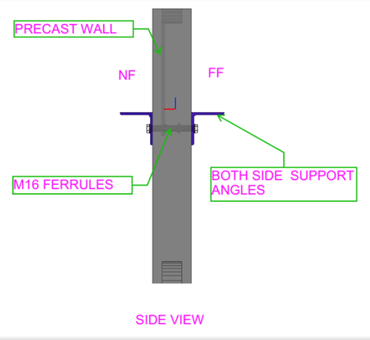
The both sides of wall are provided with support angles SA1 to hold the slab/ Beam.
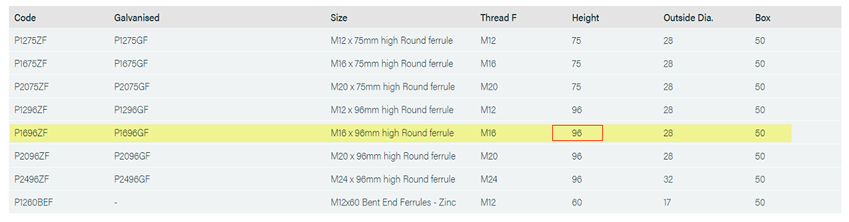
Both sides are utilizing M16 ferrules, within the panel. The issue lies in the fact that the ferrule Height measures 96mm whereas the wall thickness is 150mm.
Client using PSA Standard ferrules
Example:
Wall thick – 150mm
M16 Ferrule length – 96mm add both sides of wall
96 + 96 = 192mm (greater than the wall thickness 150mm)
The length of the PSA P1696ZF is 96mm, as per the PSA schedule.
Ferrules cannot be placed inline; the only option is to staggered them.
Look at the (fg.2)
(fg.2)
The above ferrule placement factors and consideration is not required if the panel thickness is 250mm and above.
Footings are the foundation elements that transfer the load from the structure to the ground ensuring stability and strength. Choosing the appropriate type of footing is crucial for the overall safety and performance of the building. Failure in ensuring appropriate footing is used or the if the footing lacks in strength or stability leads to the building to settle unevenly, develop cracks, tilt, and even face catastrophic failure. This jeopardizes safety and results in expensive repairs.
Commonly used types of Footings:
1. Strip Footing:
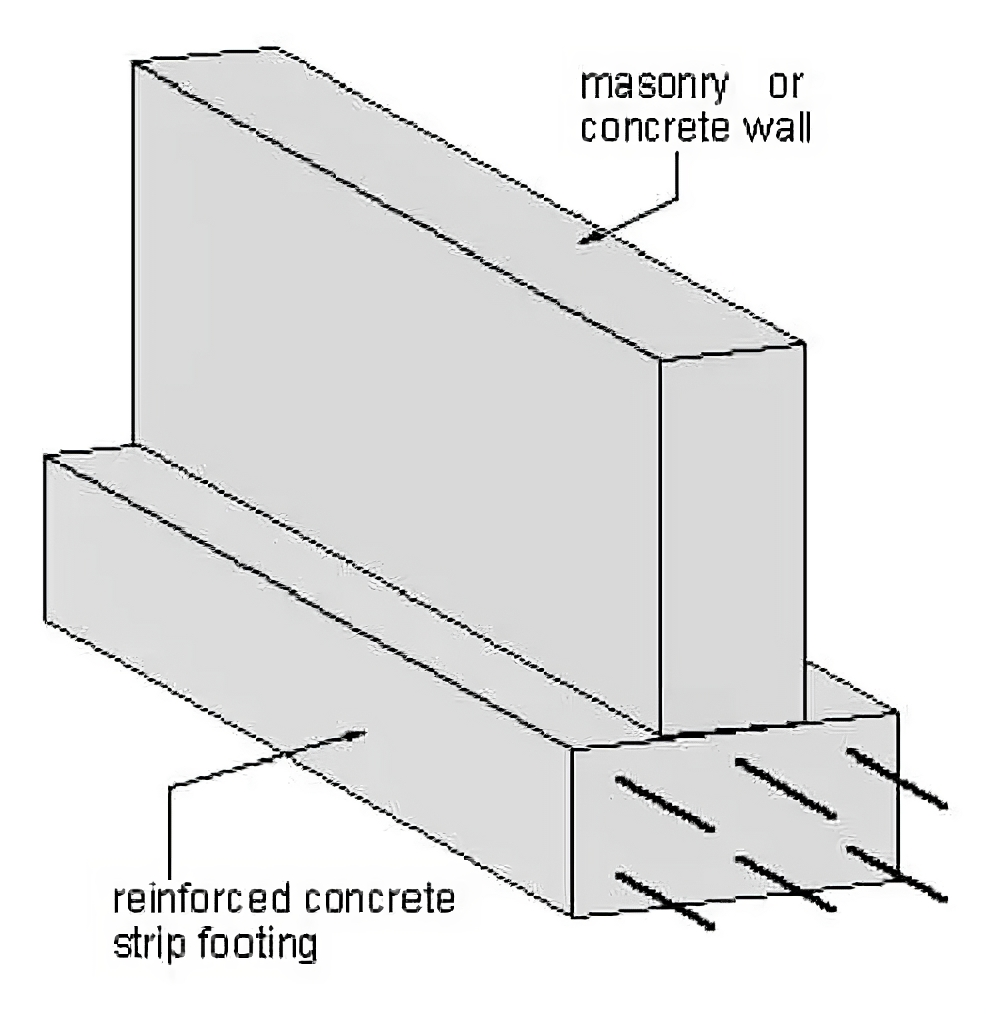
Strip footings provide support for a row of columns or a continuous load-bearing wall. They are ideal for structures with a even distribution of load along a straight line. These are commonly used alongside steel framing.
2. Isolated Footing:
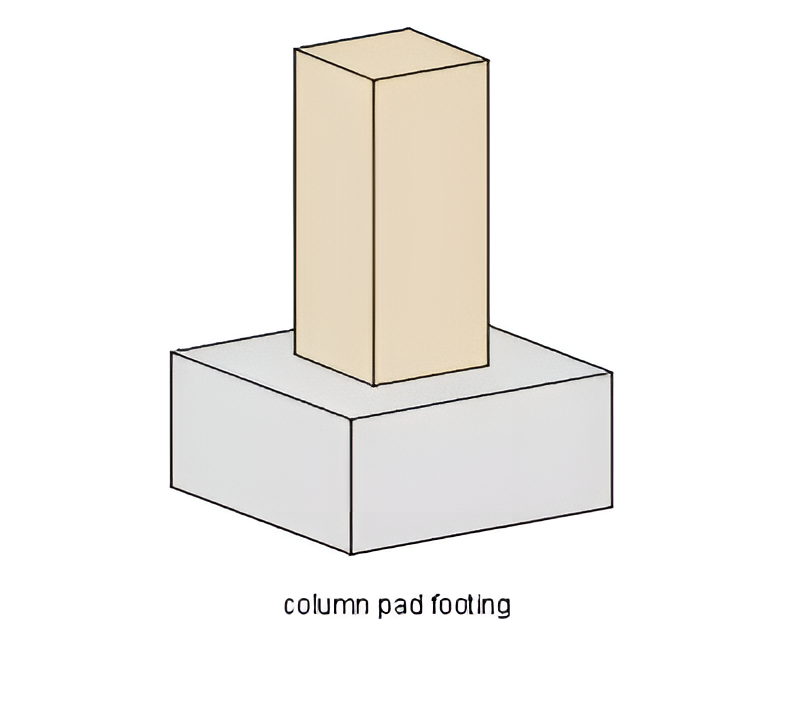
Isolated footings, also known as pad footings, are designed to support single columns. These are usually square, rectangular, or circular pads that provide stability for light to moderate loads.
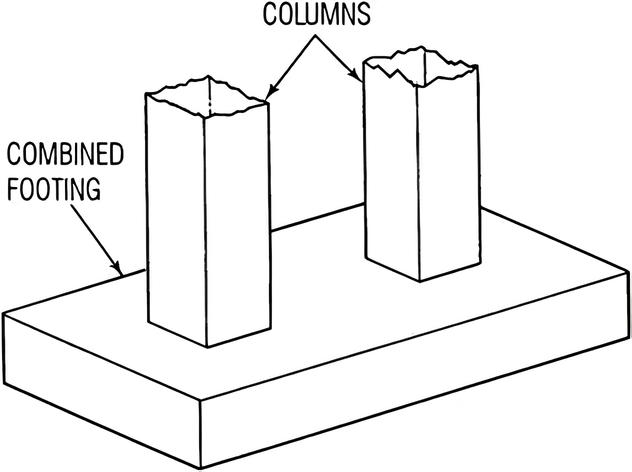
3. Combined Footing:
When steel columns are spaced closely, combined footings serve as an efficient foundation. They prevent overlapping of individual footings and ensure stability under heavy loads.
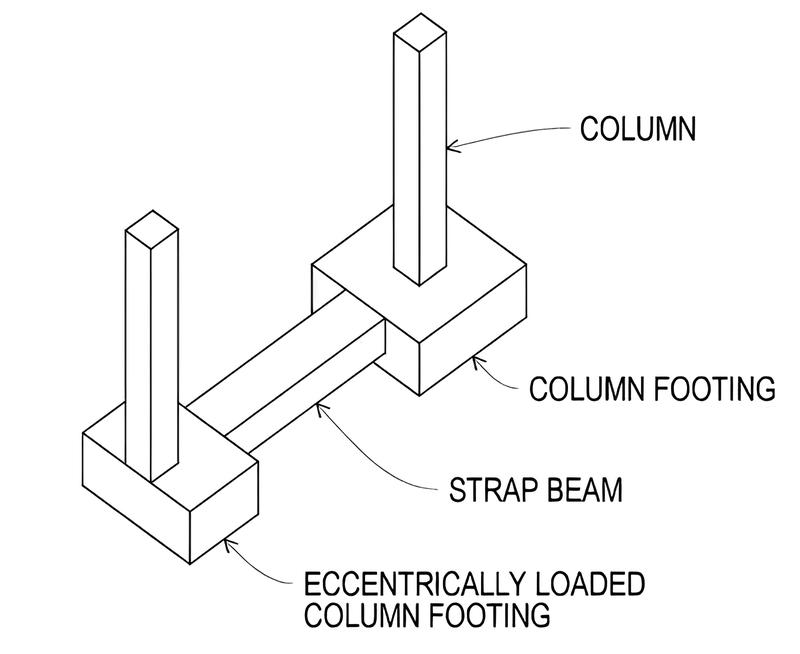
4. Strap Footing:
Strap footings connect isolated footings with a concrete beam. This strap beam transfers the load from a heavily loaded column to a less loaded column, balancing the pressure on the soil . This is particularly useful for unevenly spaced steel columns.
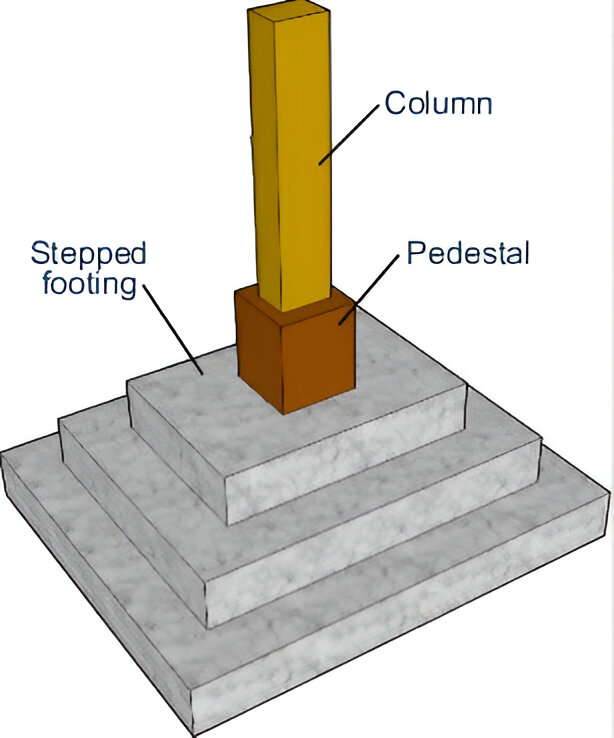
5. Stepped Footing:
Stepped footings are ideal for sloped sites or uneven terrain. The steps help in maintaining level support for columns and walls while minimizing excavation.
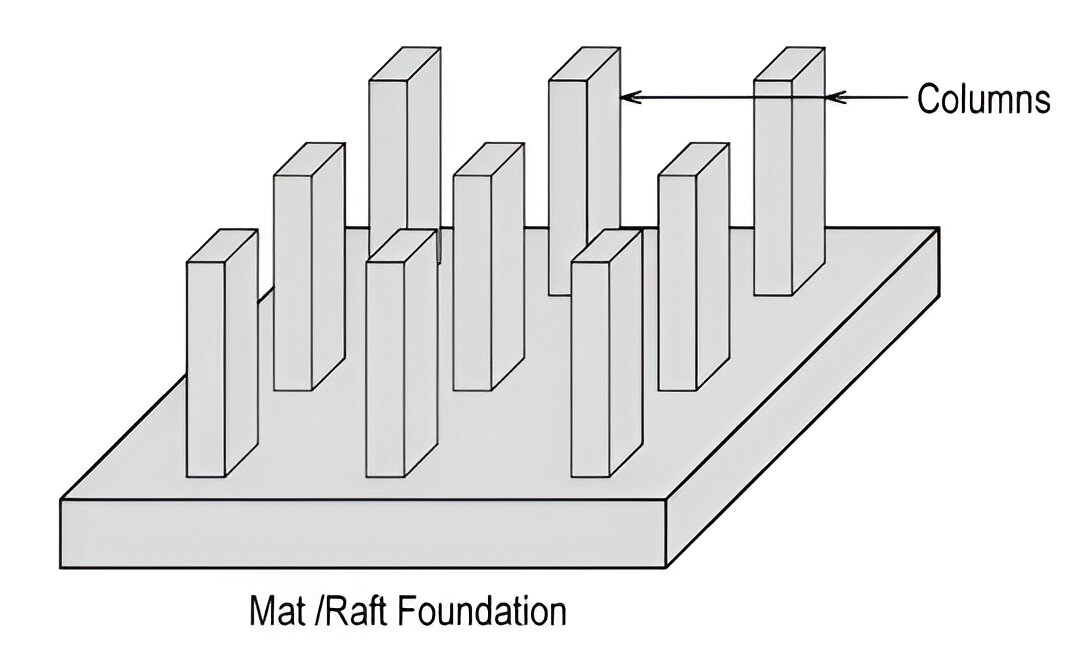
6. Raft Footings:
Raft footings also known as mat footings are large, thick concrete slabs that support the entire building footprint, distributing loads evenly across the foundation area. They are particularly useful in steel structures with high loads or poor soil conditions.
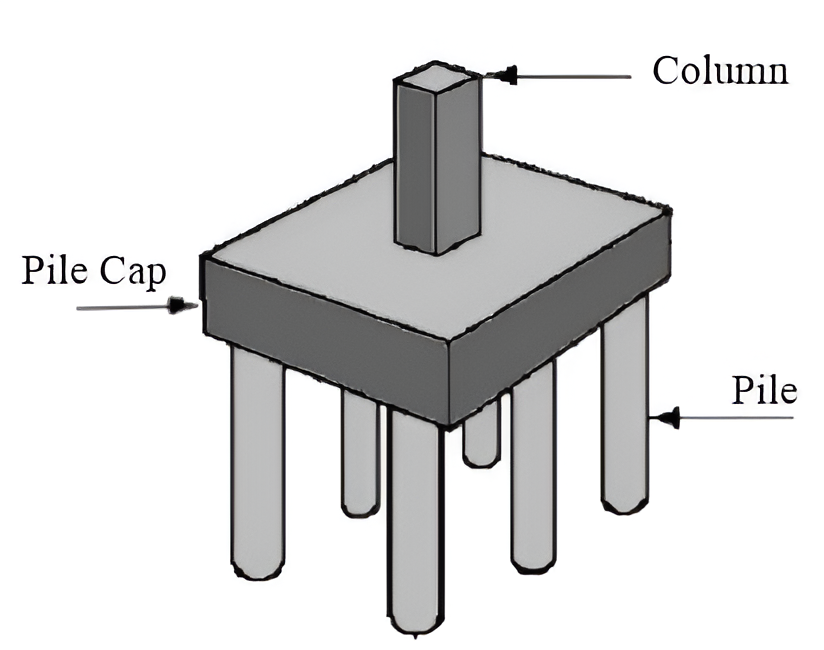
7. Pile Footings:
Pile footings are deep foundations used when surface soil cannot support the structure. Piles are driven deep into the ground to reach more stable soil layers or bedrock.
Factors for choosing the correct type of footing :
Soil Condition: The bearing capacity and stability of the soil determine which footing is suitable.
Load Requirements: The weight and distribution of the building’s load help decide the footing size and type.
Building Type: The design and purpose of the structure influence the selection of footing.
Space Availability: The available space for construction can necessitate certain footing types over others.
Budget Constraints: Cost considerations can affect the choice of footing material and design.
Environmental Factors: Local climate, water table level, and seismic activity are also important considerations.
Download it. Do not store your passwords in a sticky note in your computer, or on Google Drive, or in some .txt file. Use the password manager.
Why?
Risk and Protection: I want to make it difficult for rogues to copy / remove passwords. We have significant infrastructure that I want protected. I do not want people sharing passwords in your own private chat groups.
Time Saver: I’m dealing with +40 people. I don’t want x40 people calling me because they didn’t manage their passwords well. Perhaps we can solve this problem later on, down the line with Azure and other software solutions, but we are not there yet.
But I want to do it my way………… Hey, listen I get that you want to do things your way. But there are 40 peoples jobs who are on the line including your own if we have some problems with security leakage………second in your own personal life at home: i don’t care what you do or how you manager passwords, but in this office, I really need you guys to follow this.
The following will be a series of posts on business administration.
It is written primarily for the benefit of Tek1 staff who are interested in this topic, but I hope it will be of benefit to the wider community.
Things you need to know:
Double entry book keeping. This encompasses knowledge of the use of accounting software. This is a deep topic that it must be learnt. Go online and buy a book on this. It requires at least 10 hours of extra effort.
Legal and Moral Responsibilities. More will come on this as I read on the topics myself.
Getting Stuff Done
Most of all, a good manager gets stuff done. Saying “yes sir” and then forgetting about it does not make a good manager.
Being a manager isn’t “fun”. Perhaps it is glamorised, especially in places like India, where the boss gets all the respect etc. “Yes sir”……..but being a real manager is hard work, and it isn’t fun. Why? Because you have to get stuff done:
The printer doesn’t work.
The internet doesn’t work.
The electricity doesn’t work.
There is no paper in the printer.
The toilet is clogged.
Payroll needs to be managed
Tax returns
Insurance.
Performance reviews
Marketing and winning business.
Interviewing staff.
Installing software on all staff computers.
Cutting costs and
Trying to improve profitability
Building and innovating.
Improving productivity.
Incentivising behaviour.
…….who is going to fix all of that? The manager.
Those things are not “fun”. But a good administrator needs to get it all done. If you are not going to do that stuff, then you will be a poor administrator.
Business
Money in your hand now, is better than money coming later: As a general rule money in the firm’s bank account is better than money in someone else’s bank account. All efforts must be directed towards collecting early, and/or often, unless the benefits of delaying the receipt are favourable. This is why we:
That is our proprietary work and our model. We do not share it with anyone else. NO EXCEPTIONS.
Other parties will be using our model for their own personal benefit. This allows them to under cut us on price.
To limit liability: We cannot control the quality and outcome, and we expose ourselves to liability. Because they might use our model, make some mistakes and then blame us for those mistakes. At that time it is very difficult to determine who make the mistakes.
Looks like db1 files were released in the above project?
Perhaps there was a miscommunication or some type of error?
Also look closely at those names? Does anyone recognise them?
Essentially you are cutting of your own feet by doing this. Your are helping a direct competitor, and more than that, former colleagues to do this under your noses.
This is never to happen again.
DO NOT GIVE .IFC files without full payment
A similar point to the one above: if you give .ifc files, then you are handing over your security on the job – for free.
Do not ever give away your IFC files until full payment is received.
Clients may demand IFC files on big projects, but this is precisely the types of projects where you need to be vigilant about protecting your interests, and arguably your client’s interests.
If clients need to see an IFC file etc – send them an online Trimbe Connect link.
The original version of the blog post contained instructions on how to download and install actcad 2020. Since then we have upgraded to actcad 2025, and now we are at 2026. You should no longer have old versions.
Uninstall old act cad versions. If you don’t know how to uninstall programs – which this video tutorial: https://www.youtube.com/watch?v=vWlRzk58uko
Then follow the instructions on how to install ActCAD.
Installation Details
Update: We have ActCAD 2026 premium edition – download it from this link here. (You should not be using ActCad 2020, or older versionsanymore).
Do not install any other version of ActCAD otherwise it will not work.
Create a serverip.txt file and add in the following IP address: 192.168.128.20.
(The local IP address points to the network license server).
Put the file it in the appopriate location which will typically be: “C:\Program Files\ActCAD\ACTCAD 2026 PREMIUM\bin” – of course if you are downloading actCAD 2025 / 2026 / 202X it will be in a slightly different folder. – watch the video for further details.
(B) Connecting to the License Server
We have x8 network licenses. So you’ll have to coordinate between yourselves regarding who has access.
For those in TES you can easily access the Meraki device via our VPN connection.
For those outside the main Chennai office you’ll have to connect via a separate VPN connection – please follow the “outside the office” instructions noted on our VPN post.
I will give you the necessary passwords.
(C) Firewall Troubles
9342 port to be opened on Server side. Check whether this is blocked via various firewalls, including your Meraki device, and/or the firewall located on your PC.