
Here is a sample of bridging list we provide with Take off. We provide the length and the quantity for accurate estimation. The model also shows the bridging.


Here is a sample of bridging list we provide with Take off. We provide the length and the quantity for accurate estimation. The model also shows the bridging.
We comply to Australian Governments privacy policy as in the URL given below
https://www.oaic.gov.au/about-us/our-corporate-information/key-documents/privacy-policy/
Tekla provides a few tools for experts users. Careful study of model, diligence and discipline in placing members, Set up of template model makes it possible to use these tools with maximum efficiency.
These are the tools which will increase productivity with expertise.
These tools are good only with people who have a lot of experience, and who have access to our in house developed API tools for Autocad and Tekla.
Our clients will get the full advantage when they use us for detailing
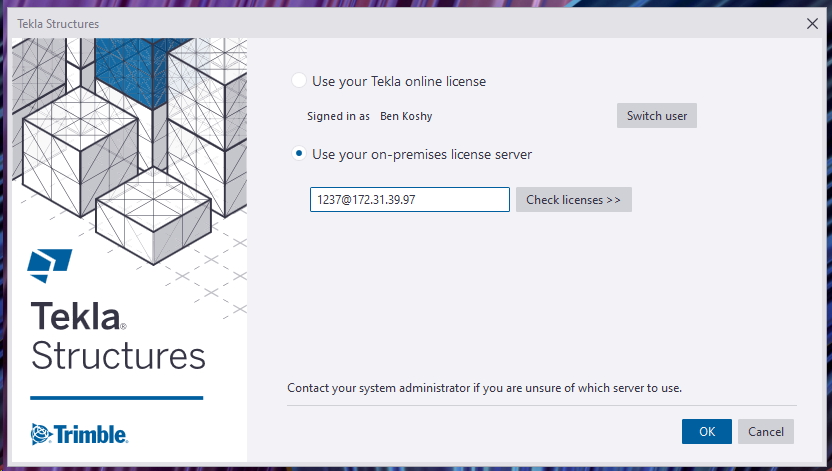
Documentation on how to do it, for all Tek1 Staff Only.
(1) DO NOT HAVE PIRATE LICENSES ON YOUR COMPUTER.
Please contact me if you have any questions.
No pirate licenses. This means genuine Windows, MS Office, and genuine Tekla licenses. In this organisation we pay developers/companies for their labour and services. We don’t steal. Moreover, I need to know the cost of operations, and costs we incur should be added to our invoicing. It is critical that our costs are accurate. If we have to resort to piracy in order to maintain profitability, then we ought to quit the business entirely and do something else.
(2) Disconnect your VPN connection when not in use. So others in our team can access. VPN connections are very expensive.
(3) Do not share your username / password with anyone else.
(4) Do not use these licenses for your own personal work – i.e. for Tek1 use only. This ties in closely with the first point re: piracy.
I will tell you the client vpn passwords and codes that you need in order to connect. Just msg me please.
Please read the trouble shooting page here.
We’ve created many libraries that handle estimation. Here are some examples which you may view or use as the case may be.
Apologies folks, this is documentation for our own staff. If you’re not on staff, I’m afraid your access will be limited. Videos are located in the documentation contained in the Drive Folders. Please carefully read the documentation and watch any videos if required.
Draw some lines in AutoCAD or Advanced Steel. Set up a CSV file that maps lines to Advanced Steel Beams. Run the command in Advanced Steel, and Advanced Steel beams are produced.
Advance Steel – ConvertToBeams (CTB) Command from Tek1 on Vimeo.
Draw lines that come up as 3d lines with a Tekla like interface, which using interop delivers them straight to Tekla:
I’ve created a macro to help create Advanced Steel Members, given a particular spreadsheet file. You are welcome to download and use it – see here. Unfortunately, I don’t have a demo video for you so: Please read the documentation / manual.
Given a Tekla Part (regardless of how it was obtained, we want to obtain the bolt information. We can do so as follows (see the hello world example):
