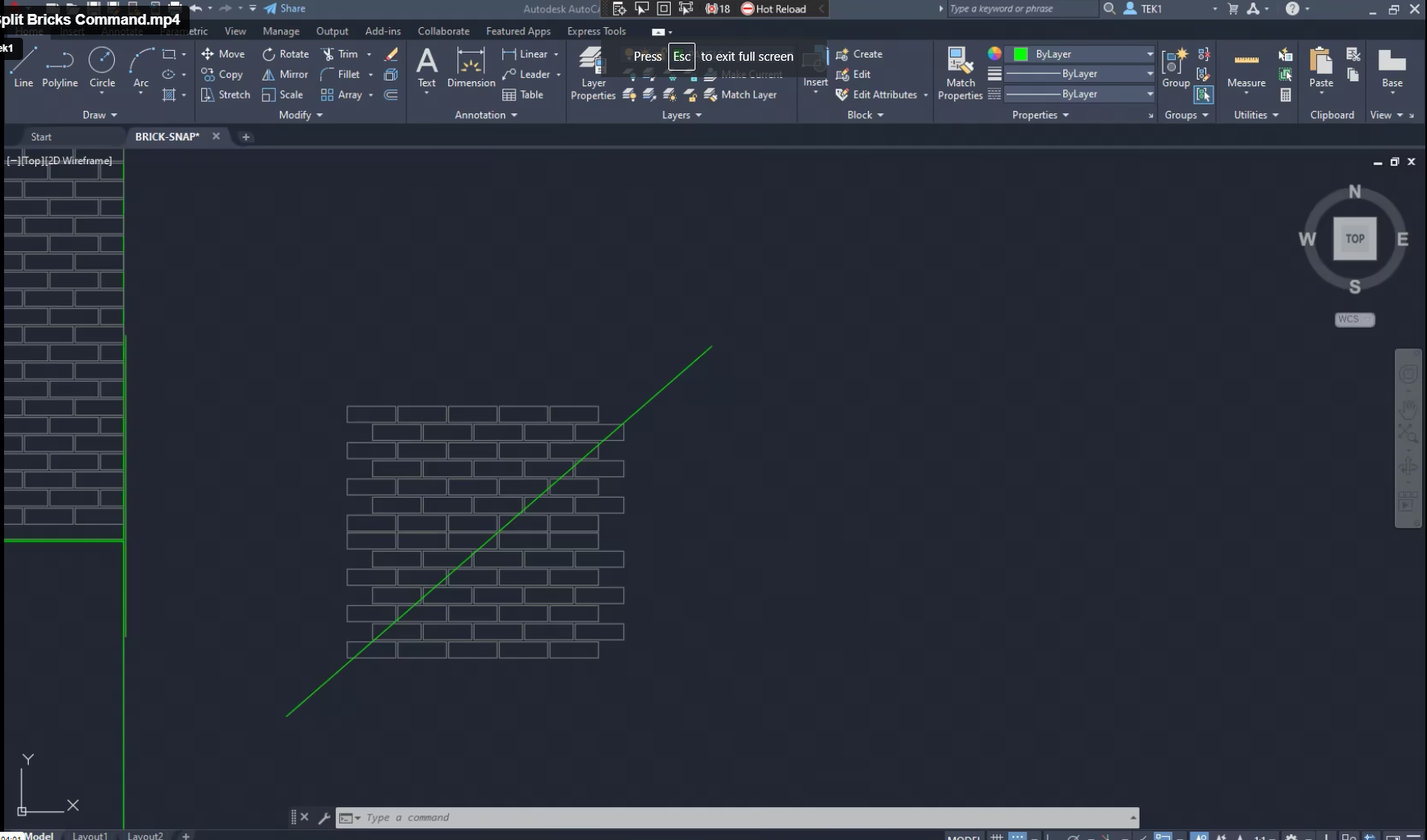
We were having trouble with Precast jobs which involved Brick Snaps. We estimated that it would take +100 hours. Most of the time is pure manual labour – which could be automated, provided you worked out where / how.
We found that splitting bricks along panel lines and curves were taking inordinate amounts of time. A tool was developed and here it is.
The Building industry in Australia is tough. The insolvency rate is over: 20%. Lies, non-paying etc. strikes, cost surges etc. is all de rigger. Builders are stressed. There’s no need to stress them out even more. Variation work is common the industry.
Simply use the forms on our quote app – they are standard template fields which will save you a lotta headaches.
If you need to remind clients about a variation:
Ask nicely.
Ask the proper way.
DO NOT DO THIS:
“This is a variation for both of us”.
“Please approve the variation. So that we will proceed with the changes”.
No: it is not a variation for both of you: the client will decide the variation. You shouldn’t tell him that. If you do, you will simply annoy the client.
No: do not ever say: “please approve so that we will proceed”. This is akin to threatening the client, and holding up the job. Never, ever do this! It’s the worst way. You will annoy the client and he will walk – this has actually happened (yes there were other factors contributing) but it could be avoided.
Never do this!Never do this either!
WHAT SHOULD I DO?
We want our clients to voice objections. That’s right, we WANT to hear the objections. Everything we do should be clear, fair, transparent, and should have the consent of all parties. The communication should reflect that. So ask like this:
These are all “no-orientated” questions. They are decided to illicit a “no” – to make it easy and welcoming for the client to object. Use the exact wording above.
Do you have any objections to this proposed variation request?
Do you object?
Sounds like you have an issue with this request?
Fixed Price Contracting
Some clients agree to our contract, knowing full well that we do not do fixed price contracting. If any client rejects variations because they want fixed price contracting – then please feel to contact me directly about this.
Be Honest
If it takes 1 hour, then write down: 1 hour.
Do not write down 3 hours. If you get caught, then clients will loose trust in you, in our firm, and so will I. You will get a reputation as a liar, and that reputation is hard to shake.
The Golden Rule: Be very clear and specific about what you are quoting for. e.g. I am only going to work on the following (insert specific details), and everything else is excluded.
Why is this important?
Clarity: Your client will know exactly what you are quoting for. Use diagrams, and present documentation to improve clarity. The last thing you want is your client to call you and say: “what about the stairs?”. It will not do for you to turn around and say: “oops, I meant I was only quoting for structural steel”. Clarity eliminates these types of problems.
Limited Liability: Do not write a blank cheque for clients. If you return a quote to: “build a house” then this quote is essentially open ended. They might get the wrong ideas in your their head: how large is the house? How much material? How long will it take? How will it be built? What if the client keeps changing the design? How much time are you willing to devote to keep making those changes? Even worse, what if you are forced to keep redesigning a house according to the caprice of a third party – whom you have no control? i.e if an engineer and architect keep changing their designs, then you may be destroying your margins and taking a steep loss, as well as massively increasing the risks something goes wrong. Always limit your costs, in some way. Make this clear to clients.
Variations:
Watch out for design and build jobs: As alluded to above, the design process is fraught with difficulties. Too much back and forth with engineers. Limit this liability in some way: e.g. perhaps by hours worked on a project.
How we quote: we quote to a specific set of drawings. Invariable, these drawings change due to the discovery of problems as the building/structure progresses. Whenever something changes: that adds considerable risk to the project, cost, and delays. These costs need to be recorded and passed up the chain. No longer can engineers, architects and builders make changes, willy-nilly, and pass on risk, expenses to sub-contractors with equanimity.
Specific Examples of Quoting:
Limit scope to a drawing number.
Limit scope to a particular drawing revision.
Limit scope to the number of beams etc.
Limit scope to grid lines.
Limit scope to quantities.
Limit scope by listing exactly what you are building.
And exclude everything else.
Show diagrams so that your quotes are crystal clear. This gives confidence to the quotee – they will know that your quote is well considered, and probably accurate.
Here are some examples, of how we quote.
Northern Retaining Wall
Detailing structural beams, connections details, according to the following scope:
Drawing 1: Type – T1 250UC90 HDG QTY: 299
Drawing 2: Type – T2-L 250PFC HDG QTY: 1
Drawing 4: Type – T2-R 250PFC HDG QTY: 1
Drawing 5: Type – T7 250PFC HDG QTY: 26
Drawing 6: Type – T8 250PFC HDG QTY: 1
EPH – Station Platform Northern Retaining Wall
Drawing 7: UC 150 x 37.2 post with base plate. QTY: 58
Drawing 8: PFC 200 with Base Plate. QTY: 4
Everything else is explicitly excluded. Changes might incur charges via variations. Fully documentation will be provided.
Highlight Items on a Drawing
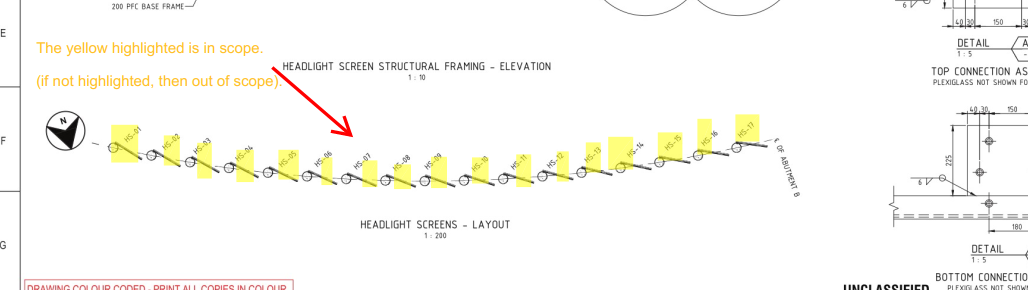
highlight scoped items in a drawing.
Add a note showing what is in scope. Why? Sometimes it is not immediately apparent what is being scoped in and out – especially if we are using a drawing with someone else’s markup. Do not simply highlight – we need the note as well. The note should say:
“The highlighted elements are in scope. If it is not highlighted, then it is OUT of scope”.
At scale, efficient systems of communication and coordination are required in order to efficiently prosecute projects. These systems will likely be of immense value to yourself, and your clients. Consider the following example:
Our critical path sits within the ABCD building, I have run a target date commencing 29/6/22.
Is this possible for the ABCD given the attached review?
What further do you need from us to mitigate any time frames lost?
Can we get ahead on the procurement of the Steel while we look to focus on getting the SD’s to IFC this week with Tek1?
Email received for the ABCD Building.
The critical question: what are the hold-ups for the project?
Likely our client, has no idea, let alone the builder/developer (a large one). Projects are held up in the weeds. The folks at the top of the supply chain need to make resource allocation decisions. Right now, they’re doing so, effectively blind. Or they have to send out emails like this one.
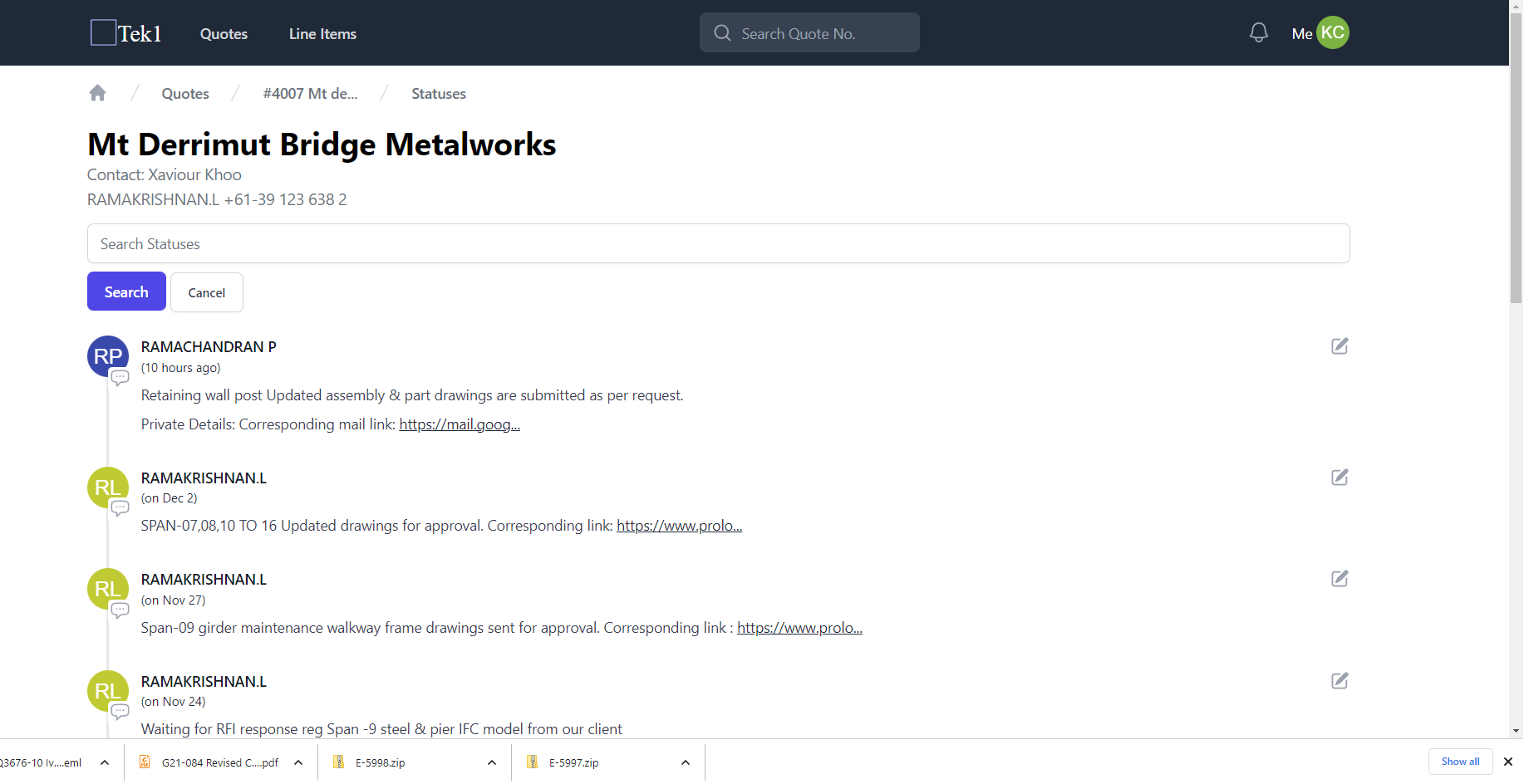
Would anyone remember, what the specific hold up for the project was a few months ago? It’s very hard to remember. And it’s hard to dig it out of the 100s of emails you would have received over that time period. But if you have built up a timeline, it is relatively easy to see what’s happened. All I had to do was to check out our status reports:
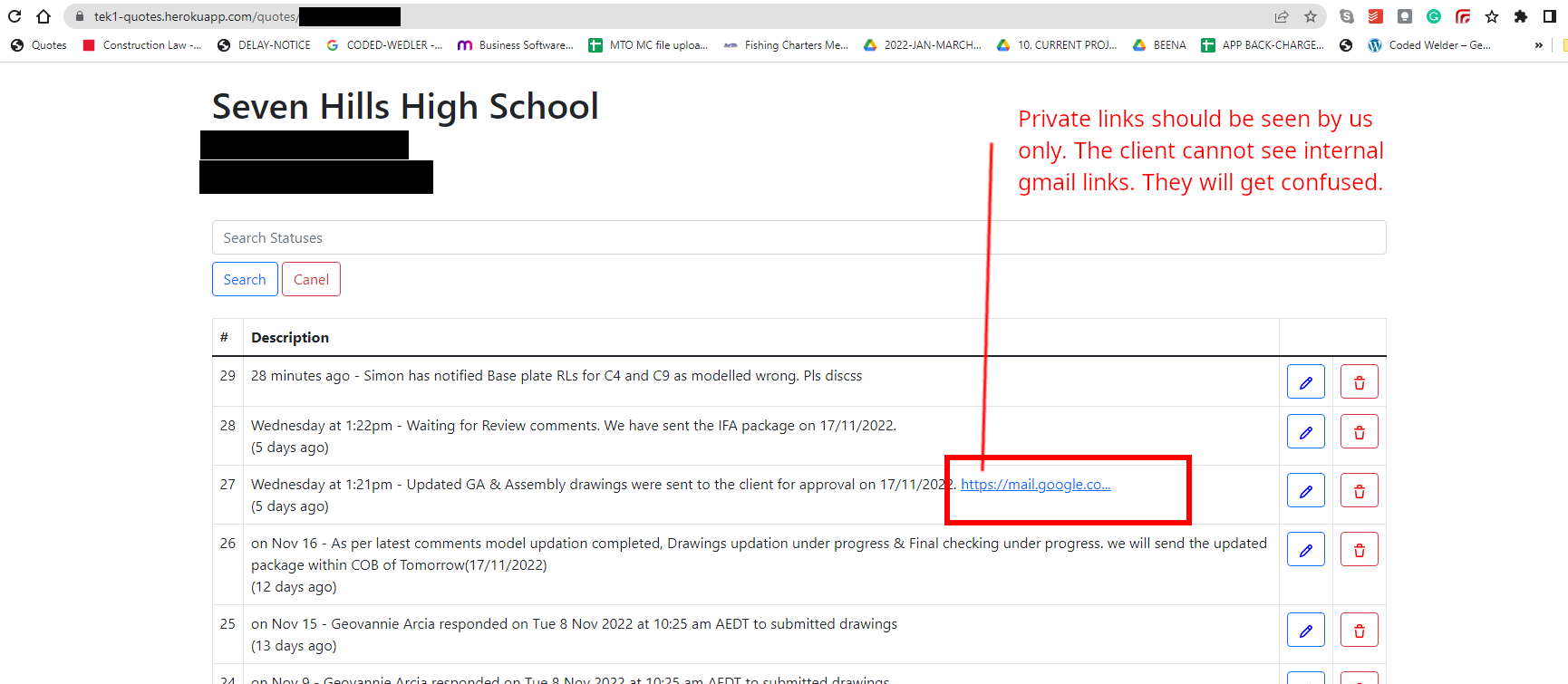
Status reports for this project. Details redacted.
As you can see: the project has been in limbo since the 20th of April. It’s self evident. If you didn’t have a timeline, you’d have to bury your head in 100s of emails to retrace your footsteps. We’ve been waiting for this review for three weeks. That’s roughly three weeks ago.
As usual, the reviewers are holding up the show. Except now, given everything is tracked, it’s very hard for them to conceal their inefficacy. Then there were the delays due to: (i) asking RFIs, and (ii) waiting on those answers. (The RFIs are usually asked in the first place, due to the poor quality drawings that are received). The price of inefficient designers (architects / engineers) is monumental. Add poor coordination into the mix, as well as ballooning material / labour costs, and that spells a perfect storm for builders.
Building up a simple status timeline massively improves transparency, improves communication with your client – and all this for very little cost.
When accessing our Tekla servers, we have traditionally been using the AWS VPN client to access our licenses. All of this results in high costs for the firm, just to access our licenses.
But now we can access our licenses, from the office, without doing anything. You don’t need to log into Azure, or use the AWS VPN Client. Simple Open Tekla at the following IP address: [email protected]
Summary: Until further notice, only use the VPN Client when at home. Do not use the VPN Client in the office. Because it is expensive.
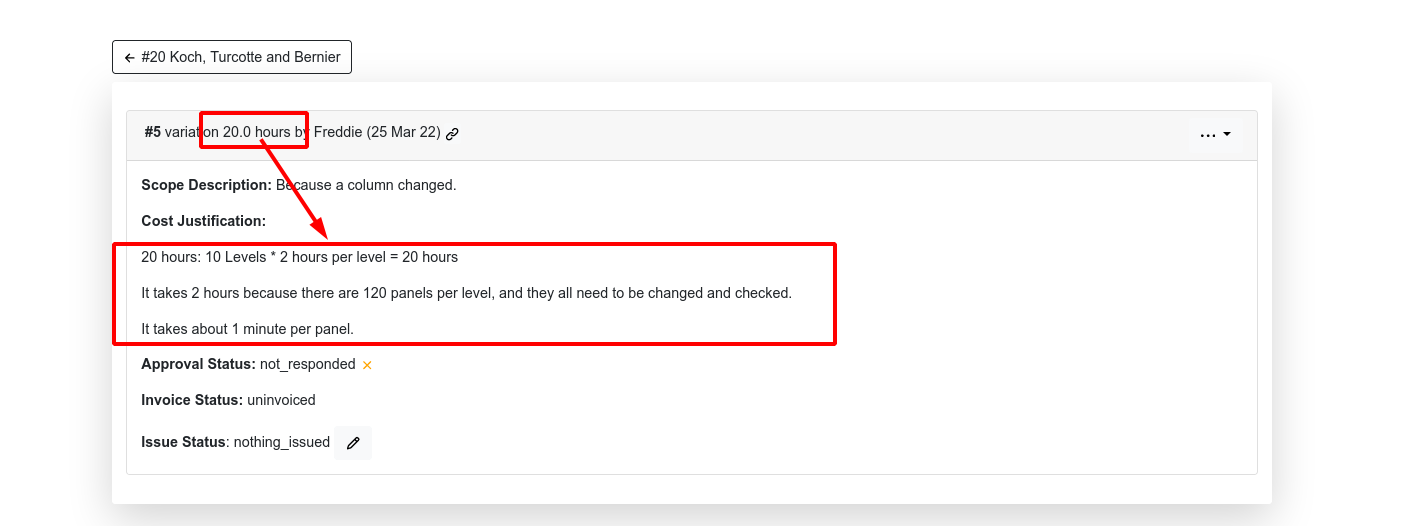
If you have 20 hours worth of variations: do you think your client will rejoice? Typically, no!
Clients demand transparency! They have every right to know: (i) why you are charging them, and (ii) what they will get in return. It will not do to simply say: variation: 20 hours. Why not? Clients will assume you are pulling the wool over their eyes. If you wanna get paid, you need to justify your pricing and proposed scope of works to them.
Break your costs / hours down!
Where are these 20 hours going? Well, that’s 2 hours per level. And there are 120 panels per level. Which equates to a change of about 1 minute a panel. That seems extraordinarily efficient, now that you state it in those terms.
Your clients will thank you. Remember, they’re going to use your justifications so they can in turn claim costs from their clients. And best of all, it means you’re more likely to get paid for your labour.