
-
Memo 46 – If you don’t have a professional license, or are not an expert: don’t comment.
Read more: Memo 46 – If you don’t have a professional license, or are not an expert: don’t comment.Also: Should you charge for your opinion? Someone asks you for a professional opinion on an area that is not your area. Rule 1: If it is not your area of expertise: don’t give your opinion Rule 2: If it is your expertise: make sure you charge for it Case Study: [To be inserted]
-
Memo 45 – Insurance and Admission of Errors
Read more: Memo 45 – Insurance and Admission of ErrorsWe have professional indemnity insurance at Tek1. As part of our policy – on anything which may give rise to a claim you are not allowed to admit liability or mistakes. In fact, people will try to get you to admit – to make you the person at fault – when it could be the…
-
Memo 44 – Formatting Required for MTOs (Checklist for Material Take Offs)
Read more: Memo 44 – Formatting Required for MTOs (Checklist for Material Take Offs)Key links: Please supply checklist and special notes with every take off report you complete. What is the purpose of an MTO? The Actual MTO report: (a) Full Material List (b) The second: Excel – Material List – which shows all sub-totals. (c) IFC file. (d) db1 file (e) and if applicable, your .dwg line…
-
Staff Memo – Webmail Login
Read more: Staff Memo – Webmail LoginPlease use the following link to login to your tek1 engineering services mail: https://gvam1290.siteground.biz/webmail/mail/
Author: admin
-
Staff Memos
-

Fast Track to a Tekla Career
Ready to trade that graduation cap for a career in 3D modeling?
🎓🏗️ If you’re looking to break into the world of structural steel as a Tekla Detailer, we’ve got the ultimate “cheat code” to get you hired
Here is your step-by-step roadmap to joining the Tek1 team:
Get the Keys 🔑
(more…)Ready to trade that graduation cap for a career in 3D modeling?
🎓🏗️ If you’re looking to break into the world of structural steel as a Tekla Detailer, we’ve got the ultimate “cheat code” to get you hired
Here is your step-by-step roadmap to joining the Tek1 team:
Get the Keys 🔑
(more…)Ready to trade that graduation cap for a career in 3D modeling?
🎓🏗️ If you’re looking to break into the world of structural steel as a Tekla Detailer, we’ve got the ultimate “cheat code” to get you hired
Here is your step-by-step roadmap to joining the Tek1 team:
Get the Keys 🔑
(more…)
Large Material Take Off
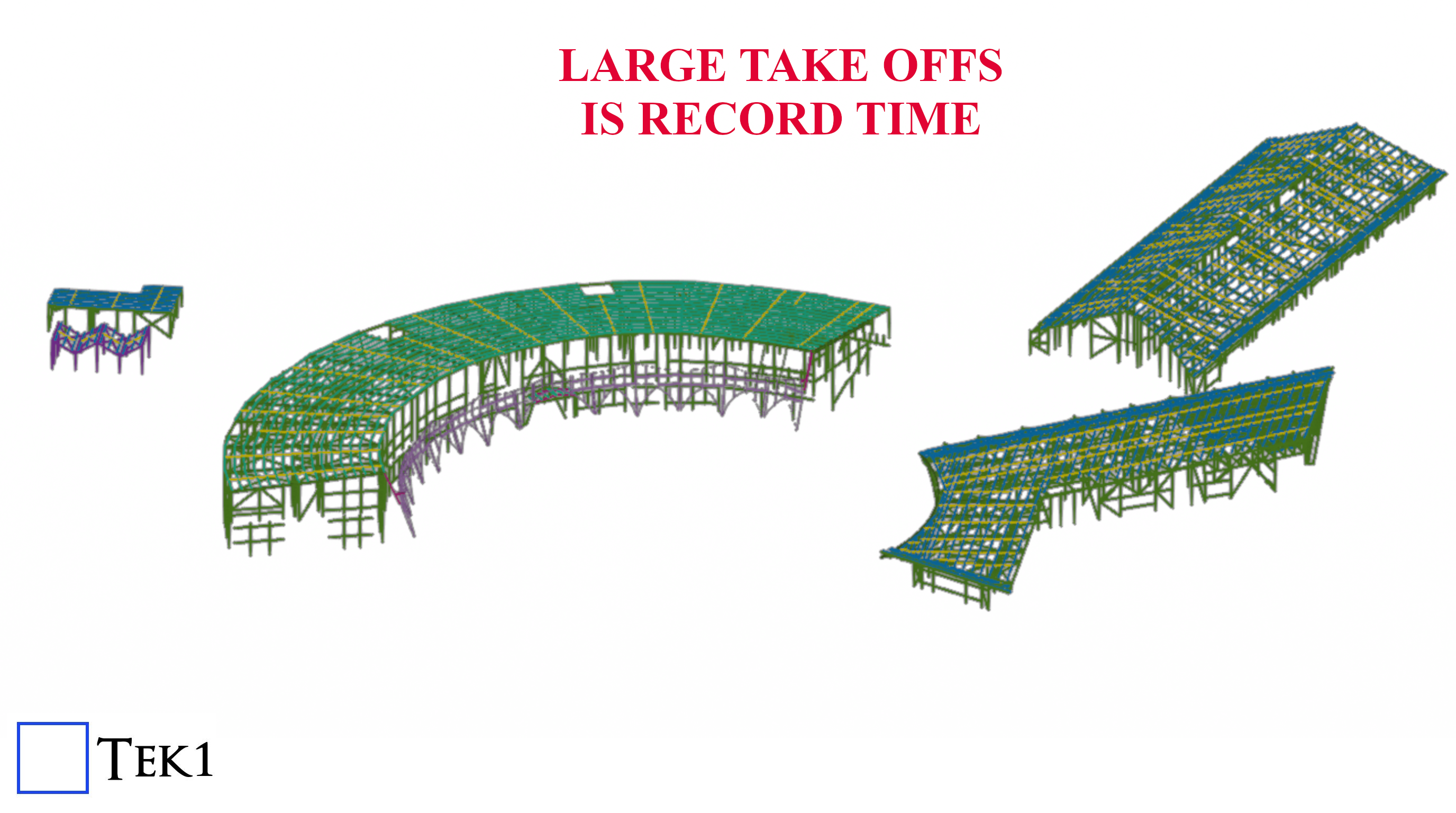
McKillops Take Off
A 240 ton Material take completed in a very short time, accurately modelled.
Estimation Accuracy and Speed
With tested a tried processes, Tek1 offers fast turn around and accurate take offs. Your Estimation time is cut by weeks.
Installing Moodle on Lightsail
| database | mysql (10.11.8-MariaDB-0ubuntu0.24.04.1) | must be installed and enabledWrong $CFG->dbtype. You need to change it in your config.php file from ‘mysqli’ to ‘mariadb’ |
| site not https | if this test fails, it indicates a potential problemIt has been detected that your site is not secured using HTTPS. It is strongly recommended to migrate your site to HTTPS for increased security and improved integration with other systems. |
Adding Ferrule Bolt
How to create a Ferrule Bolt and Use it.
Steps Edit Bolt Catalogue. Add the Ferrule bolt in this case we are going start from BOLTFB1640 and create BOLTFB1655 Then we add a bolt Assembly catalog. Again we start from Bolt BOLTFB1640 and create BOLTFB1655 Then we use that in tekla to model the bolt. When you model the bolt make sure 1. No nut is used 2. Washer is on the head side. 3. Cut length is negative of the length you want. This decides the length of the bolt in report. Most important do not ignore — Take report and check.

Use Trimble Connect for Quick Checking
Trimble Connect for Checking
Upload the reference models when you upload the model to trimble connect.
Now any one can make some quick checks.
You can turn off/on the reference models for quick checks.
May adjust the transparency too
#Trimble Connect #Tekla
Emu in the sky goes live
Iconic project by Chess Engineering
hess Engineering.
Detailed expertly by Tek1 with the following scope
- The Structure
- The Architecturals – Extremely Complex.
- The lighting fixtures
Tek1’s A team was proud to be involved.
We have completed this project with NIL errors for detailing side. It went extremely well with Chess too.
Chess too hadextremely low stuff ups (as reported) You can see the trimble connect model of the entire proejct at our blog post
Culvert Mould
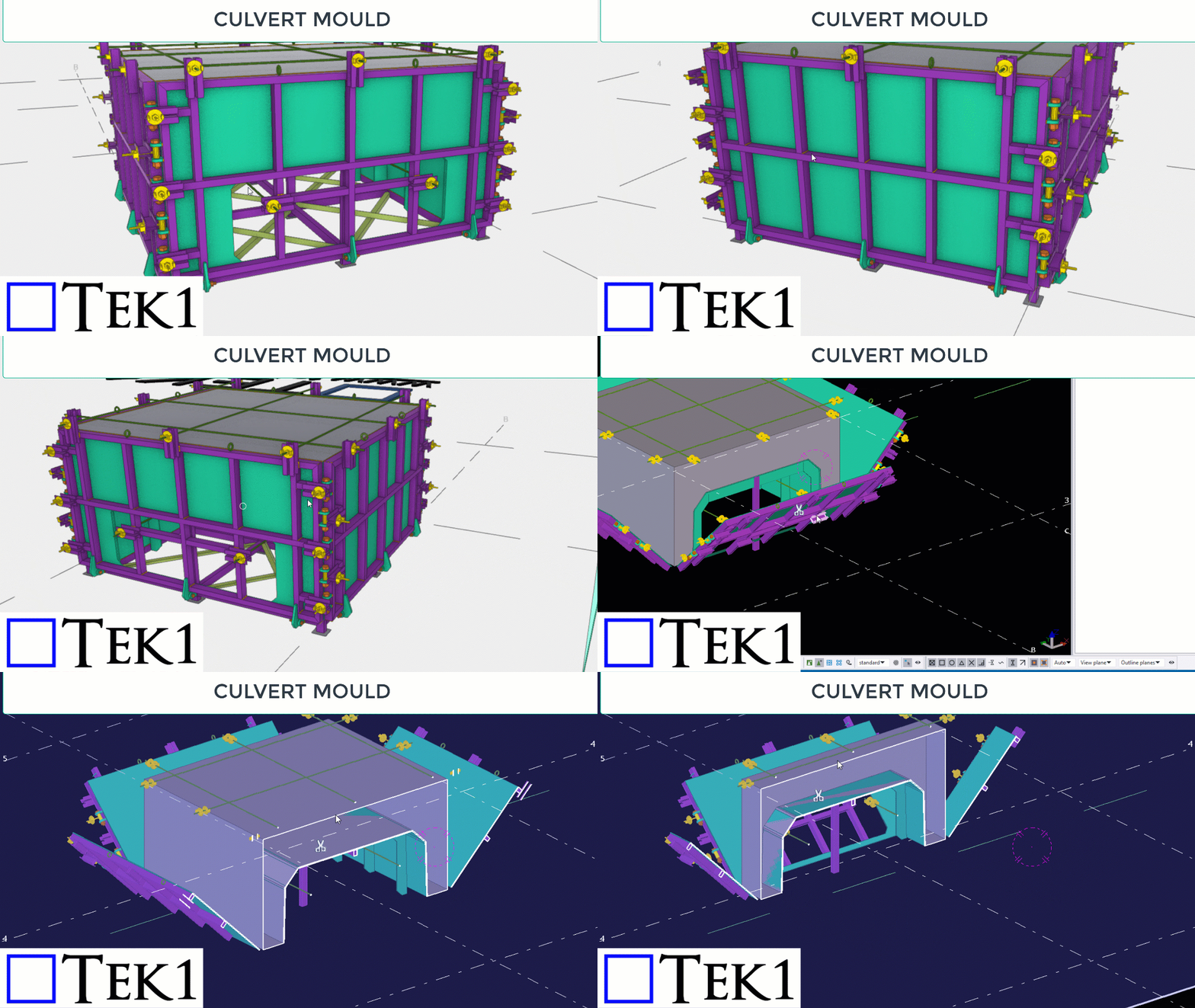
We were requested to develop a culvert mould for the precast manufacturere.
Problems to Solve
- Reusable
- Easy to de mould
- No injury to personnel
- Cheap.
- Accuracy of final product.
We have studied the requirements came up with a design. Submitted inital model with markups.
Very few changes were done and the final design completed and shop drawings delivered.
If you have any need for developing some tooling fixtures or anything which requires design, then Tek1 is the GOTO place.