Category: Projects

  • STRUCTURAL CORE PLAN AND ELEVATION DRAWINGS STUDY

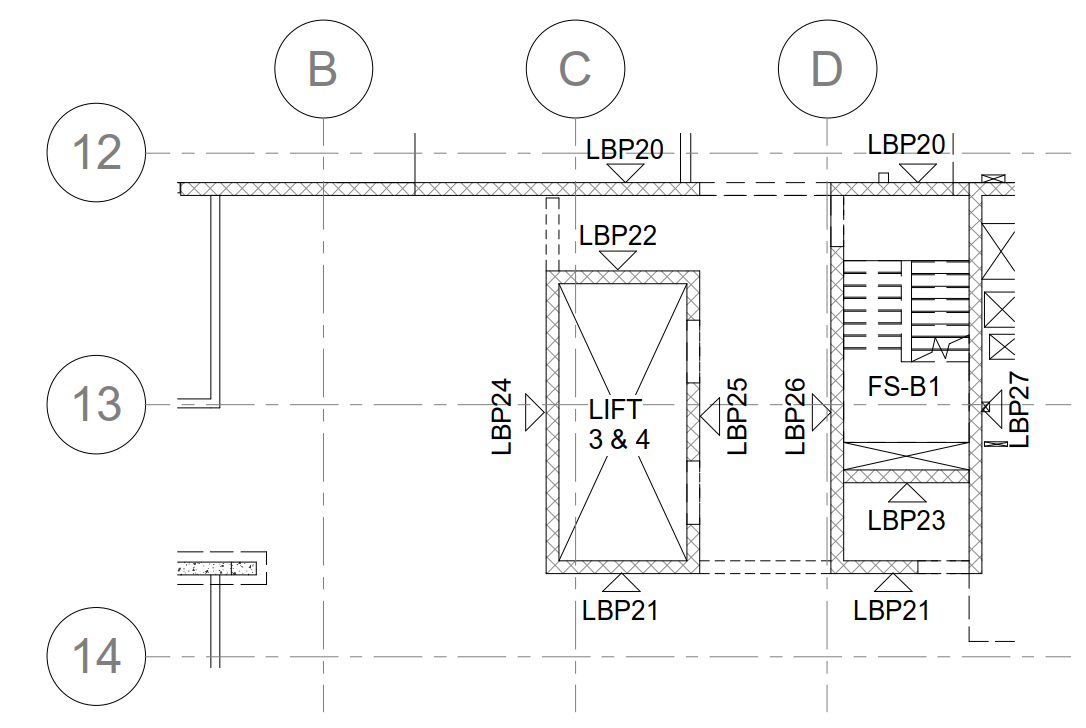
    1. Core plan shows the core wall, shear wall and overall slab boundary. (Only if it is provided by separate structural engineer specifically working for cores & shear walls).
    2. Also, it’s shown the elevation number and viewing direction. (Only if it is provided by separate structural engineer specifically working for cores & shear walls) – Refer Fig 01.
    3. Precast legends will be provided at title sheet.
    4. If too many building means, they highlighted the site key plan with current building.
    5. For single building area of working, they provided the key plan with elevation numbers and views. (Only if it is provided by separate structural engineer specifically working for cores & shear walls).
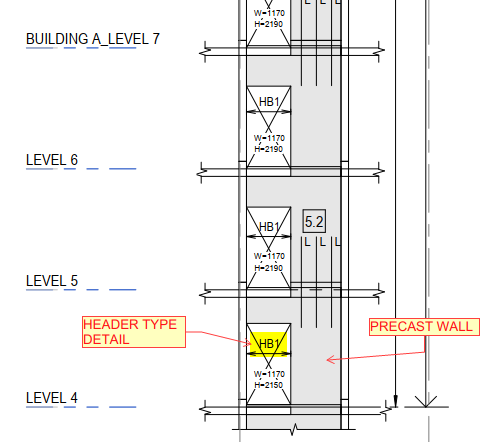
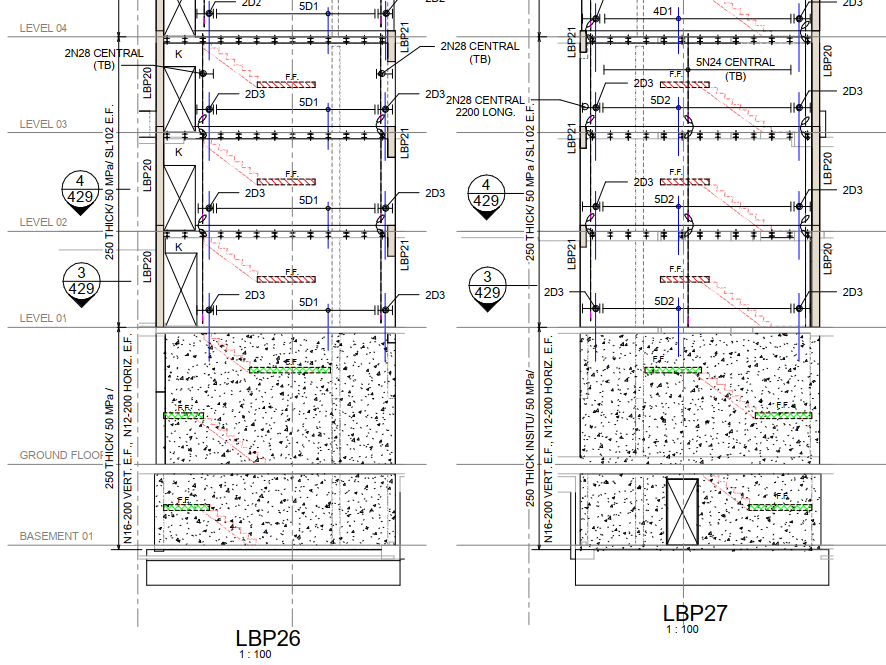
    6. In Core/Shear walls elevation, concerned engineer will provide below details – Refer Fig 02
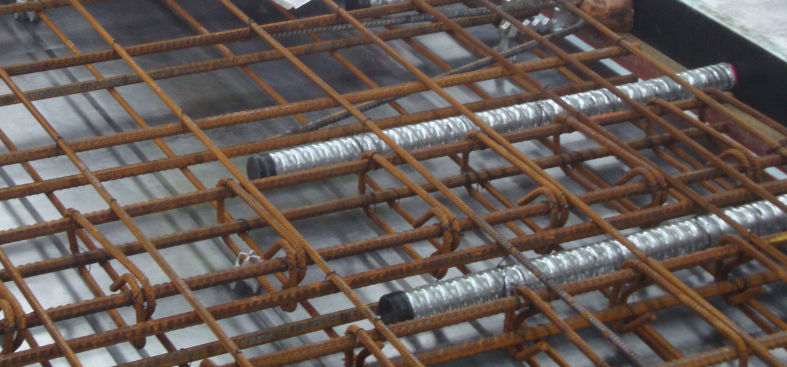
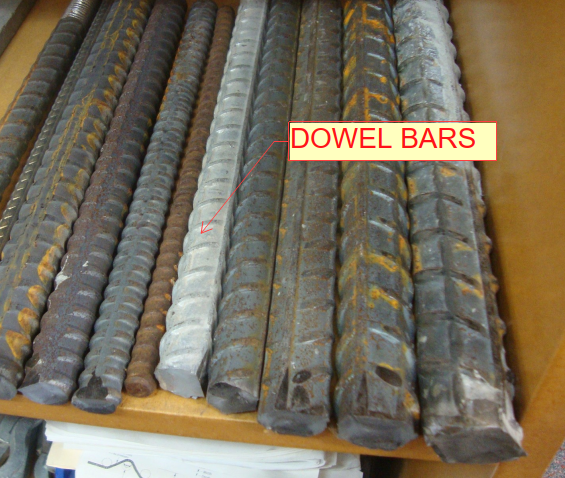
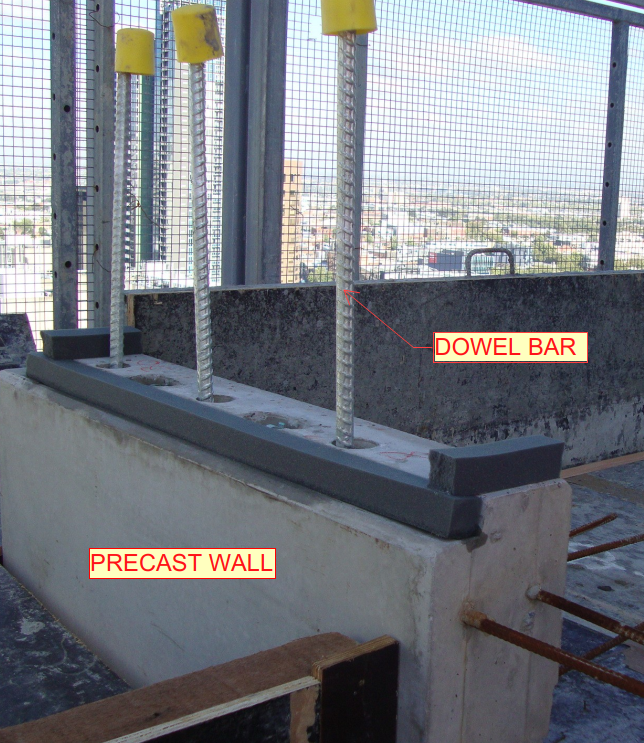
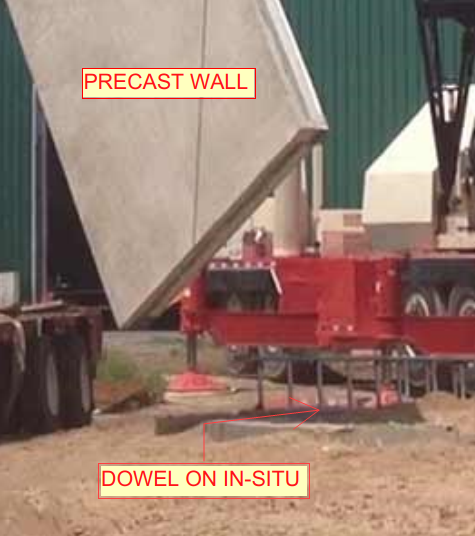
      • Dowel bar requirement
      • Tension bar requirement
      • Thickness of panel
      • Grade of panel
      • Reinforcement requirement (in some cases it will be given in a separate sheet)
      • CIP requirement
      • Wet-joint details (usually wet joint only specified. Brief details will be given in separate sheet)
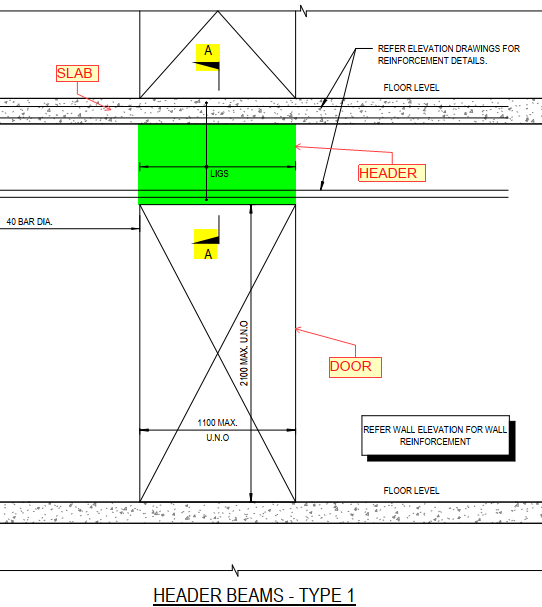
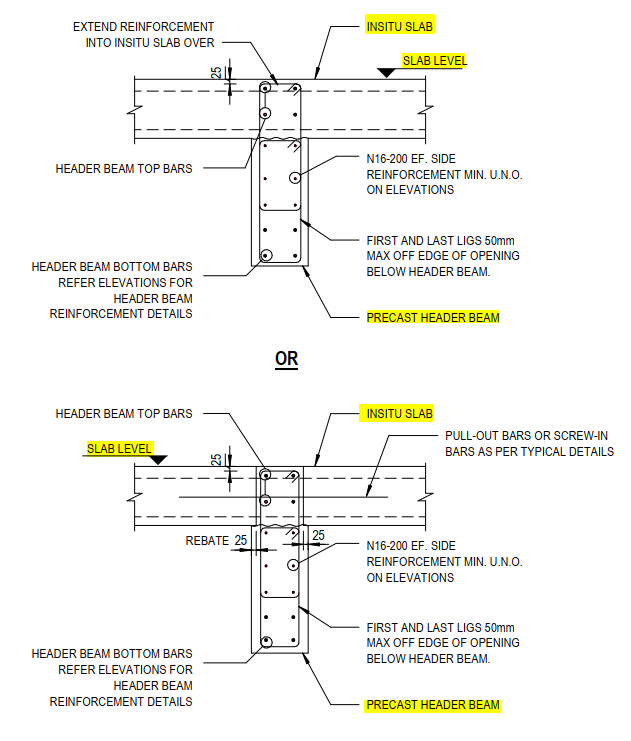
      • Header detail schedule type (in some cases header type only given, and will be defined in another sheet)
    7. In core elevation and plan, we prefer to give more importance to elevation than plan, if any issue in it we can raise RFI (Before raising RFI we have to completely analyses the discrepancy, and make a call inward and finalize the deviation. If it is not finalized then only, we can raise RFI (Request for information).

    (Fig.01) SAMPLE CORE KEY PLAN

    (Fig.02) SAMPLE CORE ELEVATION
  • ARCH STAIR PLAN DETAILS AND DRAWING STUDY

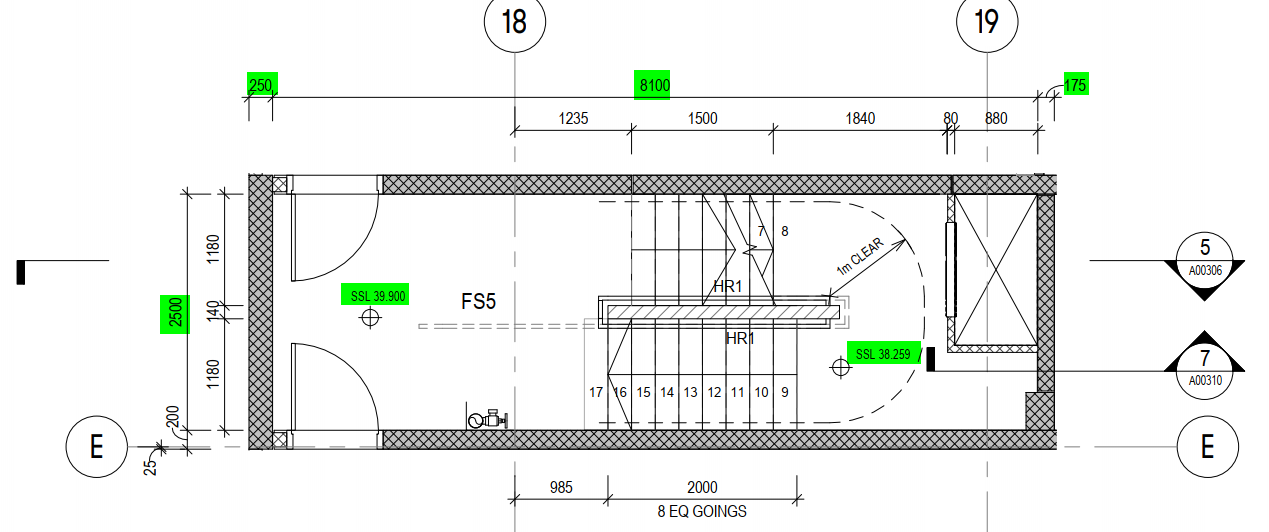
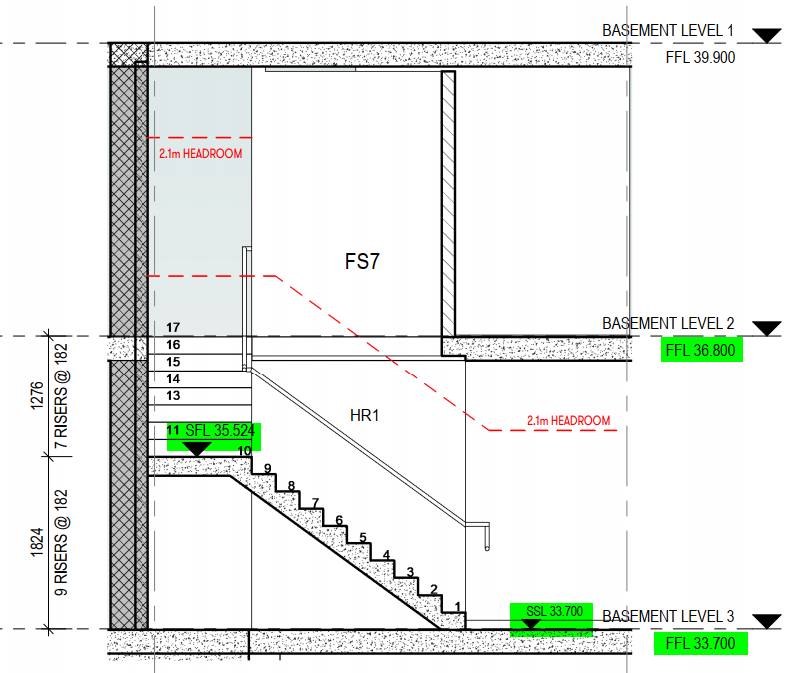
    1. Stair or fire stair drawings are used to find the stair landing RL, landing slab set-out (X-axis distance), fire penetrations and stair pressurization riser details.
      (Refer Fig .01 & 02)
    2. This drawing package are provided by architect separately in arch consultant drawings.
    3. The main things for this drawing are to take the value of stair landing RL’s, Door and opening sizes.
    4. If any mismatch with consultant arch drawing, we have to raise RFI (Request for information) and confirm it. (Most of the cases we need to follow as per stair drawing package only. If we need to raise RFI (Request for information), make sure and cross check issuing date & other references from drawings).
    5. Stair Landing & its mid landing RL’s will be taken from Architect Stair section drawings. If they not provided, then we have to check those RL’s in arch concrete plans.

    ARCHITECTURAL STAIR PLAN (Fig .01)

    ARCHITECTURAL STAIR ELEVATION SECTION (Fig .02)

  • ARCH ELEVATION DETAILS AND DRAWING STUDY

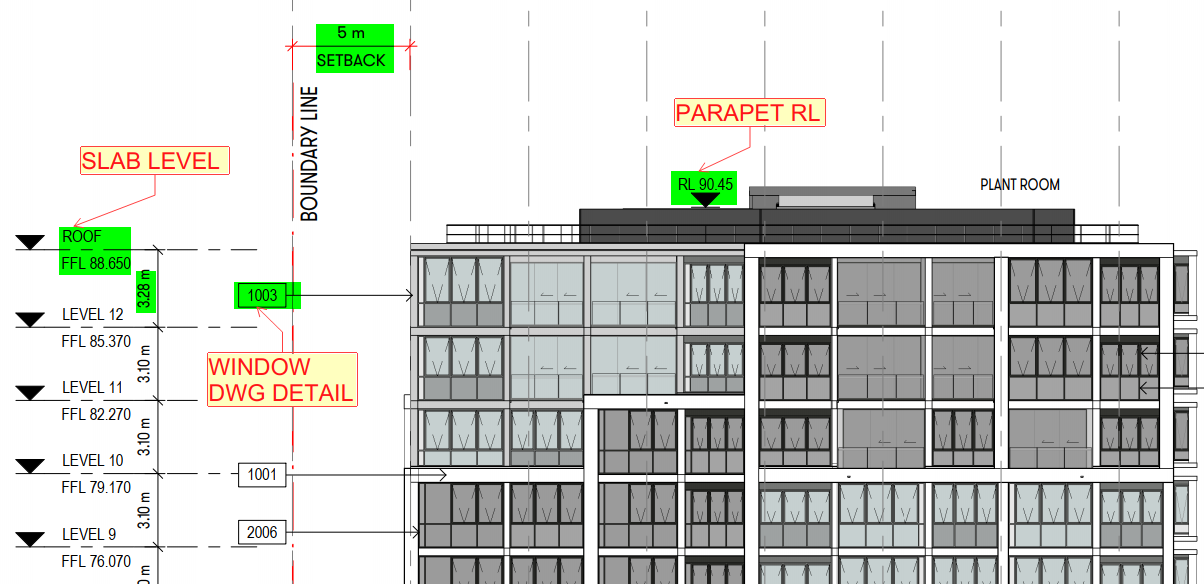
    1. For Architecture elevation, mainly we used for door/window openings height and its location details. (If any other service drawings available means we have to consider that too).
    2. This elevation helps to take the FFL/SSL value of each level.
    3. It’s showing also the RL of parapet and roof level walls.
    4. For patterns, grooves and other elevation design details will be shown on architectural elevation.
    5. The different types of panels finish also shown on elevation where it’s required.
    6. They given all the side of elevation and section views for overall building profile appearance.
    7. It also shows the slab profile appearance and it’s RL’s. (Like floor slab, ramp, stair landing, and etc.,)
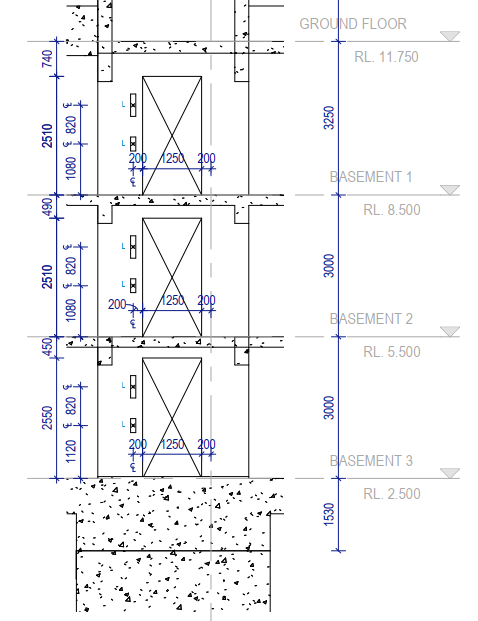
    8. Some cases, the arch core elevations also provided separately for stair and lift. It’s shown the details like door and window set-out, fire penetration set-out, landing slab RL and etc.

    Sample Arch core elevation (Fig.01)

    Sample Arch elevation (Fig.02)

  • LIST OF PRECAST FINISHES

    Precast panels are ready made concrete element, which is the part of the building as structural as well as façade panels, which required the surface finish as per the customer or Architect requirements. Various type of finishes are used on the both side of panel and edges according to where the panels are positioned on the building.

    Due to the process of precast manufacturing, the finishes are made by replication of table on the one side, and the other side our traditional or conventional methods are preformed after pouring the concrete. As per concern of precast finishes, its classified as

    1. Non-Table finishes.
    • Float finish.
    • Trowel Finish
    • Polished Finish.
    • Broom Finish.
    • Sand blast finish. etc..

    2. Table Finishes.

    • Normal Table Finish.
    • Good Table Finish.
    • Form liner Finish.
    • Retarder Finish.
    • Patterned Finish.
    • Bricks Snap Finish. etc.
  • THE USAGE OF NEAR FACE(NF) AND FAR FACE(FF) INDICATION ON SHOP DRAWINGS

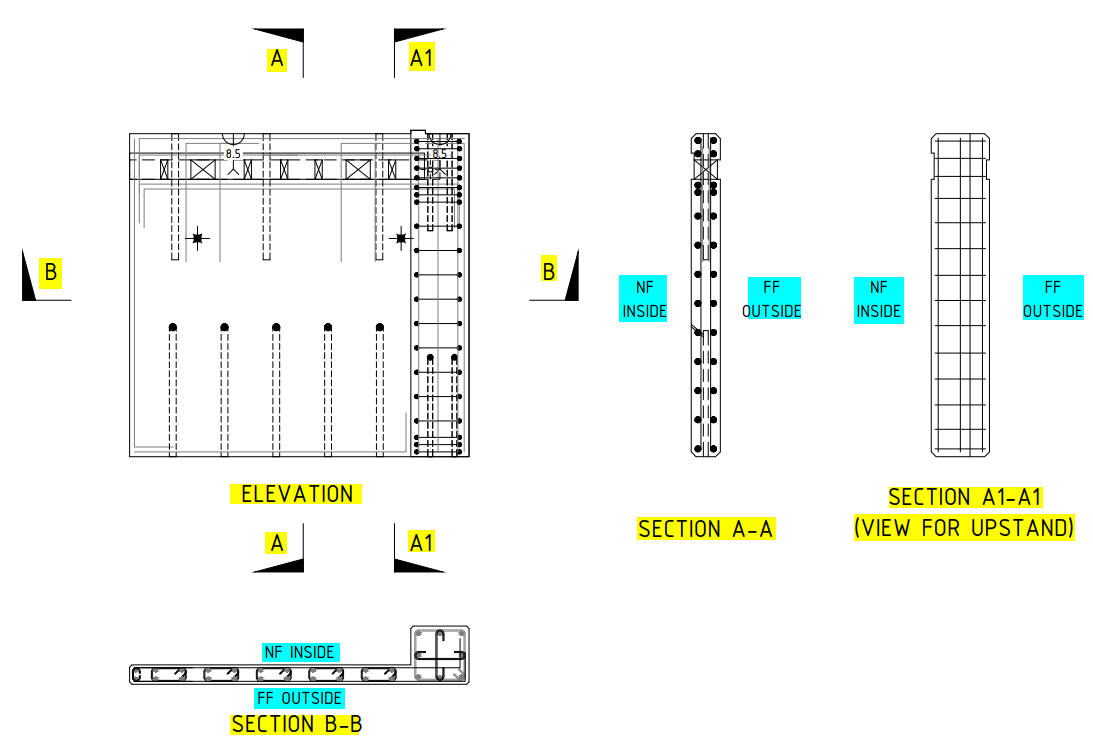
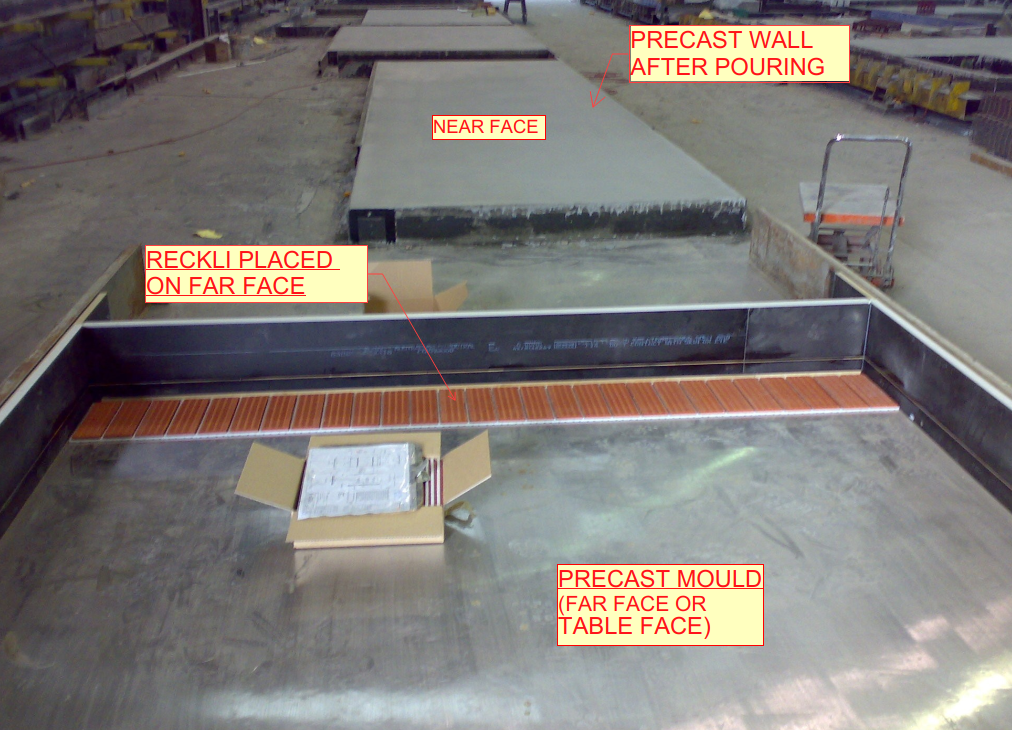
    Near face (NF): Near face is a front view of the precast wall.

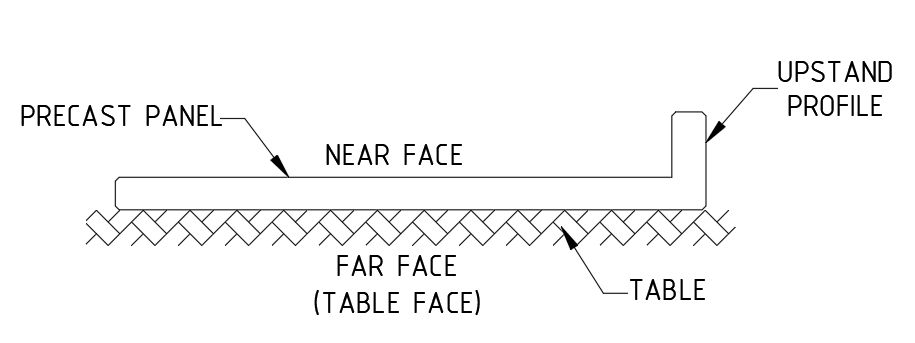
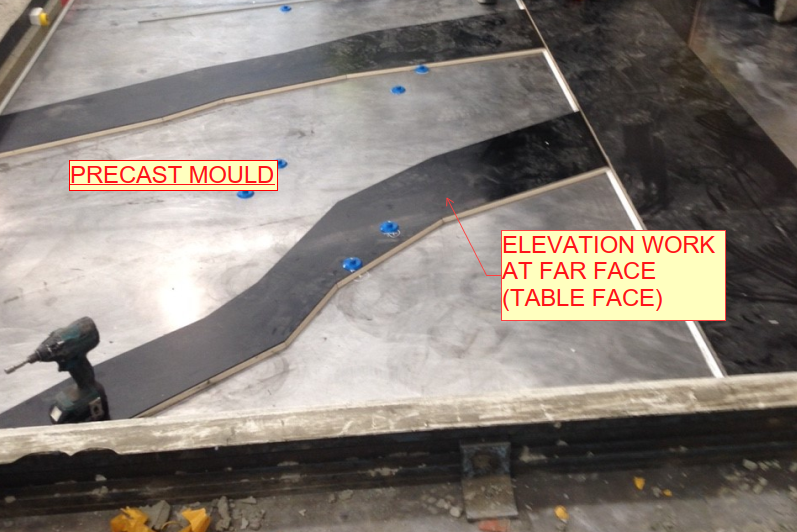
    Far Face (FF): Far face is an outside view or trowel face or table face of the precast wall.

    • Near face and Far face indication playing a major role on shop drawings to identify the component placing for factory people while manufacturing panel. (Refer Fig.02)
    • At initial stage we draw the panel footprint on marking plan and fix the panel view based on where the panel comes like inside or outside of the building.
    • In marking plan, we viewing the panels both inside and outside of the building because to achieve architect and structural aspects or requirements and to avoid some manufacturing difficulties.
    • The below mentioned details are used to fix the views for precast panels from marking plan.1. To View from inside of the building:
    • Good table finish will be on Far face.
    • Grooves, patterns, different profile design comes at outside of the building, so it will easy to assign profiles on far face of the panel and it will be on table face on factory. (Refer Fig.03 & 05)
    • For upstand or corbel to be comes at near face of the precast panels to avoid manufacturing difficulties.
    • If any bars connecting to in-situ at near face, we also view the panel from inside.2. To View from outside of the building:
    • For basement level panels no need trowel finish or good table finish on far face of the panel (Outside of the building). In this case we looking the panels from outside of the panel.
    • If panel have upstand or corbel profiles at outside of the buildings, we need to view the panel from outside to avoid manufacturing difficulties on factory. (Refer Fig.01)
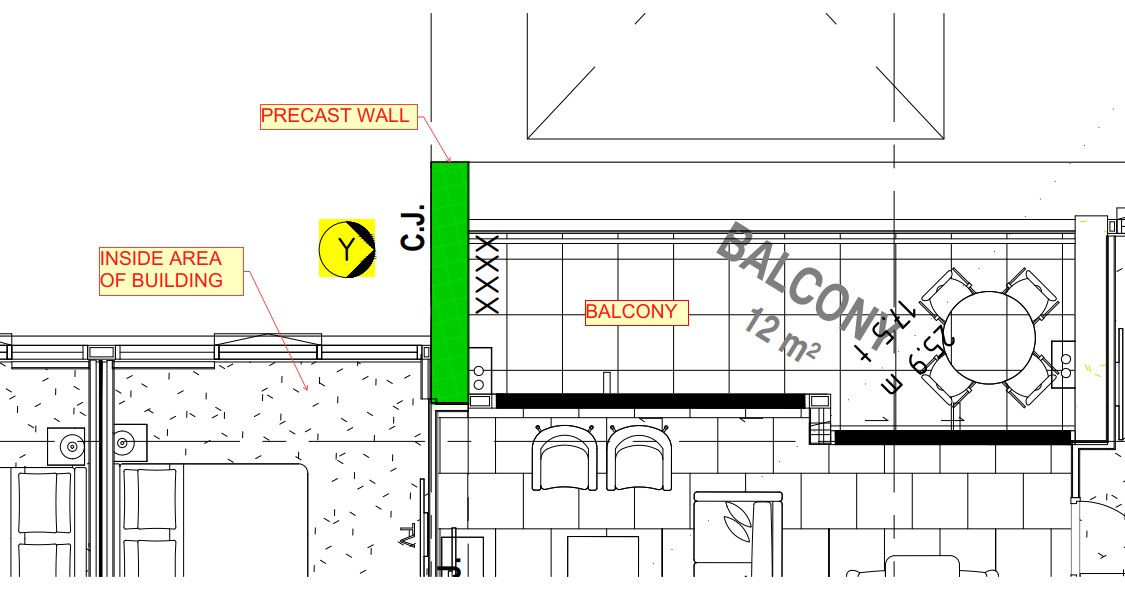
    • In few cases, building inside is fully balcony and outside side is partially inside of the building. So, this kind of scenario we viewing the panel from outside of the building due to panel finish. (Refer Fig.04)

    General:

    • For multi-storied buildings, we follow the same elevation number for same set-out from lower level to above levels.
    • The starting level of panels we will fix viewing direction as per current level architectural and structural aspects.
    • Some cases the lower-level panels come at inside of the building and above level panels comes at outside of the building. In this case we viewing the panels same as per lower levels but we flipped the above level panels for manufacturing purpose.

    Advantages:

    • Drawing study is easy for factory people.
    • It will reduce the time delay of manufacturing the panels.
    • It will also avoid the manufacturing difficulties and Errors.

    Fig.01

    Fig.02

    Fig.03

    Fig.04

    Fig.05

  • RIGGING DIAGRAM AND IT’S USES

    • The rigging detailed diagrams are shown on shop drawings. (Ref Fig.01,02 & 03)
    • The rigging diagrams are designed based on the precast panel profiles.
    • It is indicating the lifting point position of precast panels for both factory and site.
    • Erection engineer will be approved the rigging diagram details.
    • The site people are preplanning to lifting the precast panels for erection.
    • It is indicating the demolding lifting points. So, the factory people will aware while lifting the panels on factory.
    • It is designed to distribute loads equally between all anchors in precast components such as walls, beams or flat slabs and etc.
    • It is also used for loading and unloading the panel while transportation.
    • The lifting accessories may be in the form of cables, hooks and etc.
    • Many accidents and failures will be avoided with the help of rigging diagram.
    • The time delay of the lifting to be reduced.

    (SAMPLE RIGGING DIAGRAMS FOR REFERENCE)

  • Drawings to be used to draw Precast Panels

    Architectural Drawing

    1. Concrete layout drawing
    • describes the location and layout of the precast
    1. General arrangement drawing
    • describes the building’s space arrangement, such as rooms, bathrooms, and so on.
    1. Window Plan and Elevations
    • describes the size and location of the windows and doors.
    1. Arch elevation and its sectional elevations
    • describes the architectural finishes and presentations on the exterior and interior.
    1. Stair plan & elevation drawings
    • describes the details of the stairs, steps, and landing.
    1. Core wall plan and elevations
    • describes the lift shaft drawings and their specifics.

    Structural drawings

    1. Column schedules & details
    • describes the column size and its reinforcement details.
    1. Core wall plan and elevation details
    • describes the details of the lift/stair wall reinforcement.
    1. Typical Precast Details
    • describes the general reinforcement and its details.
    1. Typical stair details
    • describes the stair landing slab and steps, as well as the reinforcing details.
    1. Slab profile plan and sectional details
    • describes the thickness of the slab, the beam, and the reinforcement details (up and down).
    1. Ramp plan, section, and elevation details
    • The Ramp Angle, Reinforcement, and Thick Sails are all described.
    1. Precast elevations & sectional details
    • describes the reinforcement, grade of concrete, and additional reinforcement details.  

    Service drawings

    1. Crane details
    • describes the loading area and crane weights at various lifting points.
    1. Hydraulic drawings
    • describes the drain or overflow opening and its details, among other things.
    1. Mechanical Penetration Details
    • describes the AC duct opening, etc.
    1. Post-tensioning slab details
    • describes the PT tendon passing areas and their specifics.
    1. Lift shaft drawing
    • describes the lift shaft opening, the controller box, and its details.
  • VIBRATING TABLE FOR PRECAST FABRICATION

    • Vibrating table using for compacting and consolidating the stiff and harsh mixes in precast structures on factory or yards.
    • While using this vibrator the concrete will be spreads equally at all corners of the precast structure in mold.
    • It will help to improve the strength and quality of precast concrete structure.
    • The void or bubble formation will be avoided.
    • So, the cracks formation also to be reduced.
    • It will reduce the man power.
    • The fabrication time is less.

    Fig.01 (Vibrating table)