Does a detailer care about supporting the elements which are not available in the structural design, but it could affect the structure? You should care!
See the below incident for an example.
STRUCTURAL PLAN
This structural plan has sections 1 & 2. Refer below snip for section views.
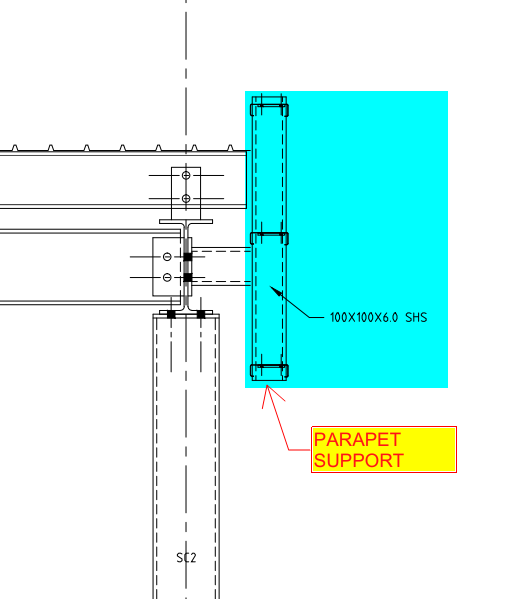
STRUCTURAL SECTION VIEWSDETAIL-A WITH PARAPET SUPPORT
If you see the above snap, Section 2 has detail-A, which shows parapet wall support. But section-1 does not have it.
Is that means there is no support required?
Actually, there is also support required.
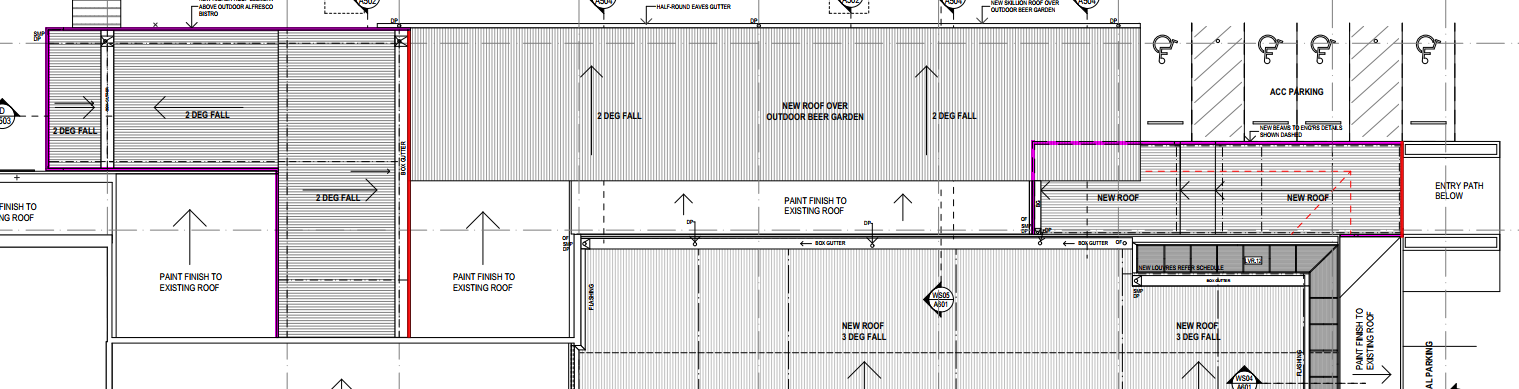
Refer below architect plan.
ARCHITECTURAL PLAN
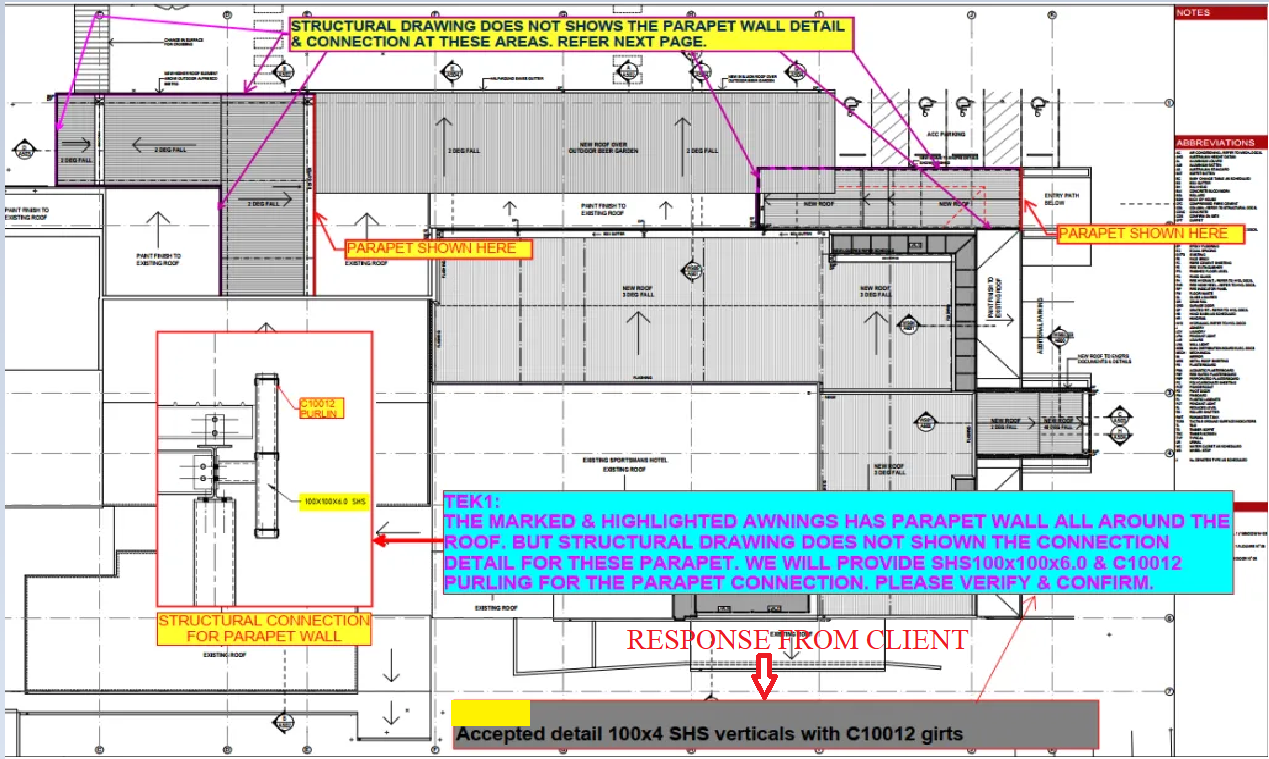
We have noticed that the parapet coming all around the roof (Highlighted in Pink Colour). So we raise RFI regarding this issue for taking it to their attention. Refer below snip.
RFI RAISED BY TEK1 REGARDING PARAPET SUPPORT
The client realises the situation and approves providing parapet support members all around the roof. Refer below snip for the client’s response.
RESPONSE FROM THE CLIENT
We always keep our client’s out of trouble from these types of issues.
This blog is about the efficient use of using custom macro in Tekla Structures. Tedious or repetitive commands in a model could be time consuming. These repetitive commands can be automated by use of custom macro
Understanding the bolt parts:
In Tekla Structure the bolts can be created as single or in a group. Bolts are created with two parts joined together. We could consider as Primary Part (Part to bolt to) and Secondary Part (Part to be bolted).
In Tekla Structures the bolts are released along with secondary parts
ie. When Bolt Summary is taken, the bolt connected to secondary parts are extracted and displayed on the list.
Recording the macro to extract the bolt summary:
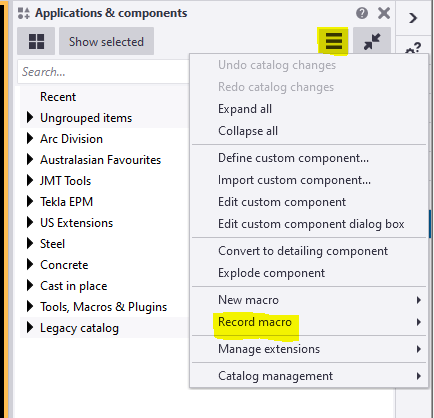
To record the macro. Click on the Application button.
Then click on the access advance feature button and click record macro.
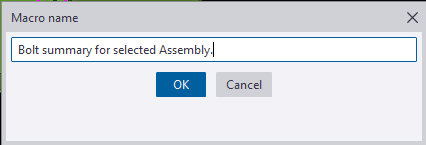
You could choose either global or local to save the macros and define a name to the macro. Here we have named as Bolt summary for selected Assembly.
Now the macro will start recoding.
Follow the below steps to create the macro.
Step 1: Press Ctrl+B for Reports List to appear.
Step 2: Click on the required reports to be generated for the selected Assemblies.
Step 3: Click Create from selected button.
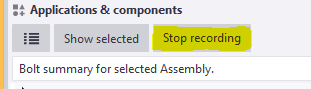
Step 4: Finally Stop the recording.
Now Checking the custom macro created:
1: Select an assembly for which bolt reports has to be taken.
2: Double click on the custom macro to perform the task.
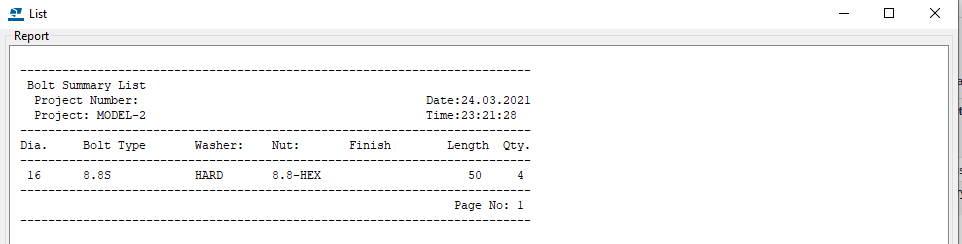
The bolt summary for the Assembly is generated.
Using the custom Macro we could define all the tedious and repetitive works in a custom macro and use to save time and man-work involved.
Note: Incase the macro has been recorded with error. You could delete the custom macro created by right clicking the created macro and choose delete option.
For creating API on “How to programmatically create bolt list reports from selected model objects”
TEK1 worked in a railway foot over bridge with 2 lifts, 2 ramps, 2 stairs connecting platform and overpass, a canopy and 7 platform stairs. The main challenge is the over pass. As per design, the steel truss after erection must be cambered to different millimeters at different intervals. There were two terms “Residual camber” and “Reference Profile” in the structural drawing. Many do not that what these mean. Any misunderstanding about these terms would result in redoing the entire overpass. But TEK1 had good understanding of these terms and avoided heavy rework.
This blog is to educate the modelers regarding residual camber and reference profile. Kindly refer the camber diagram below.
The residual camber at the south end is 67mm and reference profile at the same end is 62mm. Residual camber is the camber value which must be given in the steel assembly drawings which the steel detailer supply. Whereas reference profile is the camber value which the structure attains after applying all the dead loads. Here the dead loads are concrete load and self weight of the steel.
Hope this helps you. Thanks for reading. Ramakrishnan.L TEK1.
There is a large number free way gantries across melbourne. Tek1 has detailed a good number of them very efficiently.
Here is an example of one such Gantry we have detailed for our Melbourne client in the SouthEast.
There are couple of types of gantries, very similar. The large span gantries have to be fabricated with a camber which is challange for the detailer and fabricator.
Managing weld distortion, transport etc are the challenges the fabricator will have solve.
Most of such jobs come with a very short delivery time between order and install, and generally high pressure jobs. Getting first time right is super important.
Here is a preview on what is cooking in our kitchen. This is one of the feature which have built into the system to save a huge amount of time trying to avoid duplicate file downloads. The principle is simple and the execution beautiful. Saves us a huge amount of time. The entire RFI system is free our our clients to use for the projects they allocate to us.
As of now there is no public domain taken for this app. It still in the kitchen. But nearly ready for the shelves.
Here is a tutorial which covers Numbering in advance steel. It however does not cover what how to manage once drawings are issued. May be there is another video for that
Here is a video on how to export Anchor bolt positions to Total station. This option is available in Tekla as well. But it is surprising that no one has yet asked us for this export.
We have so far only provided CAD layout of anchor bolt position. May be we must provide the point export from advance steel as well as Tekla
Here is the video of how to export from Advance steel
All team leads, trainees must know how to overlay 2d annotations to IFC model and upload to trimble connect.
Please watch this youtube video on it. I am asking Ragul to upload a training model with GA and Assy drawings. What you have to do is follow the video, extrat the dwg and upload the GA and Assy drawing to trimble connect on your private trimble connect.
You may use campus for that. Get Ragul to check and approve.