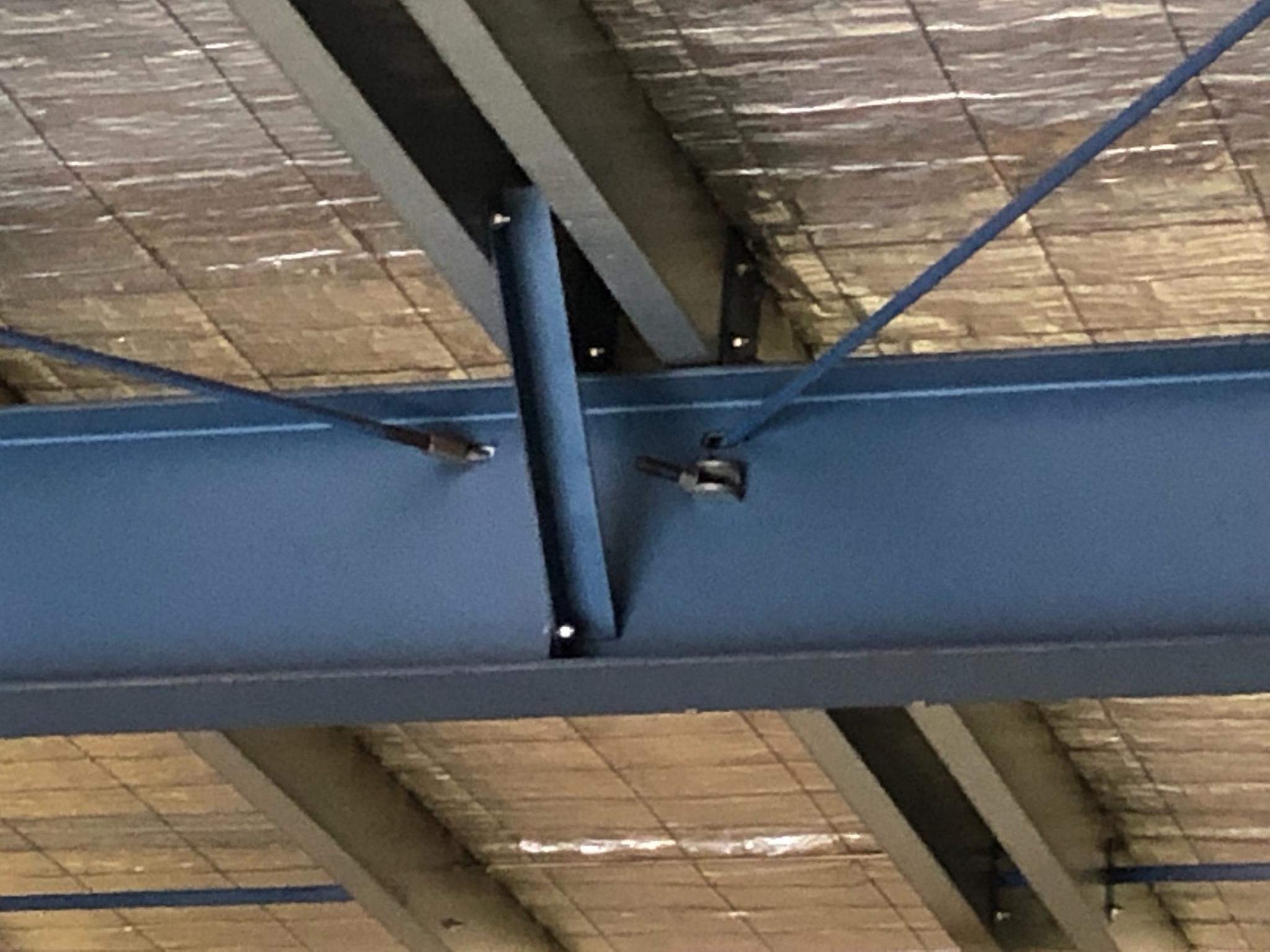
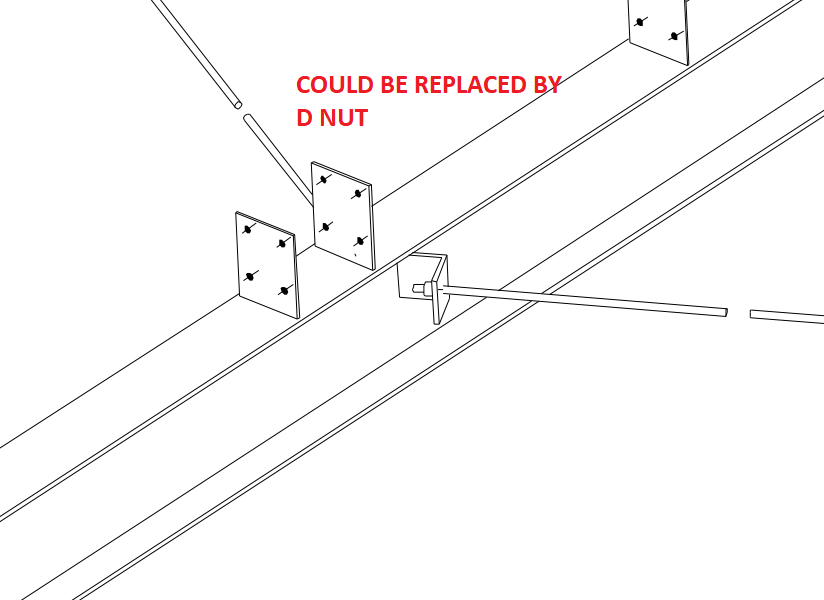
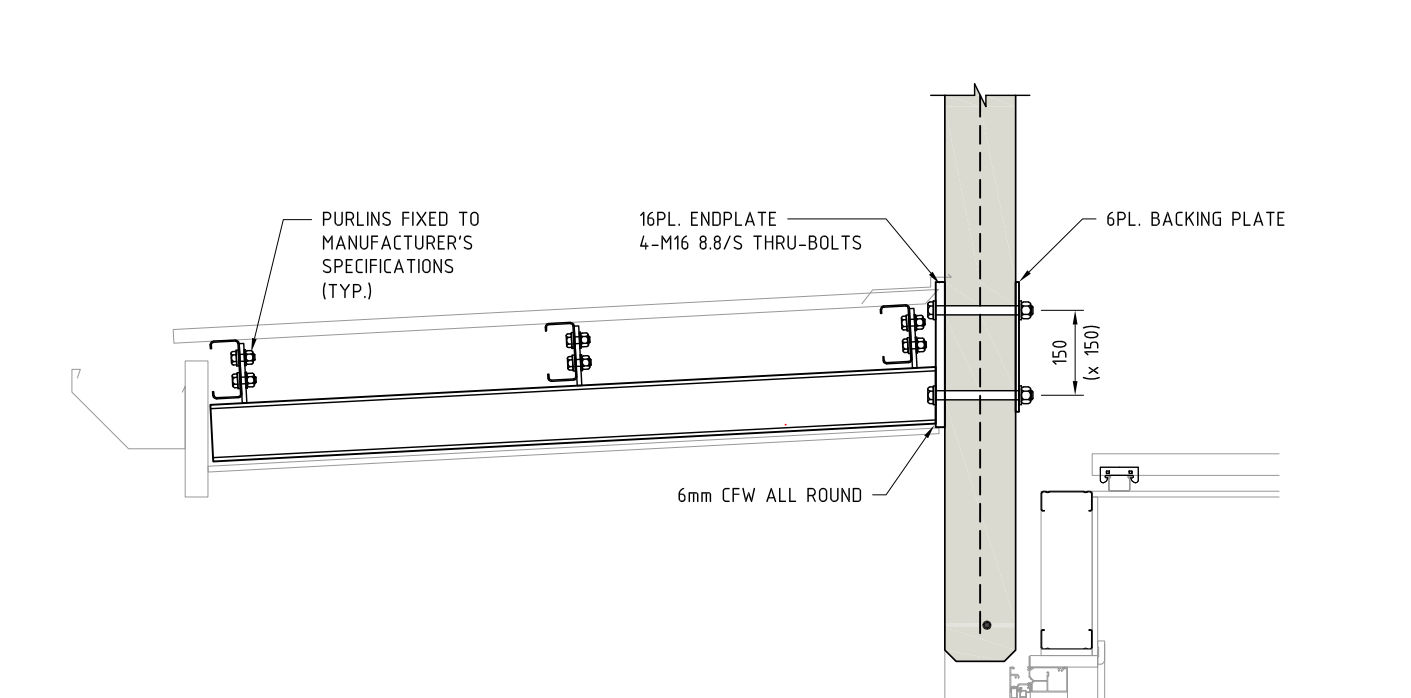
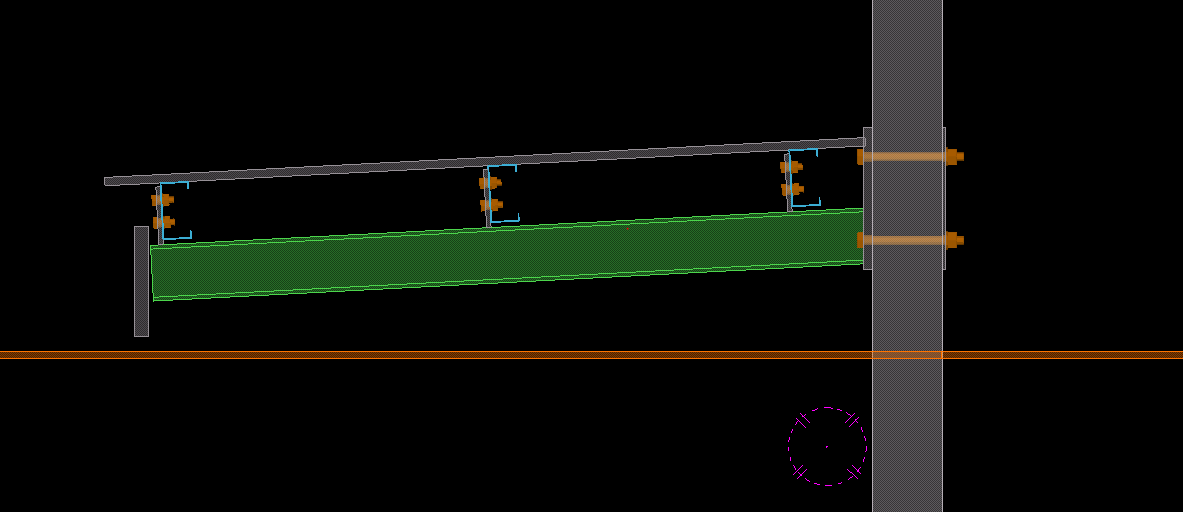
A lot of fabricators prefer D Nut bracing over cleat bracing because it is much simpler and cheaper. If the engineer has specified cleat bracing the detailer must investigate whether a D Nut bracing will be sufficient. If yes, then please RFI the engineer with D Nut bracing proposal. The fabricator could prefer this connection. Make sure the maximum angles of the D Nut is observed
There is no need to spend a lot of time trying to model bolt cage accurately if the drawings can be annotated to get the final accurate final intent
Here I am showing an example of a bolt cage. There is not need to model the helix to avoid the clash. No one can make a lig with clash. Physically impossible. So no need to model avoiding clash. Let it clash. When the fabricator makes the lig he will do it without clash.
another point to note is that we need not model tight to the anchor rod. Let one side extend a little bit to avoid the radius riding into the anchor bolt. It will be easier for modeling and manufacturing. There is no compromise in the final intended outcome.
This tutorial explains how to trim or extend grid lines in advanced steel.
The is the last tutorial on basic grid lines. There are other advanced options like curved grid lines. But for the time being in a beginner course this is enough.
If you can do this much confidently and correctly you will handle majority of the cases
I struggled a bit on finding the tool palette and switch it on and off. But once you know it is a no brainer. Here is a video on how to switch on and off the tool palette in advance steel
Erection Feasibility must always be considered when creating shop drawings. Consider the diagram below:
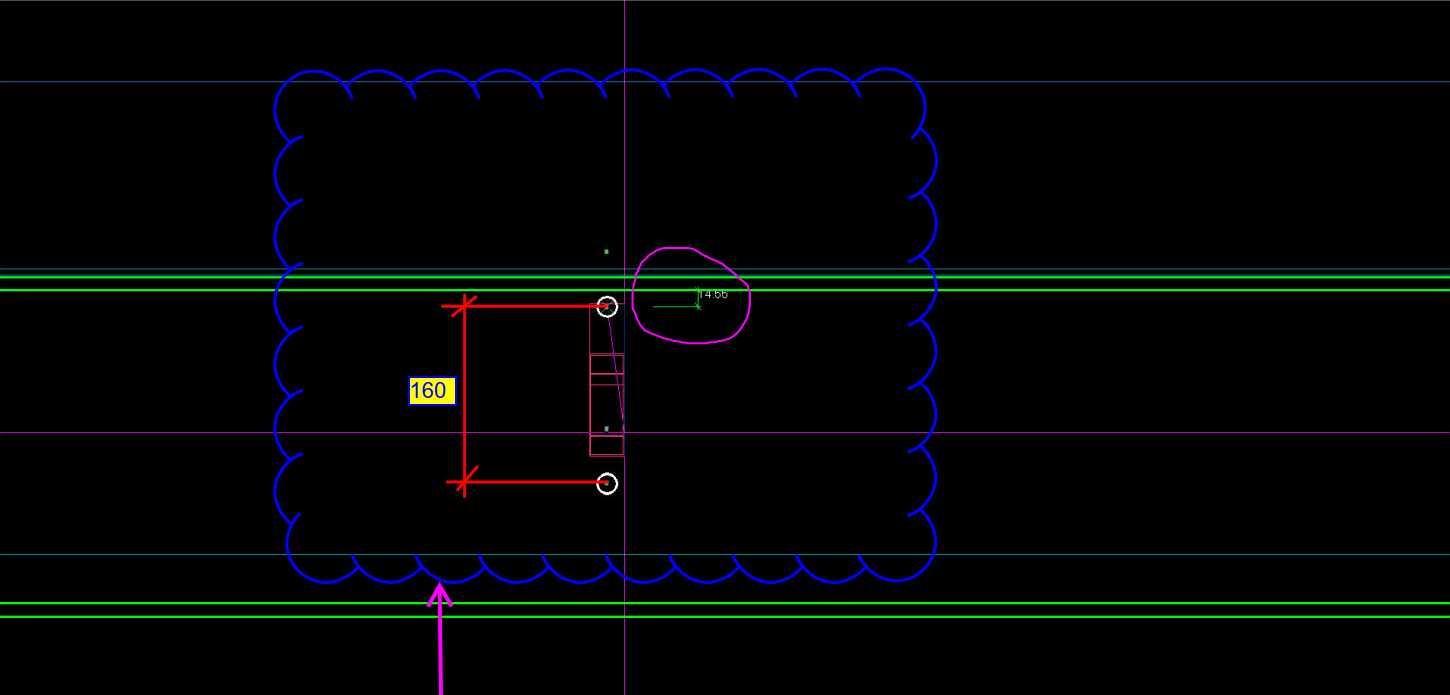
Can you spot the problem with this drawing? This is meant to be a side-on view of a beam. The green lines represent the flanges of the beam. The white circles represent holes to be drilled. What is the problem here? Consider the distances highlighted.
Pop-quiz: What is wrong with the above drawing?
(Scroll down for the answers)
(Scroll down for the answers)
(Scroll down for the answers)
The Answer:
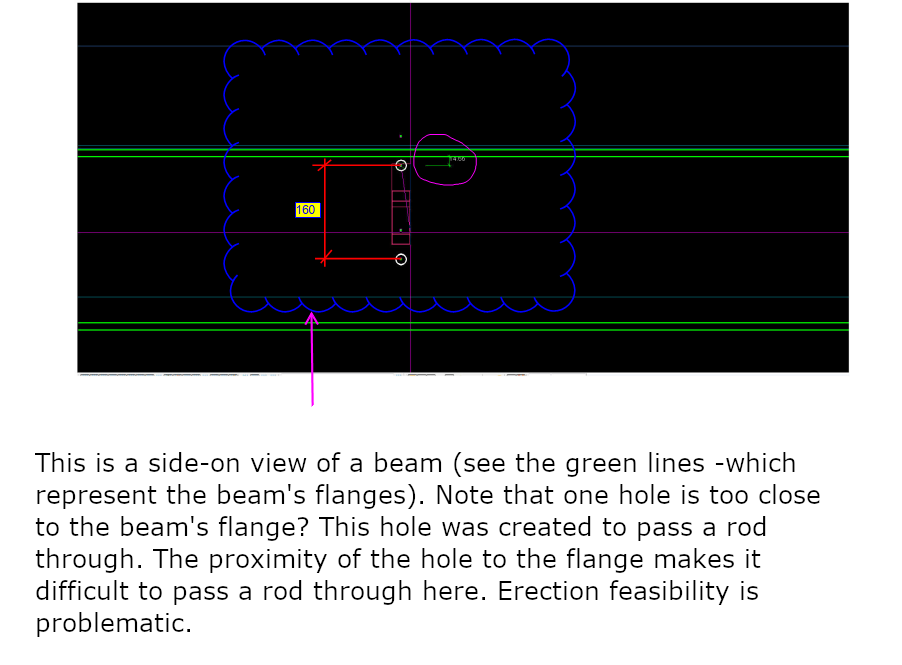
Drilling a hole so close to the flange is not easy, neither will it be easy to pass a rod through when it is so close to the flange. You only have 14 mm till the edge of the flange. What if you used the standard pitch of 160 by route – but you’ve also got to consider erection feasibility!
Placing a hole so close to the flange will not work.
Consider the above drawing (Section View)? Have the purlins been placed correctly?
Have you ever considered a purlin’s orientation while detailing?
Pop-Quiz:
In the pic above, the structural engineer shows the purlin direction along the roof slope. Is this the correct way of orienting the purlin? i.e. Has the engineer made a mistake, and if so, why? (Answers below)
(Keep scrolling down…)
(Keep scrolling down…)
(Keep scrolling down…)
(Keep scrolling down…)
Answer:
Definitely, this is an error on the structural drawing. Generally, detaliers have to consider a purlin’s orientation before placing it. Why? When the load applies on roof sheets , a twisting moment will occurs on the purlins. If we place the purlin direction along the roof slope then it will cause instability. So, the purlin direction should be always kept against the roof slope (as indicated in pic), even if the design indicates along the roof slope. Keep that in mind when you are detailing your next job. It’s a subtle but very important tip.
Notice how the purlins are oriented against the roof sheet?
To export Tekla drawings to PDF, various converter applications are available in the market. One of them is PDF creator by PDF forge. This is a free product and can be downloaded and installed directly to your system.
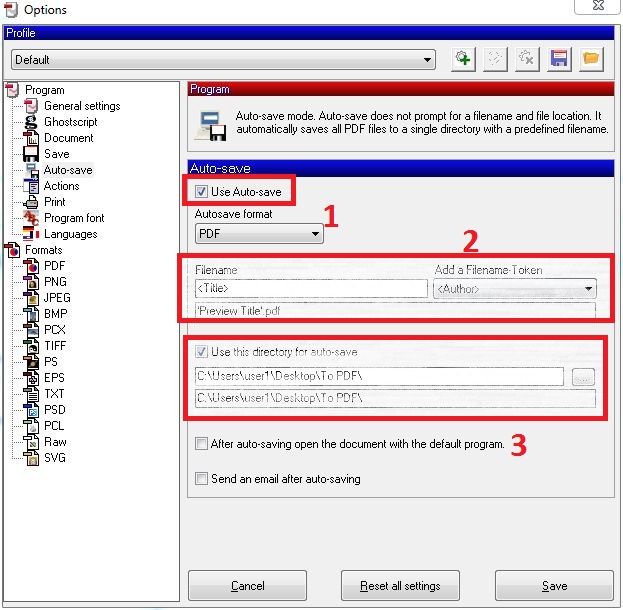
The following is the step by step procedure for pdf creator which can be used to set up your export files directly to a specific location.
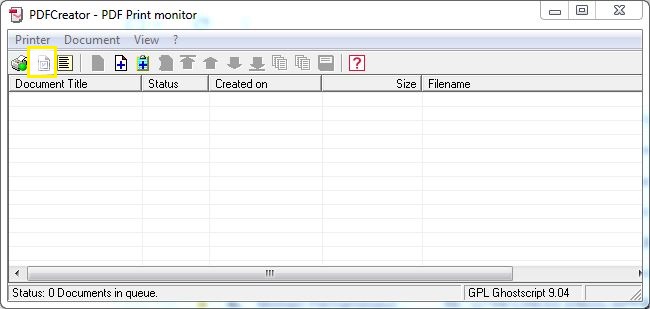
Open the application PDF creator (should be already installed onto the system).
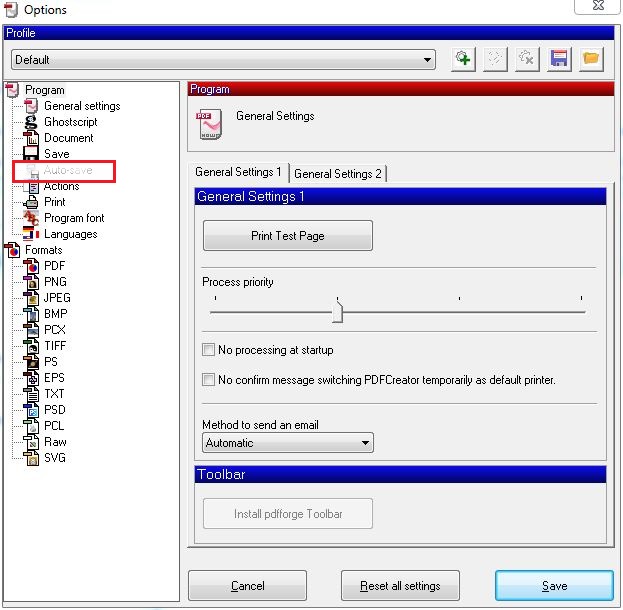
Select Options:
This is the UI. Selection Options (see what’s highlighted)
Now select and use Auto-save.
Select Autosave
Provide file name to <Title>. Provide the directory location where you require the pdf’s:
Save and close the Dialog box.
Now you can print to pdf using the PDF creator application.
You can download the free product from the following link: http://download.pdfforge.org/download/pdfcreator/PDFCreator-stable
(But be careful what you download: you do not want to get an internet transmitted disease by downloading from an irreputable source. Practice safe downloading: use anti-virus protection! Don’t hold me to account for that link).