Author: admin

  • ESTIMATION MODELS AND TAKE OFF

    Tek1 has developed plug ins with IntelliCAD based systems to create take off models from PDF drawings. The PDF drawings are brought into the intellicad based cad systems. Columns and Beams are modeled over the PDF drawings.

    This method is significantly faster than undertaking blue beam takeoffs.  The accuracy of the take off is much better than what is possible with blue beam or any other PDF based take off system.

    The inellicad model is then exported into Tekla using an in house plug in. Material Lists, and GAL lists can be taken out of the Tekla Model.

    An IFC model is exported from Tekla. Along with a 3d model, this type of take off provides great value of the estimator.

    Pricing is very competitive since we are using our in house offshore team. The take off team is now of a significant in size. Because IntelliCAD software is cheap, and given our in-house plug in, we are able to provide, fast and very cost effective services in take off modeling.

    Fittings and bolts are not normally included in the take off.

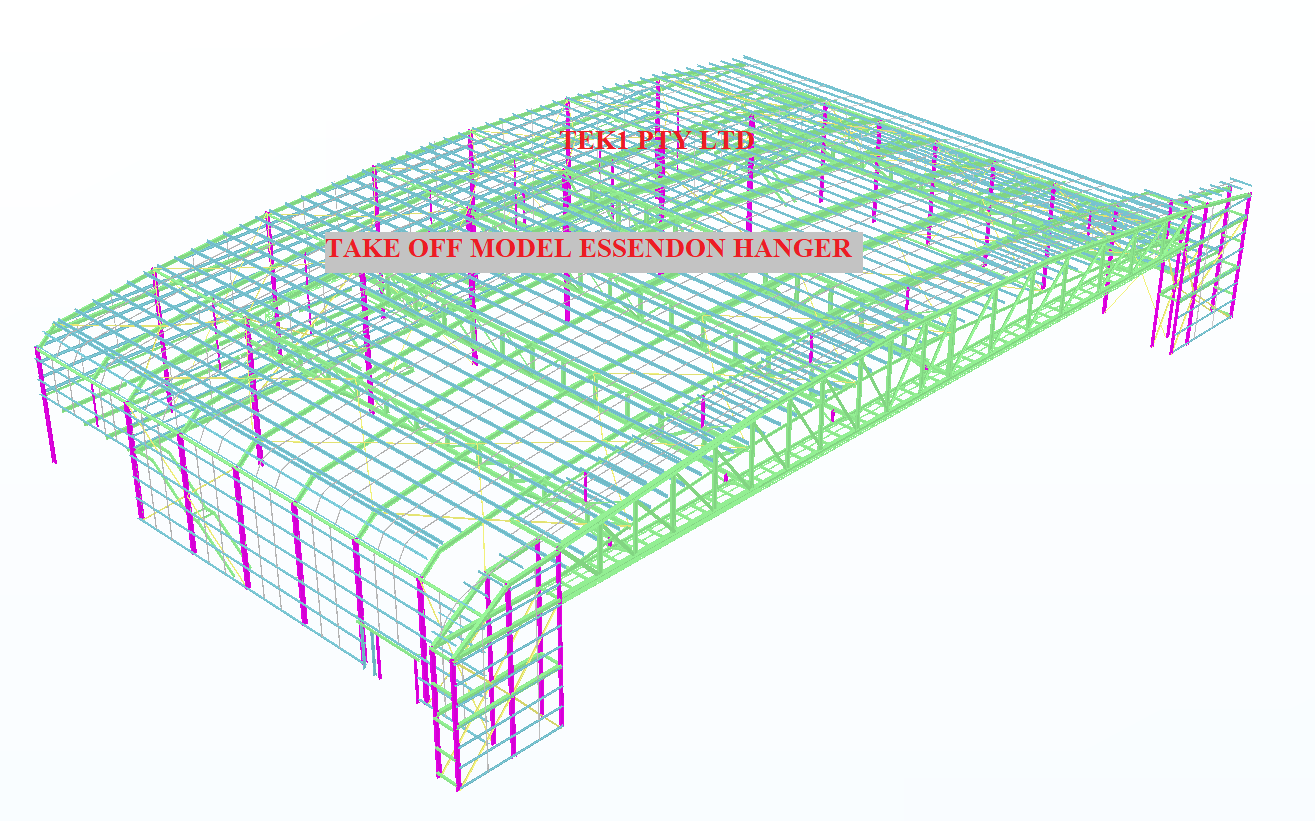
    Here is an example of the Essendon hanger we completed today (29/1/2020).
    Estimation Model
    Essendon Hanger estimation model
  • Can you spot the problem – #6

    It’s one thing to model something on your computer. It is yet another thing to fabricate what’s drawn in 3d-land. Given the designs that we seen come through, I doubt very much whether the modern day architect has ever stepped foot in a workshop, or has fabricated anything in their lives.

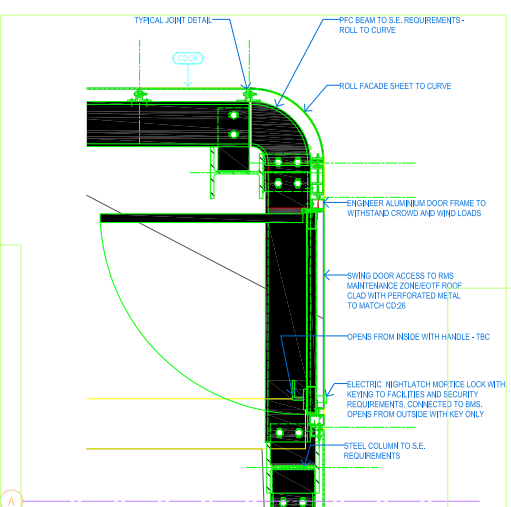
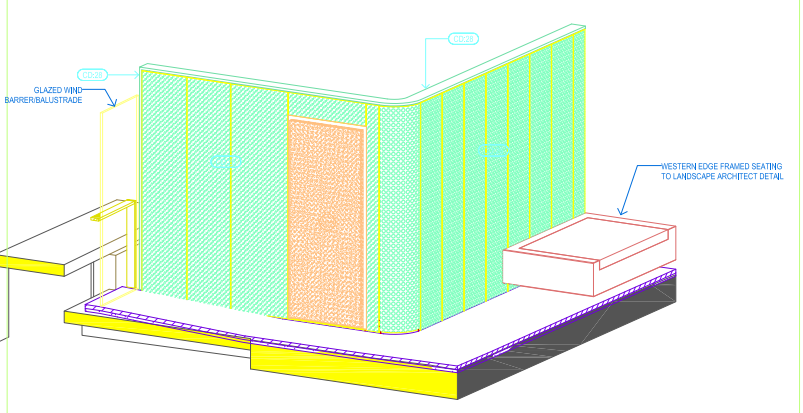
    Consider the below example and see if  you can find any issues that should be blaring at you like a fire alarm.

    Pop quiz: What’s wrong with this?

    Something's not quite right.
    What’s wrong with this?


    What’s wrong here?


    Answer:

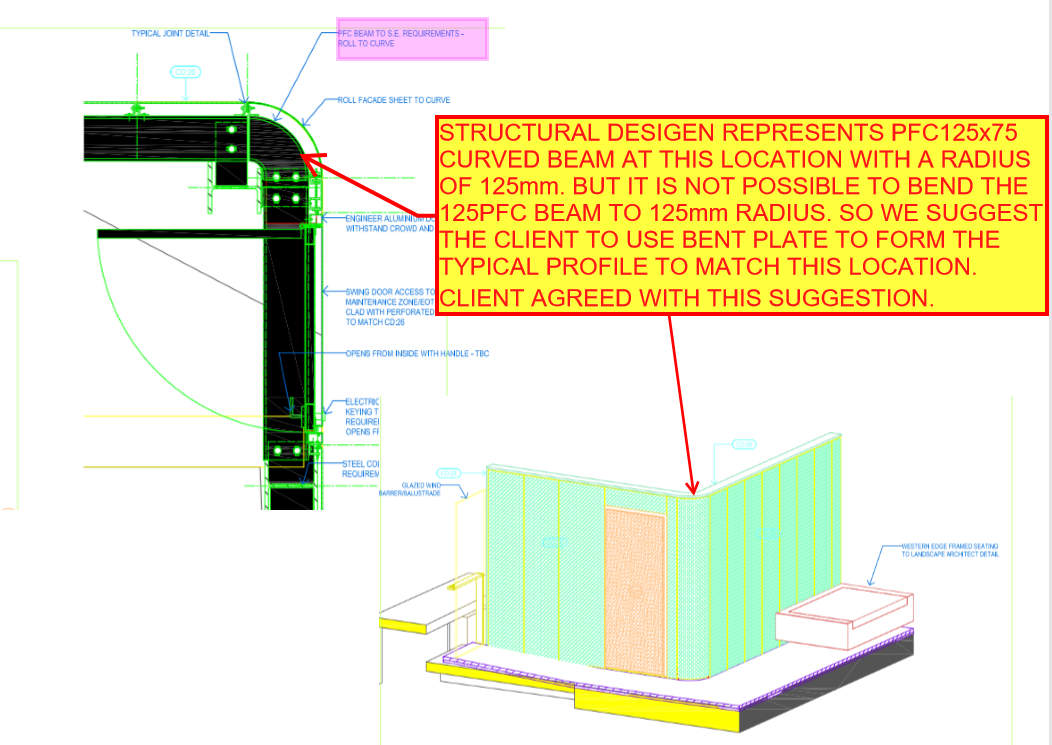
    • I think you might struggle to build it. I don’t think you can curve a PFC125 x 75 with a radius of 125 mm.
    • Can you think of an alternate solution?
    Ok, here's how we can fix the problem.
    Ok, here’s how we can fix the problem.


    Written by Gopal D.

  • .dwg based Take off with custom Plug ins

    Tek1 has developed .dwg based plugins which talk to Tekla to carry out take-off efficiently

    Take off is completed in .dwg based Cad systems very similar to modeling in Tekla. For BIM model the model is converted to Tekla

    Reports can be taken either from .dwg system or Tekla. Right now reports are being taken out of Tekla. Our next effort is to develop a plugin which will convert the .dwg model into an IFC model.

    If anyone is able to help us in this developing the plug int convert .dwg based model to an IFC model we will be very interested.

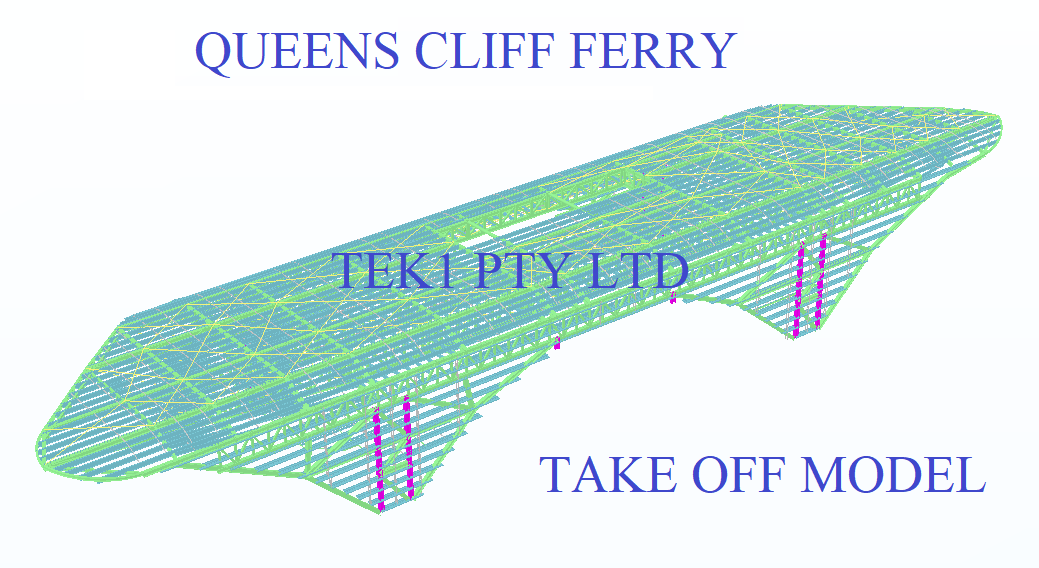
    Here is a sample file.

    Queens Cliff Estimation Model
    Tak off model
  • How to do material take offs cheaply

    Take offs needn’t be expensive. If you want accurate reports and a good IFC model you can spin around, you can get it done easily, with some custom software. Now you can get your take-offs done cheaply, and with the quality being just as good.

    Check out this video, which explains it all:


    How we do Material Take-offs – Tek1 from Tek1 on Vimeo.

  • DXF problems when using Polybeam “L” shape plates

    The DXF format is a CAD data file format developed by Autodesk to allow data interoperability between AutoCAD and other CAD programs.

    Issue: One issue we faced when using the polybeam comments feature in Tekla is that if we used the feature to add comments on a DXF file imported into Tekla, then the output drawing will render the proper shape.

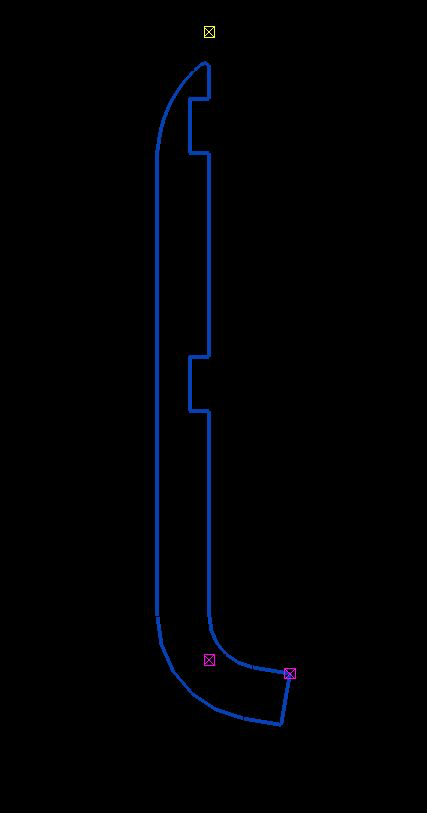
    See the image below for the plate shape.

    Try a contour plate.
    This won’t work. This is best modelled as a countour plate.


    See the below for the DXF output shape. The bending portion will not appear properly.

    DXF – this is output. It won’t work with polybeams.


    Solution:

    Don’t use poly beam comments in Tekla model to the “L” shape plates.

    Instead, use the Contour plate comment to make the “L” shape plate in model.


  • Easy Estimation at low Cost

    Easy Estimation at low Cost

    ACTCAD for Material Take off

    Tek1 has developed ACTCAD based take off tools of easy estimation. Members are modelled in ACTCAD and converted to Tekla with single click with an API call. In some cases we are now able to create IFC straight from .dwg models.

    Deliverables include IFC model, and reports. Reports as below.

    Material list – for

    1. Hot rolled items
    2. Cold Rolled items
    3. Bridging list
    4. Galvanized Items
    5. Trimble connect model

    Fittings, Baseplate bolts are excluded from take-off.

    However we do take off exclued itemson request at extra cost.

    Download Sample Take off

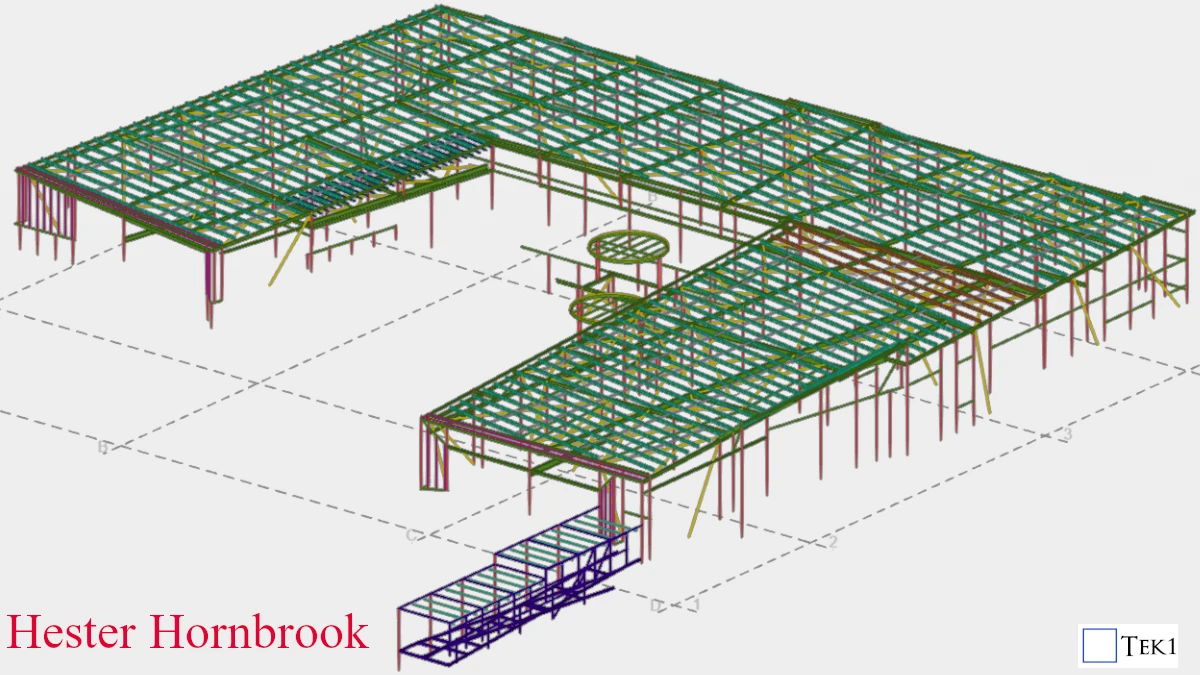
    Hester Horn Brook Steel Take off

    Heseter Horn Brook Trimble Connect Model

  • IntelliCad based Tools to support Material Take-off

    You don’t need to spend $30,000 p/a on Tekla licenses. You can estimate steel based on IntelliCad based software. Here’s some software I wrote to make this happen:


    How to Model Beams on Intellicad based software from Tek1 on Vimeo.


    Demo: Create beam and Create Beam Lines from Tek1 on Vimeo.

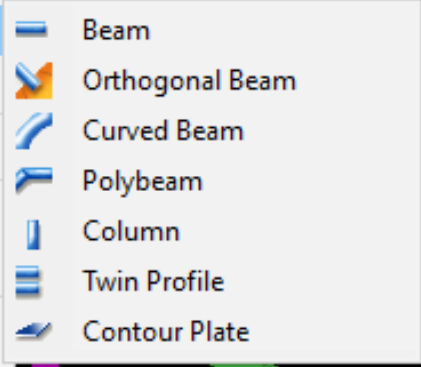
  • Using Polybeams rather than Curved Beams when modelling in Tekla (if NC files are required)

    Have you ever created NC files for curved beams in TEKLA?

    Generally, if you want to create an NC file for curved beams, the beams should be modelled using the Polybeam option. Because TEKLA will not create NC files for curved beams if you model them using the curved beam option.


    Choose polybeams when NC files are required.
    Choose polybeams when NC files are required.

    Let’s consider the situation where you’ve done all the work using curved beams. But, If the fabricator asks for NC files for those beams, you will not be able to create NC files. You’ll have to rework the entire model.

    To eliminate this kind of rework, we suggest you model the curved beams using Polybeam option in TEKLA.

    Summary: “the DSTV standard does not support curved beams, so Tekla Structures does not create NC files for curved beams. Use polybeams instead of curved beams”


  • Anomalies in the Way Tekla Rotates Beams

    If you are dealing with the Tekla API, you have to watch out for the following gotchas:


    Anamolies in the way Tekla handles Rotations from Tek1 on Vimeo.