Category: Estimation

  • Estimation / Take off Tools

    We’ve created many libraries that handle estimation. Here are some examples which you may view or use as the case may be.

    Apologies folks, this is documentation for our own staff. If you’re not on staff, I’m afraid your access will be limited. Videos are located in the documentation contained in the Drive Folders. Please carefully read the documentation and watch any videos if required.

    Advanced Steel Member Placement:

    Draw some lines in AutoCAD or Advanced Steel. Set up a CSV file that maps lines to Advanced Steel Beams. Run the command in Advanced Steel, and Advanced Steel beams are produced.

    Advance Steel – ConvertToBeams (CTB) Command from Tek1 on Vimeo.

    MemberPlacement tool (AutoCAD):

    Draw lines that come up as 3d lines with a Tekla like interface, which using interop delivers them straight to Tekla:

    Line Based Take-Offs

    • Draw lines and an Excel Spreadsheet is produced showing total lengths and counts for certain steel types. Dlls are located here.
    Take Off Tools

  • ESTIMATION MODELS AND TAKE OFF

    Tek1 has developed plug ins with IntelliCAD based systems to create take off models from PDF drawings. The PDF drawings are brought into the intellicad based cad systems. Columns and Beams are modeled over the PDF drawings.

    This method is significantly faster than undertaking blue beam takeoffs.  The accuracy of the take off is much better than what is possible with blue beam or any other PDF based take off system.

    The inellicad model is then exported into Tekla using an in house plug in. Material Lists, and GAL lists can be taken out of the Tekla Model.

    An IFC model is exported from Tekla. Along with a 3d model, this type of take off provides great value of the estimator.

    Pricing is very competitive since we are using our in house offshore team. The take off team is now of a significant in size. Because IntelliCAD software is cheap, and given our in-house plug in, we are able to provide, fast and very cost effective services in take off modeling.

    Fittings and bolts are not normally included in the take off.

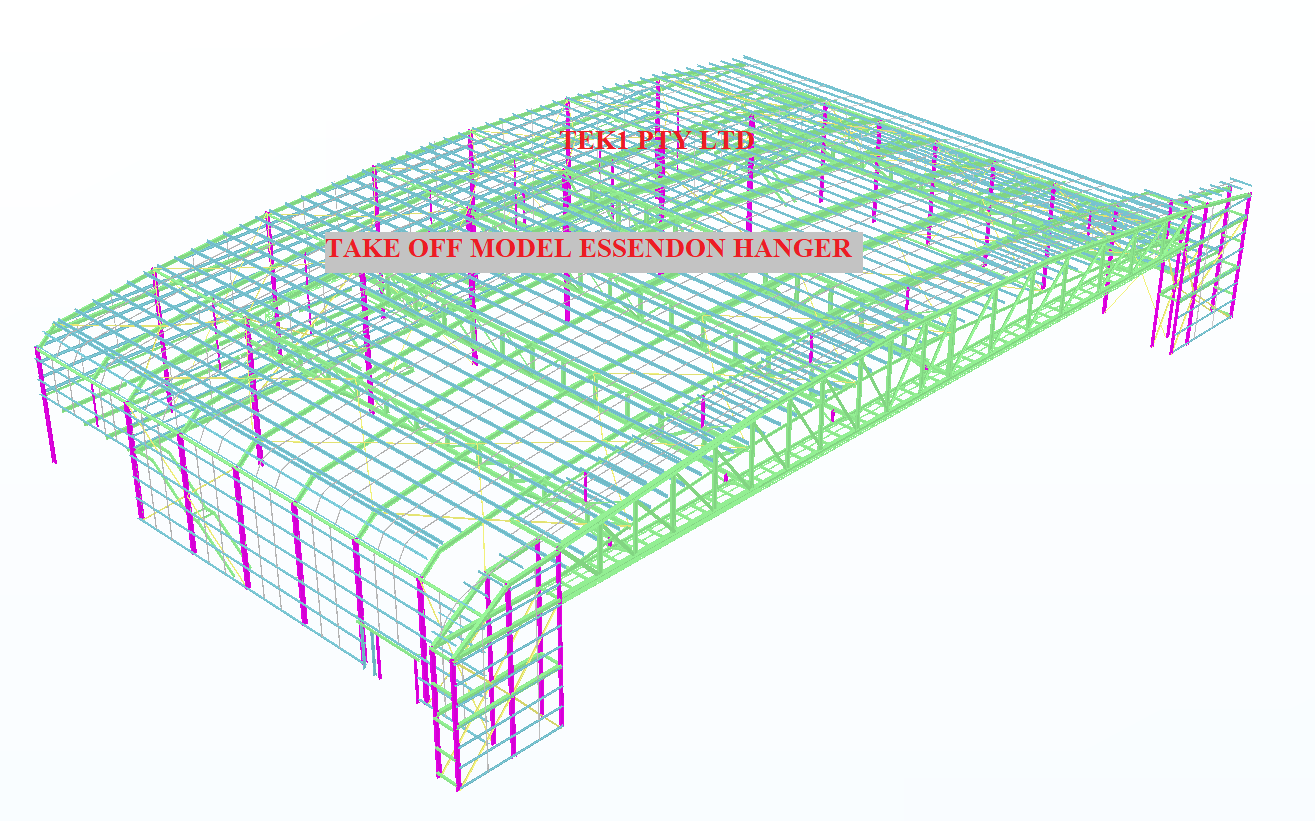
    Here is an example of the Essendon hanger we completed today (29/1/2020).

    Estimation Model
    Essendon Hanger estimation model

  • .dwg based Take off with custom Plug ins

    Tek1 has developed .dwg based plugins which talk to Tekla to carry out take-off efficiently

    Take off is completed in .dwg based Cad systems very similar to modeling in Tekla. For BIM model the model is converted to Tekla

    Reports can be taken either from .dwg system or Tekla. Right now reports are being taken out of Tekla. Our next effort is to develop a plugin which will convert the .dwg model into an IFC model.

    If anyone is able to help us in this developing the plug int convert .dwg based model to an IFC model we will be very interested.

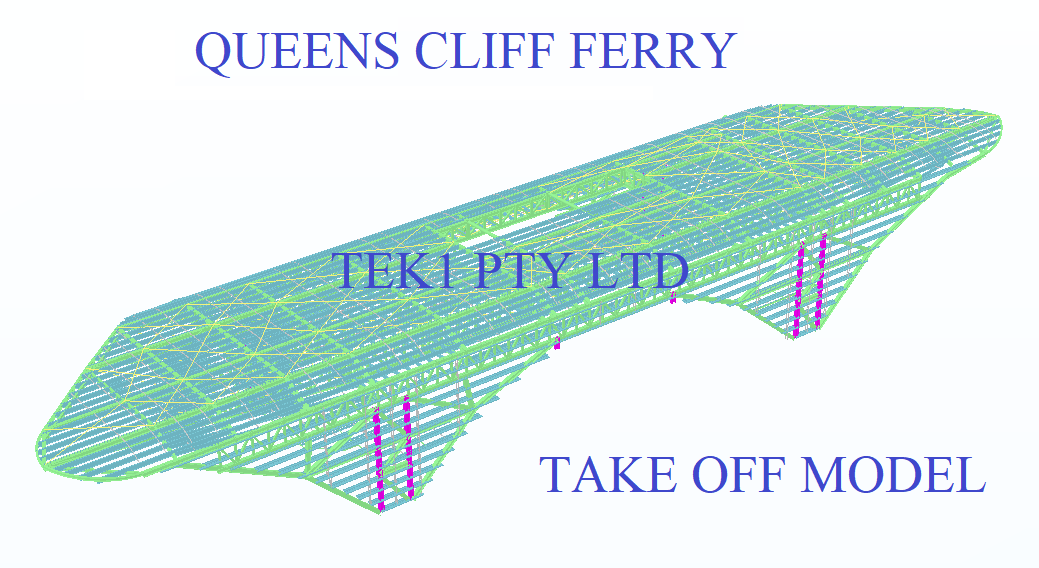
    Here is a sample file.

    Queens Cliff Estimation Model
    Tak off model

  • Easy Estimation at low Cost

    Easy Estimation at low Cost

    ACTCAD for Material Take off

    Tek1 has developed ACTCAD based take off tools of easy estimation. Members are modelled in ACTCAD and converted to Tekla with single click with an API call. In some cases we are now able to create IFC straight from .dwg models.

    Deliverables include IFC model, and reports. Reports as below.

    Material list – for

    1. Hot rolled items
    2. Cold Rolled items
    3. Bridging list
    4. Galvanized Items
    5. Trimble connect model

    Fittings, Baseplate bolts are excluded from take-off.

    However we do take off exclued itemson request at extra cost.

    Download Sample Take off

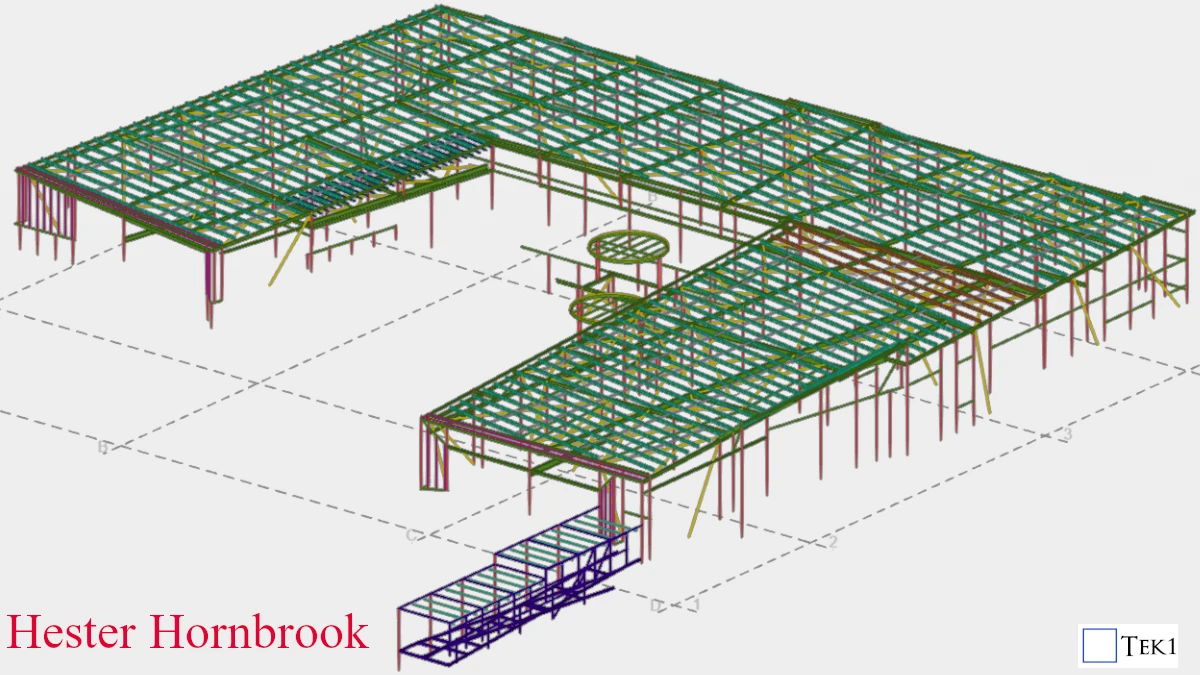
    Hester Horn Brook Steel Take off

    Heseter Horn Brook Trimble Connect Model