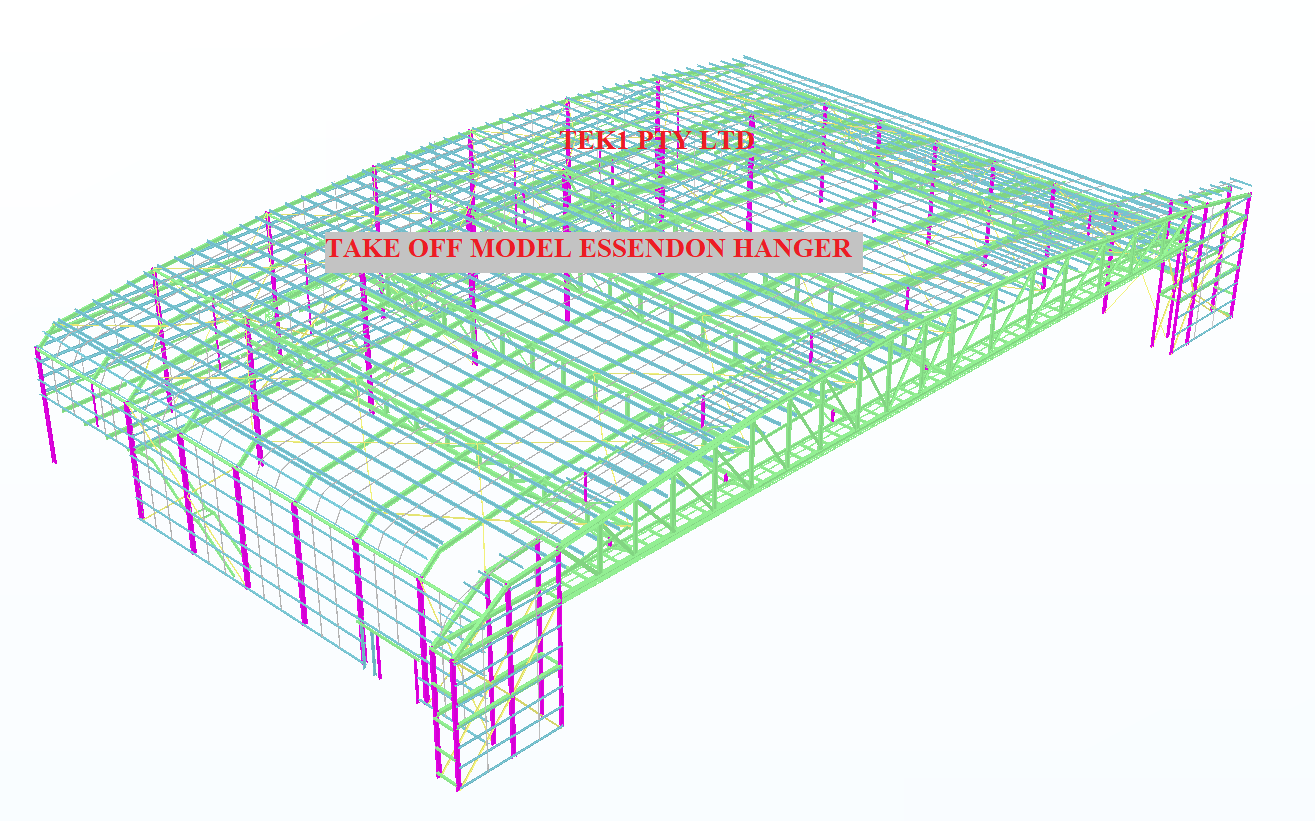
Accurate Steel Take off with Tekla Structures.
Talk to us for low cast fast accurate take offs.
Deliverable include
- IFC Model
- db1 file
- Excel Reports
- Snap shots
- Our special comments
- Surface treatment reports
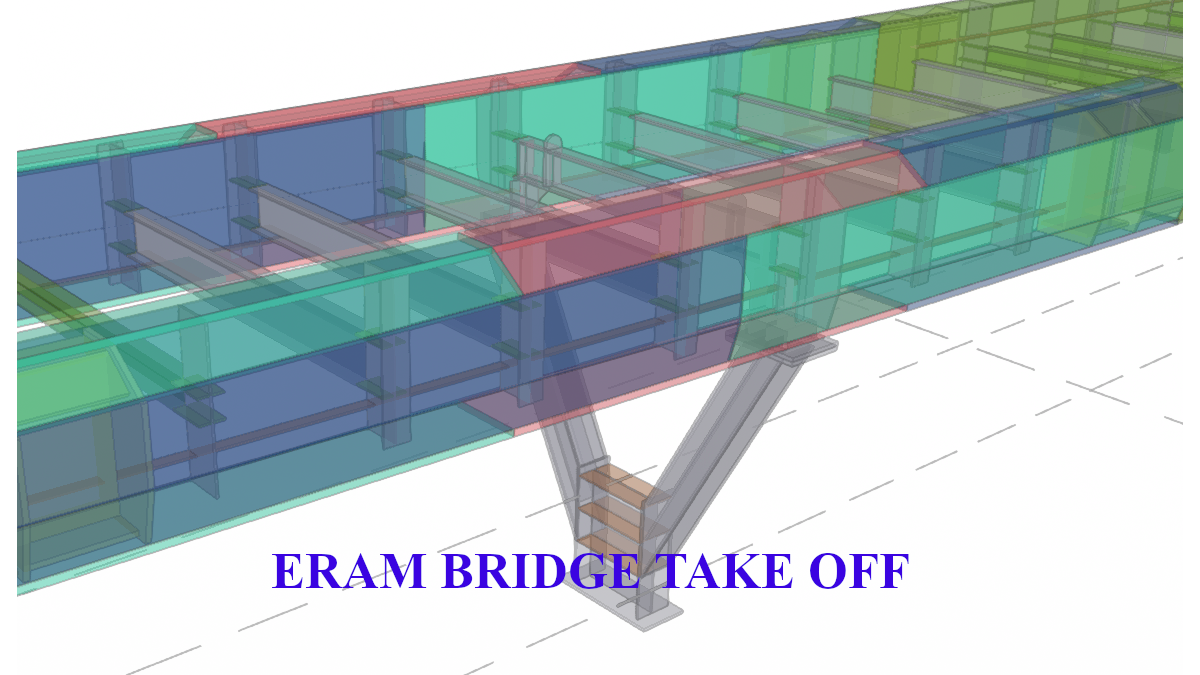
Accurate Steel Take off with Tekla Structures.
Talk to us for low cast fast accurate take offs.
Deliverable include
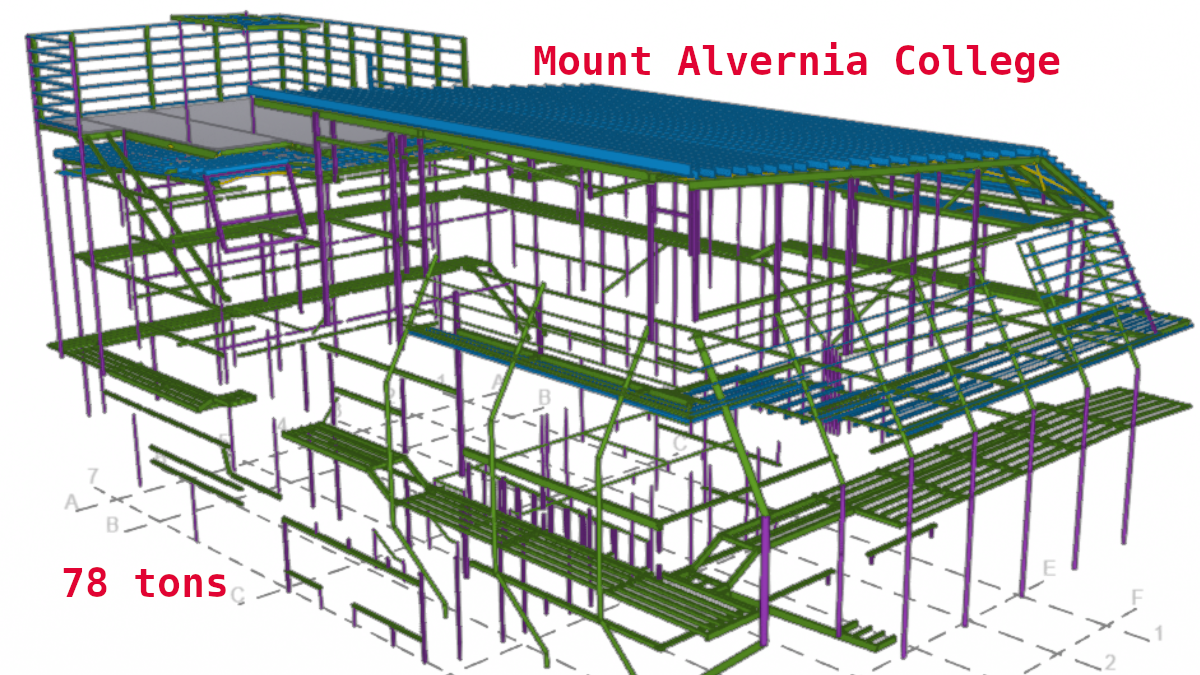
Expert MTO. Fast. Low Cost call us on.
Expert Material Takeoff and Steel Estimation Services
Competitve pricing
Tel: 0425791837
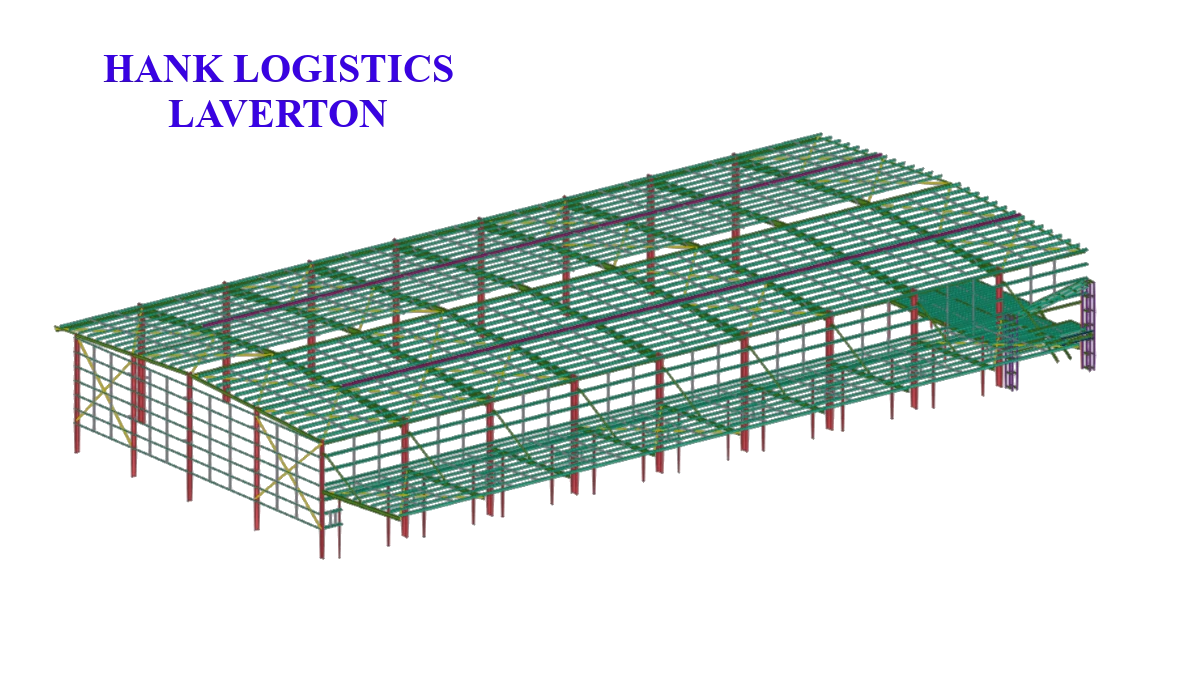
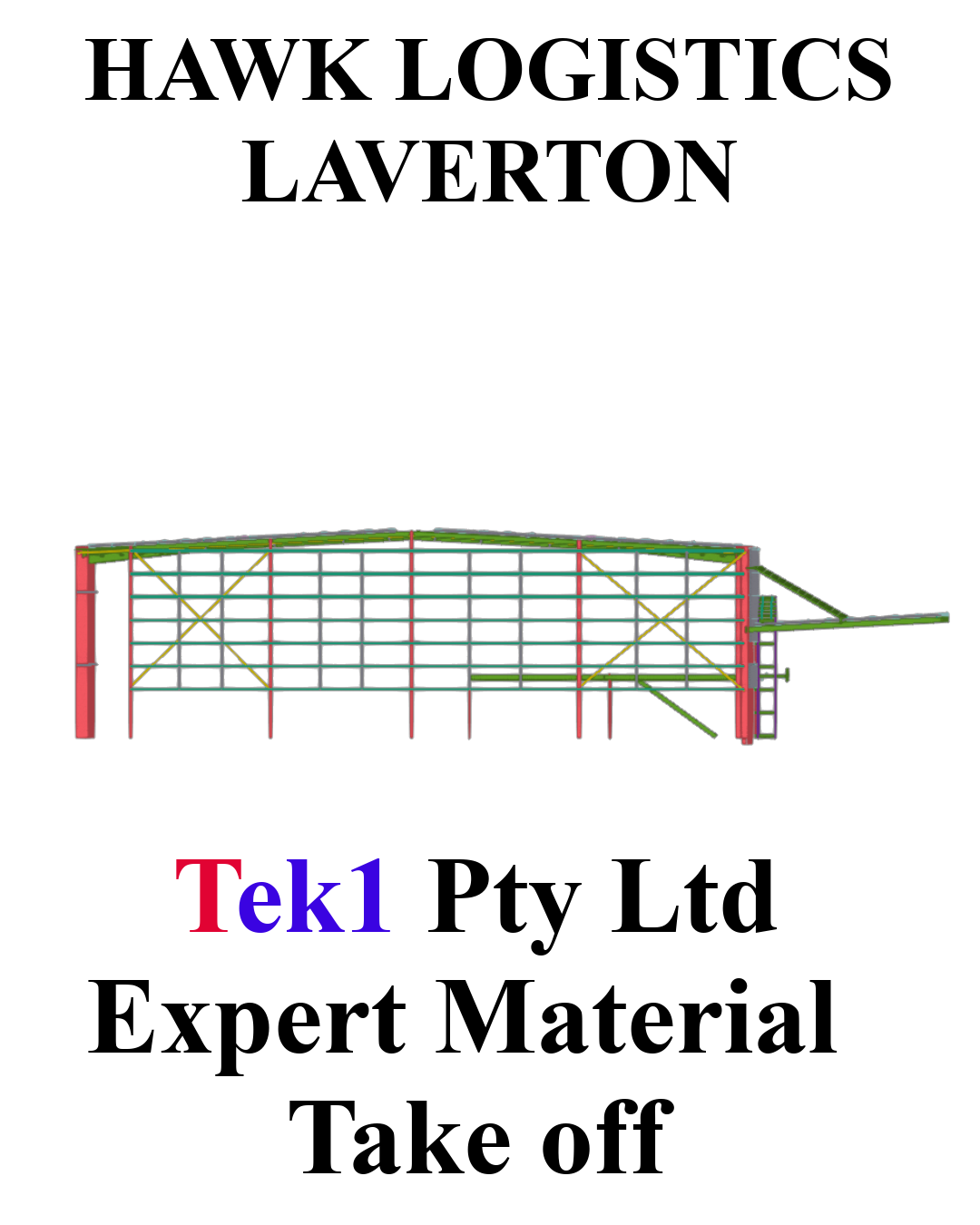
This where you provide details of your project. Use good english. The best way is to dictate in tamil and and ask google to translate, instead of writing some bad engilish and asking AI to fix the English
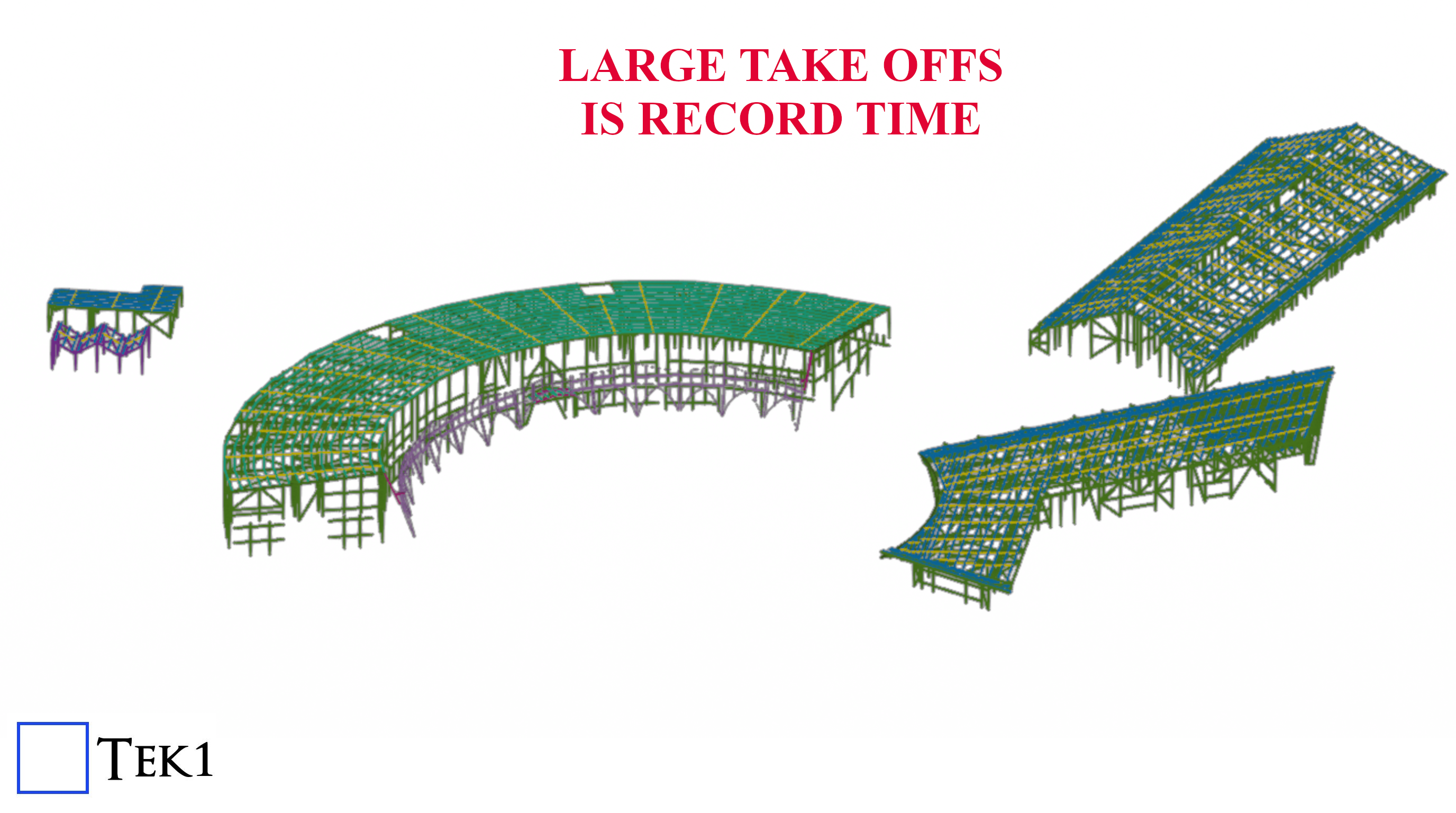
A 240 ton Material take completed in a very short time, accurately modelled.
With tested a tried processes, Tek1 offers fast turn around and accurate take offs. Your Estimation time is cut by weeks.
Whether you’re reinstalling Tekla or setting it up on a fresh system, getting everything aligned for our internal workflow – including the Material Take Off (MTO) process – is crucial for smooth operation.
Here’s a complete, easy-to-follow guide to installing Tekla Structures, configuring the Australasia environment, and setting up our Effective MTO DLL for seamless detailing work.
Installation Steps:
For Access Shared License Requirements:
VPN Access:
Setting Up MTO Conversion Tools (AutoCAD Integration):
Important Note:
For further clarification or formatting guidelines related to MTOs, please refer to our internal:
This memo contains essential information for ensuring accuracy and consistency in your MTO files.
Inhouse Memo 44 – Formatting Required for MTOs (Checklist for Material Take Offs)

Scope of the Project
We were initially requested to prepare a material take-off and model for the UTAS Stadium Redevelopment project. The scope clearly included handrails and balustrades for multiple areas.
Jobs like this are inherently more complicated than standard steel take-offs. They often require:
Example: In other jobs like Respect Care Avonlea, the scope required rust removal and recoating of existing steel. These unique elements must be clearly marked as in or out of scope so the person quoting knows how to price it.
Also, it’s important to remember that not all steel items are drawn with lines. Some only appear in notes.
Initial Submission & Review
Our team submitted the initial take-off. However, during review, Mr. Koshy pointed out that handrails and balustrades were missing.
👉 This was a valuable reminder that some clients require these items, especially when they’re a focus of the job, while others may choose not to quote on them. Knowing what matters to each client is essential.
Given that this take-off was for quoting purposes, accuracy was vital. Even a small oversight could result in:
This feedback helped us pause, reflect, and improve our approach for the future.
Why Accuracy Matters in Take-Offs
This wasn’t just a drawing task—it was a cost-based take-off used for budgeting and quoting. An error in such cases can:
Moreover, certain items – like balustrades, stairs, and grating – are intricate and time-consuming to fabricate. These should not be quoted on a tonnage basis. It’s important to flag such elements to clients so they can be quoted separately and priced appropriately.
Issues with the Take-Off
Further review revealed that purlins and bridging members were missing. These were likely deleted during the cleanup process (e.g., using OVERKILL) without a proper post-cleanup check.
A senior detailer shared three essential lessons that helped us improve:
1. Double-Check After Cleanup
Tools like OVERKILL are useful for removing duplicates, but they can unintentionally delete important steel items.
Always:
2. Understand the Scope Clearly Before Starting
Don’t jump into modelling or marking up without:
3. Follow Disciplined Modelling Practices
A clean and organized model helps avoid confusion. This includes:
Key Learning Points
We’ve compiled the following key tips from this project and past experiences:
Key links:
Please supply checklist and special notes with every take off report you complete.
What is the purpose of an MTO?
The Actual MTO report:
(a) Full Material List
(b) The second: Excel – Material List – which shows all sub-totals.
(c) IFC file – we no longer give IFC files.
(d) db1 file we no longer give db1 files.
(e) and if applicable, your .dwg line work file.
You’ll have to go into the file and add/edit fields if applicable.
Please make sure that you do not double count “sub-totals” in the sub-total report otherwise you will get an incorrect tonnage report.
If so, you have probably used the wrong “material” or grade. Is there anything obvious?
Add Conditional Formatting
We need the weights of steel to always be above 0. So anything that is below zero needs to be highlighted. See the videos below:
Or if you prefer, you can watch it at Vimeo:
Why? Because when the client opens up .xls files they complain about some error. If you are using LibreDocs then please open your .xls file and save as .xlsx:
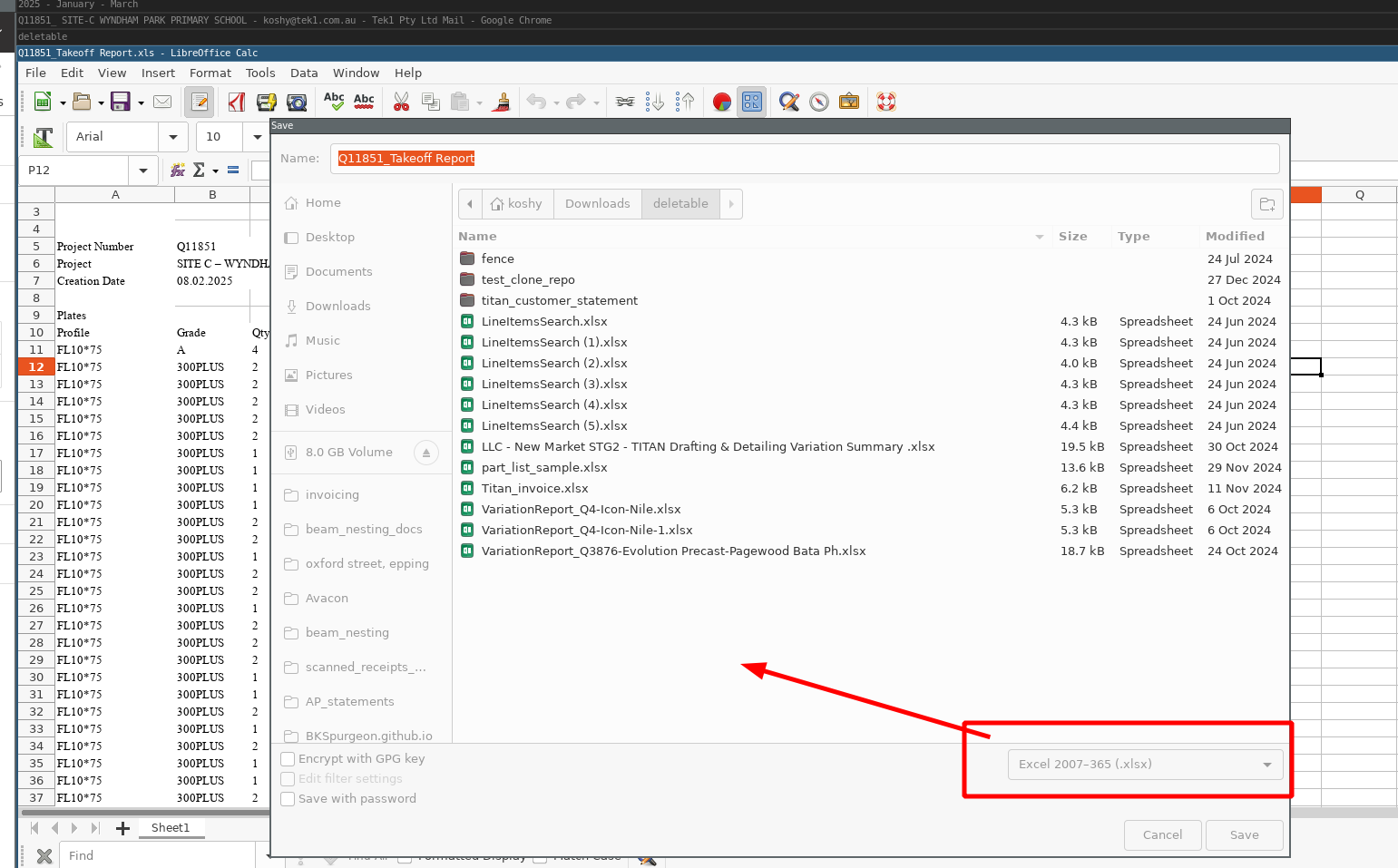
If you are using Excel, the please open Excel and save the file as .xlsx (one with and without.with an ‘x’ on the end of it).
Are you using Open Office or LibreOffice?
If I’m dealing with 10 projects then I have to coordinate 20 different emails. NO. I want them all together.
Separate Areas – Do Separate Reports
Provide Screenshots
Bridging Report
On Refurbishment Jobs – make special notes
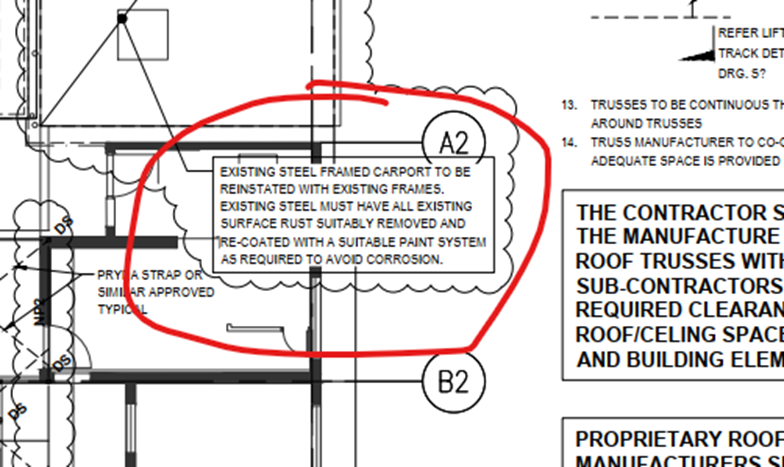
(This was for Respect Care Avonlea). Note: they want the EXISTING steel frames to have rust removed and recoated. Make such items clear for the person quoting – that this is to be in or out of scope.
Check architectural and sturctural drawings and note discrepancies
Check The Notes for Steel and / or other extra items items
e.g. see below – we need steel grating over EAs. Please make sure you don’t miss such notes.
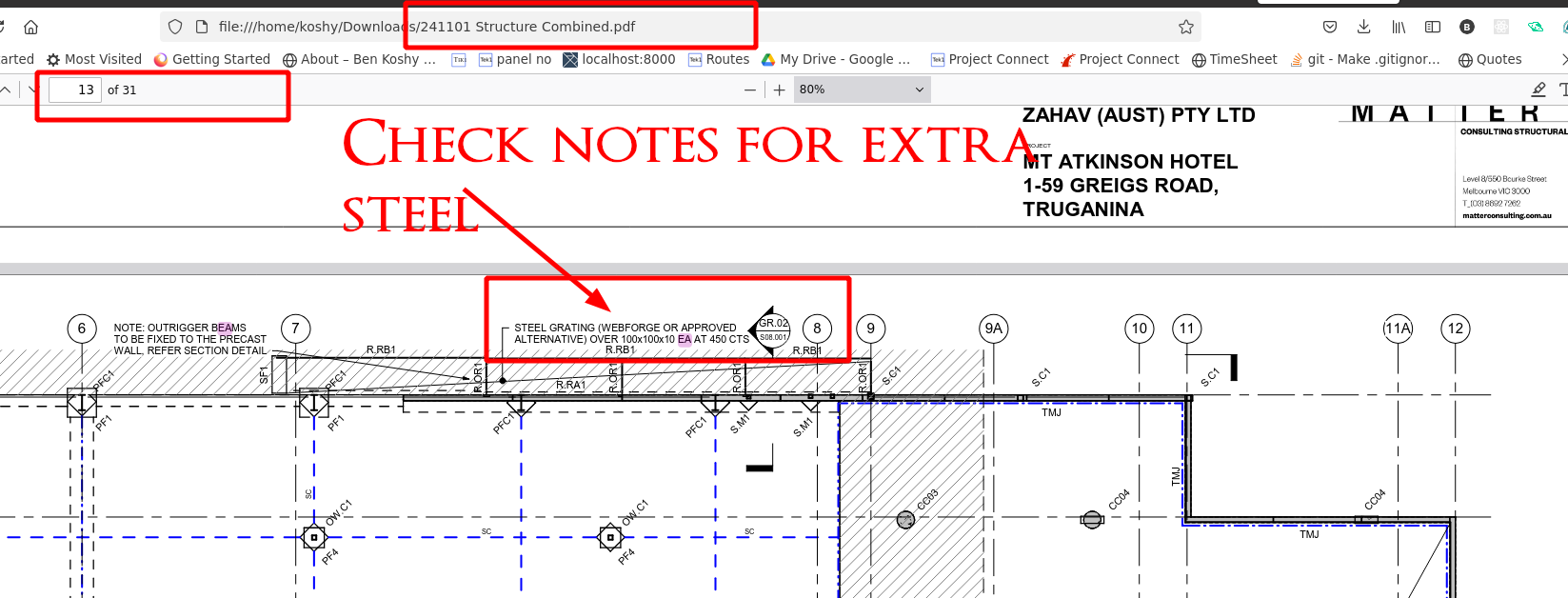
Please quantify the exclusions in your report to give some basic idea on what the client needs to price. Please tell the client that your numbers are rough estimates and the client should verify independently – because we are not actually modelling those items.
2025-06-18 – Clients are quoting steel. Help the clients establish what is and is not in their scope. e.g. while you might EXCLUDE e.g. lintels in your modelling, you must provide a note saying to the client that LINTELS exist if they exist. This goes for ANY steel in the job. e.g. a special steel door, or grating – if they are excluded from your take off, you must still provide a note saying we haven’t modelled it, and if possible, to provide an estimation of it.
Add In Finish on Beams
MTO STEEL FINISHES – this is a part of take-off:
These finishes must go on the member finishes
If in doubt – ask.
How to do bridging / purlin reports
Add Status For quote:
Invoicing:
Example of what to write on the “variation” on the MTO:
Code via .dwg file
The source code + documentation is located here. (Sorry only accessible to Tek1).
We will be regularly updating the code, and documenting how we do material take offs.
List all files in the MTO:
Get-ChildItem -Path . -Recurse | Out-File -FilePath .\file_list.txt
(Now the files should be listed in the “file_list.txt” file.)
Watch this video for further instructions:
Any MTOs submitted after 2025-07-15 which are non-compliant will risk incurring an immediate demerit.
Outdated Checklists and Special Notes Templates – Immediate Demerit to be applied
Folder Locations
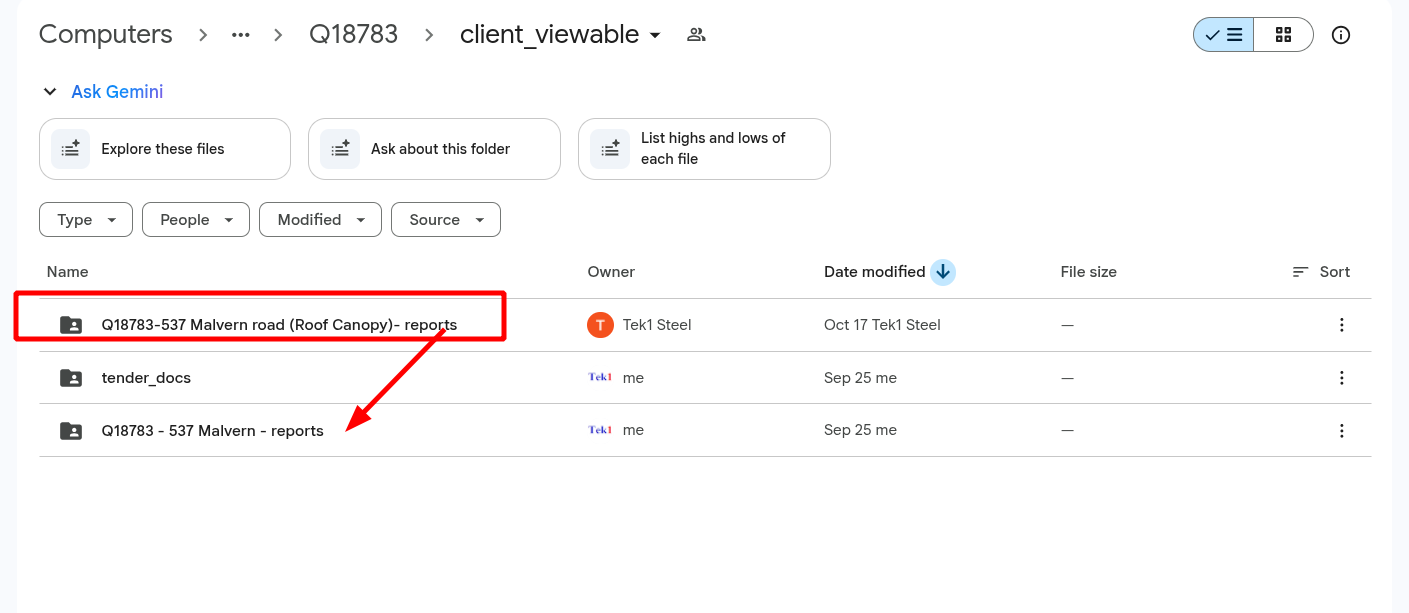
Please do not dump your reports in random locations. This makes it very difficult for clients to find especially if there are addendums, which means they MAY be using incorrect reports – which is unforgivable. If I catch you you will lose your entire bonus. (2025-10-31)
If there is no profile information – PICK a random profile! (2025-02-18)
Take for example the 537 Malvern Road MTO. Let us read from the special notes section:
Structural drawings indicate steel columns (SC1,SC2 & SC3) in structural plan, but there is no member profile nomination provided for these columns in the member schedule. Therefore, those steel columns were not included in this takeoff report. Please refer below snap showing yellow highlighted columns. In addition we have attached the highlighted markup for clarity
And then the following image is attached:
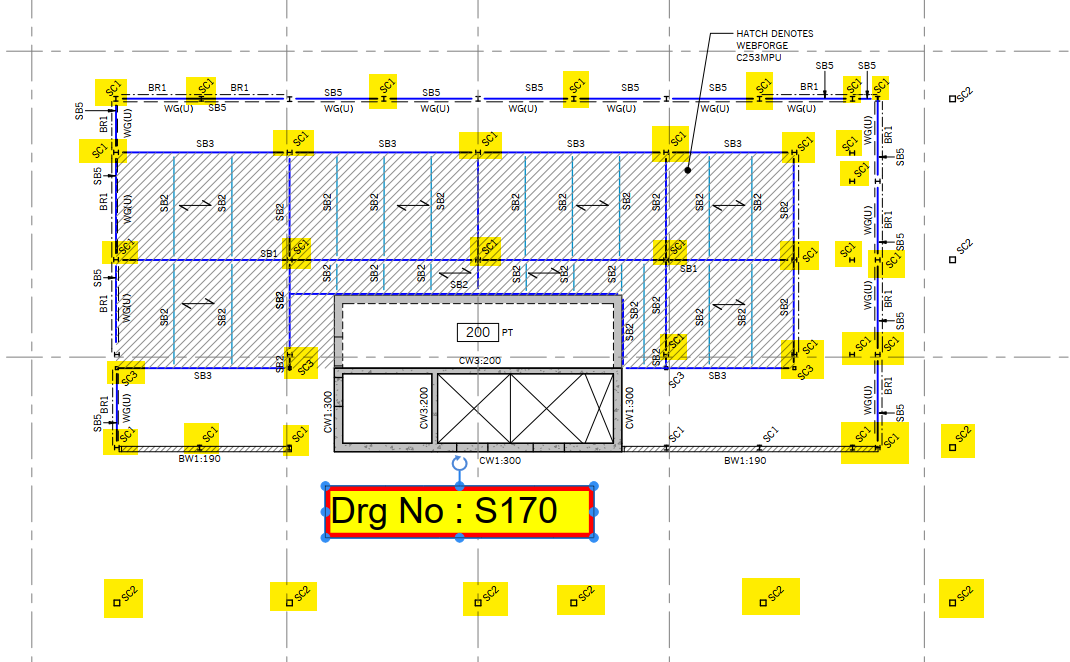
This is bad policy. Why? Because the client might not read the special notes and might mis-quote steel. it is better to add in an item with a nominated profile than to omit it entirely – in this case, at least the client will be ok if he quotes. If I see this happen again, you may endanger your bonus for a particular job.
Make items perfectly visible (2026-02-18)
This was for 26 Railway Parade, Hornsby. Almost all the items are not included, except the last one. But it is not highlighted in any particular way. Are you guys trying to confuse your clients? Highlight critical items to ensure it isn’t lost.
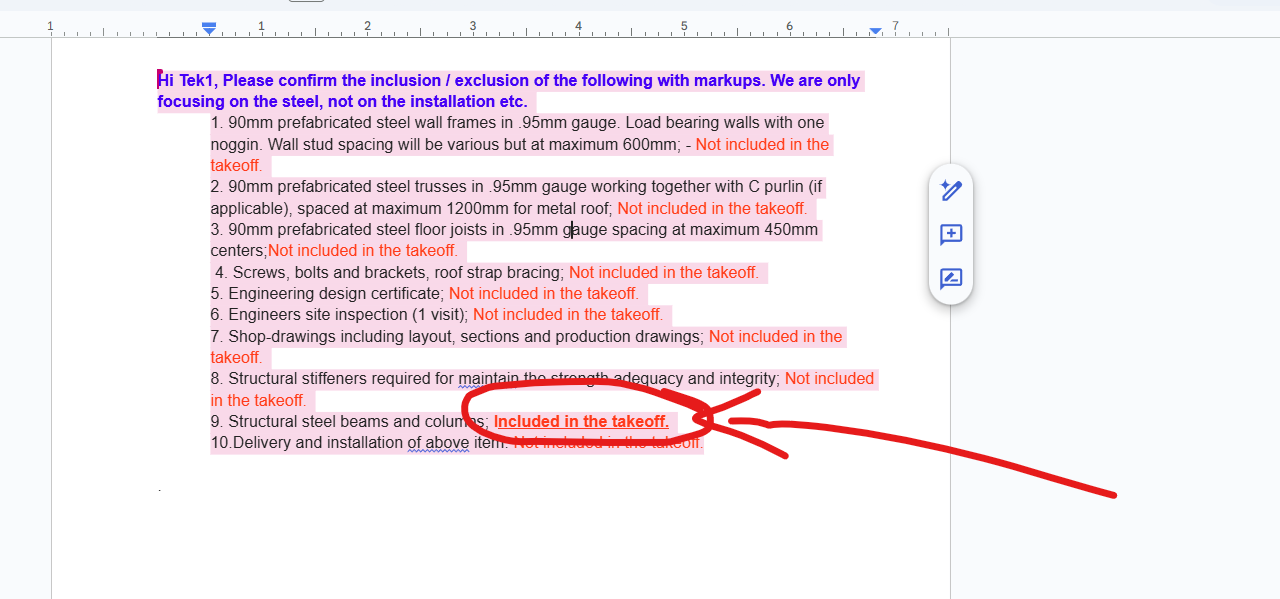
Here is another example:
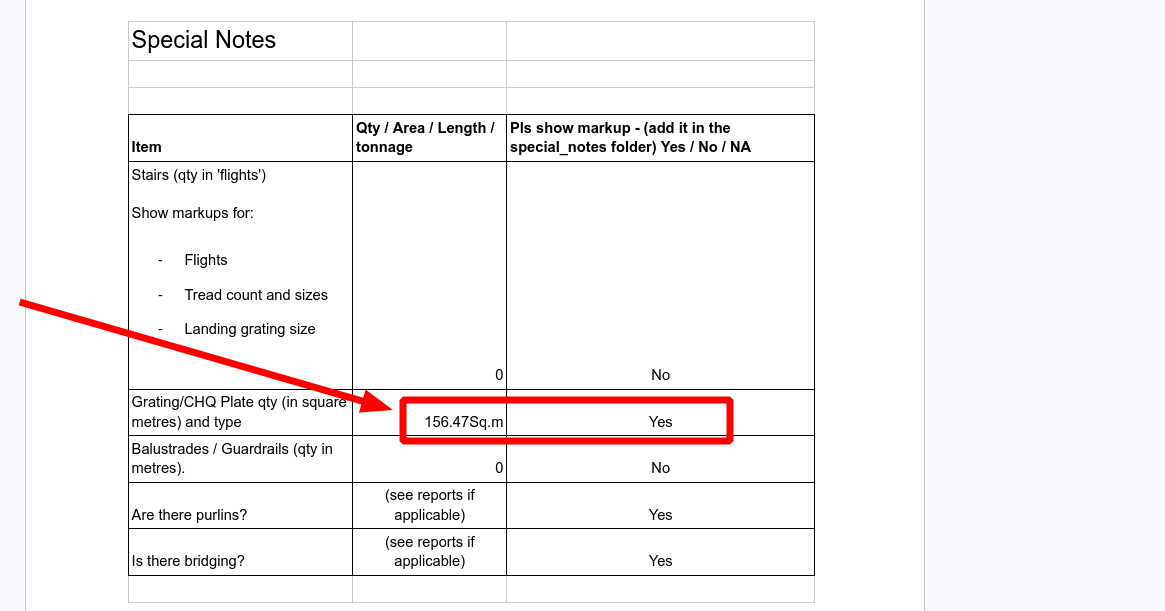
This is 156 square meters of checker plate – which is not cheap. If you leave it like this, the client might miss – so consider highlighting where relevant.
Isolated Material List Reports must have a separate IFC with them
(again on the 537 Malvern Road MTO).
When you have reports that segregate steel, you should also have the IFCs generated for each one of those reports. For example, if there is a PV platform, a canopy, a pergola, and roof steel, you should have separate IFC models for each one, as the case may be. This is so that people can recognise which steam corresponds to which items. Not doing so confuses myself, the client and wastes a lot of time.
Special Client
One of our clients wants their MTOs in a very special type of formatting. To that end, I have created an Apps script so we can transform our Tekla Members to be client with our client’s workflow:
We will also need to create a schedule of Member Marks which map to our client’s Steel Codes.
Backing Software:
e.g. see Q18810 – PEGS Junior Boys Campus Stage 1 by Hari.
This is the question by the client / builder:
Include:
- Window Shround Secondary Steel
- Refer elevations BE3 through to BE5 on ST-300-02
- Structural Steel Member shown in blue on Concrete Outline Plans
- These are shown on structural documentation throughout
- Structural Steel Lintels
- These are shown on structural documentation throughout
- Structural Steel to Makers Façade
- Refer elevations BE3 through to BE5 on ST-300-02
- Structural Steel to GRC Metal Cladding
- Refer elevations BE3 through to BE5 on ST-300-02
- Secondary Steel to Makers Entrance Eaves Gutter
- This is shown on ST101-1
- Structural Steel Framing concealed within ceiling cavity
And here is the response:
Inclusion:
- Window Shroud Secondary Steel.
- Structural steel lintels.
- Structural steel to makers facade.
- Structural steel to GRC metal cladding.
- Secondary steel to makers entrance eaves gutter.
- Structural steel framing concealed within ceiling cavity.
- Structural steel framing of planter storage(WT-03).
Exclusion:
- Steel angle for perforated balustrade including steel plate and steel verticals
- Steel plate to support door frame
Organise Folders – Don’t be a slob
Architectural Finishes
Please say yes / no if arch finishes are required. IF clients progress in the tendering stages, then they will almost certainly request an architectural review of the paint finishes. This might be an additional $6000 / tonne extra cost.
WARNING: How to fill a checklist. If people are filling the checklist first, and then doing the work later – if you forget or miss, that is a huge cost to me. You will incur punitive demerits from now on (i.e. not only will I remove this MTO bonus, but I might take away 2-3 more). Please take care.
For certain projects, it is necessary to give a thorough audit of the architectural finishes. Once you have done that, you need to communicate all the results to our clients via an Excel Spreadsheet. Secondly, reviewing the architectural finishes take time / complexity. Therefore, we need to submit a fee proposal to our client before do the work. In addition, we need approvals.
Here is a sample file: Paint Finishes Sample here
Cell References
If functions
Search Function
iferror function
Transpose Function
How to put all of the above together
=IF( IFERROR(SEARCH( L$5, $E6 ), 0), $K6, 0)
You must use AREA instead of tonnage for the Paint calculations. The video above uses the wrong column, but you need to change it so that it uses square metres.
Clients find it annoying to open Excel if the file names are the same. Make it easy for your client my renaming the files so they are unique across the entire project where you have many different report sets – e.g. Building A, Building B etc. It is good policy to rename the files with a short name: e.g “Bond St – overall report” even though there are no separate building there.
Downlaod Power Toys from here: https://github.com/microsoft/powertoys
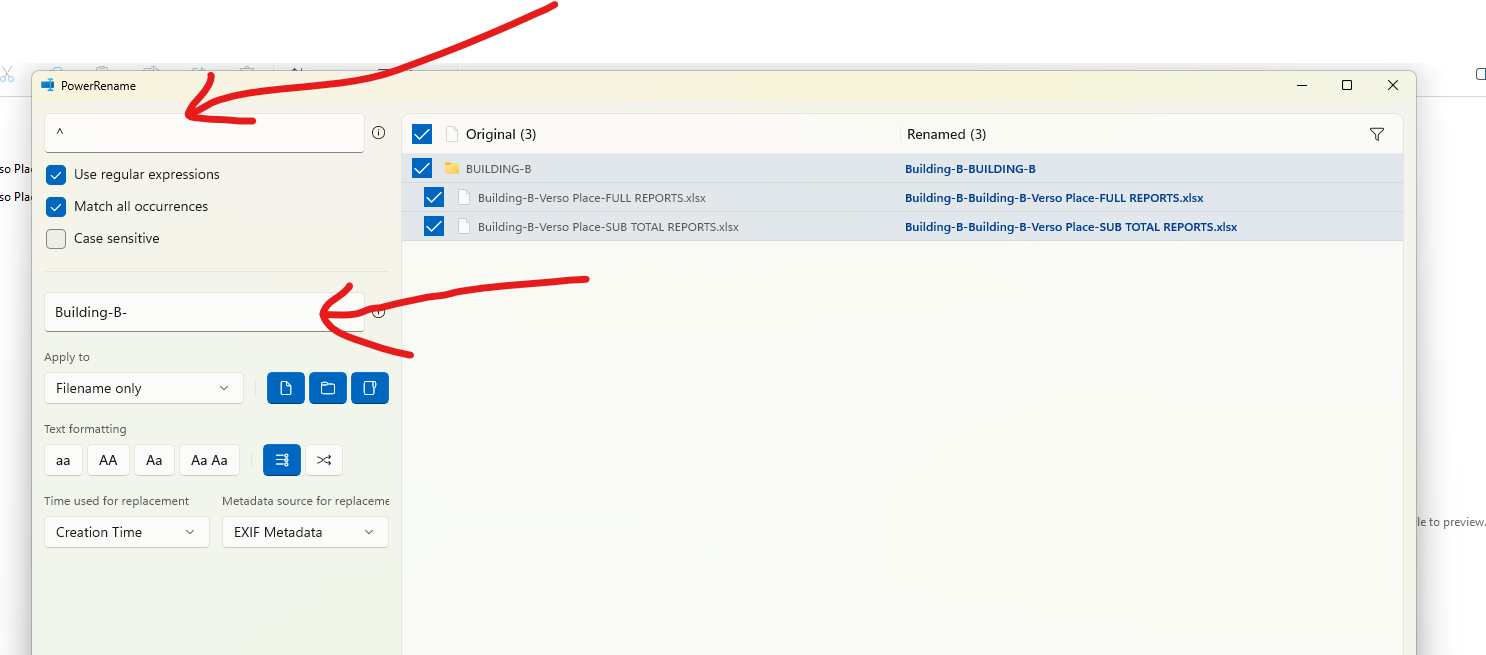
Please find above the settings required to rename a file.
Deeply Nested Folder Structures
If your reports has many sections and sub-sections, you need to provide an “EXECUTIVE SUMMARY” to make it easy for your client to collate the tonnages and to quote the job. Make sure you add it to the “OVERALL TONNAGE” file.
Building A: x tonnes
Building B: y tonnes
Building C: z tonnes etc..
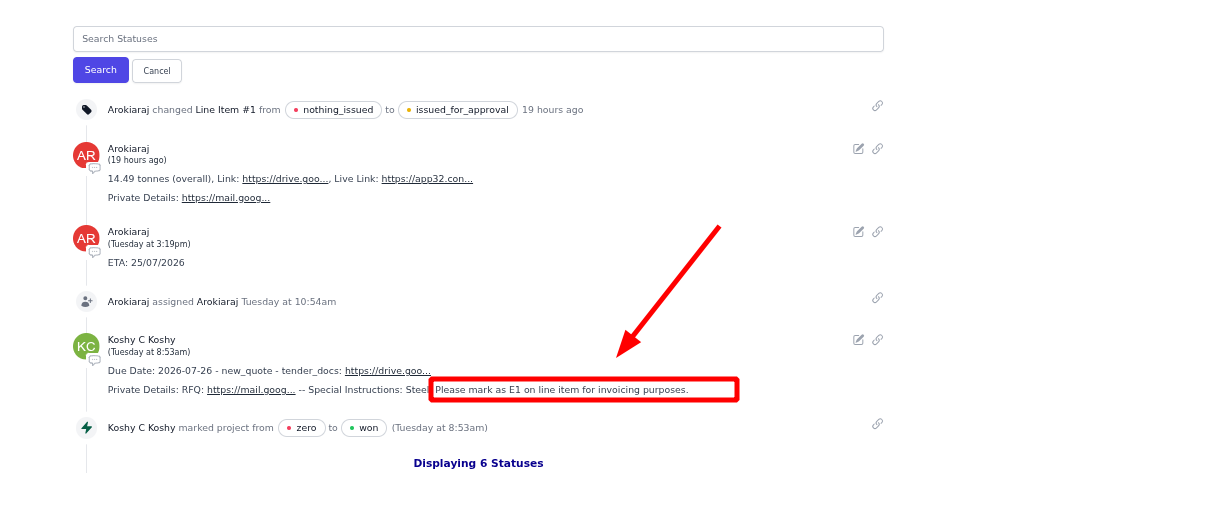
Estimate 1 Quotes – E1
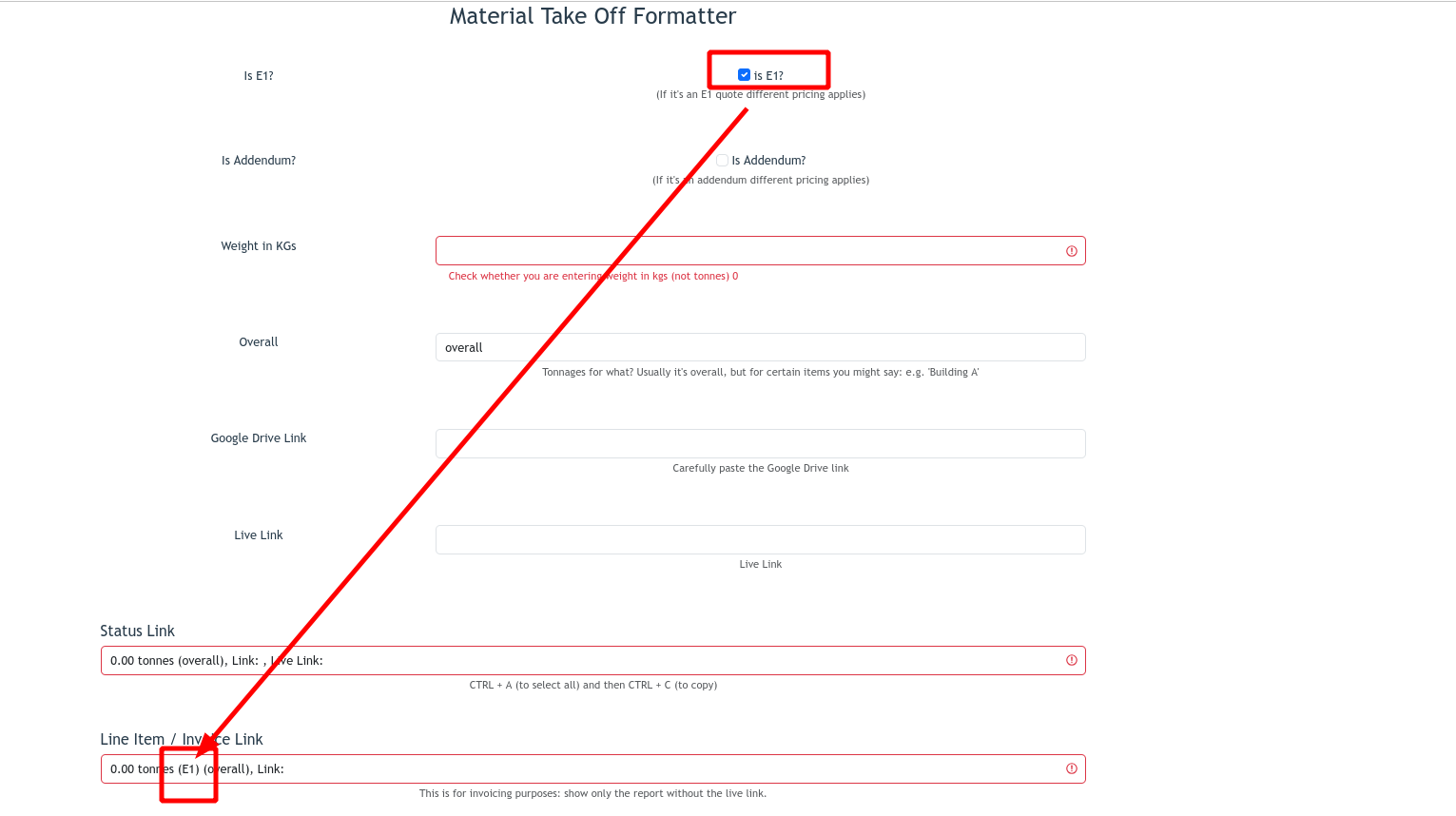
Example of instructions to mark as E1:
MTO formatter
Please find below the processes we expect all staff to follow:
Tek1 has developed plug ins with IntelliCAD based systems to create take off models from PDF drawings. The PDF drawings are brought into the intellicad based cad systems. Columns and Beams are modeled over the PDF drawings.
This method is significantly faster than undertaking blue beam takeoffs. The accuracy of the take off is much better than what is possible with blue beam or any other PDF based take off system.
The inellicad model is then exported into Tekla using an in house plug in. Material Lists, and GAL lists can be taken out of the Tekla Model.
An IFC model is exported from Tekla. Along with a 3d model, this type of take off provides great value of the estimator.
Pricing is very competitive since we are using our in house offshore team. The take off team is now of a significant in size. Because IntelliCAD software is cheap, and given our in-house plug in, we are able to provide, fast and very cost effective services in take off modeling.
Fittings and bolts are not normally included in the take off.
Here is an example of the Essendon hanger we completed today (29/1/2020).