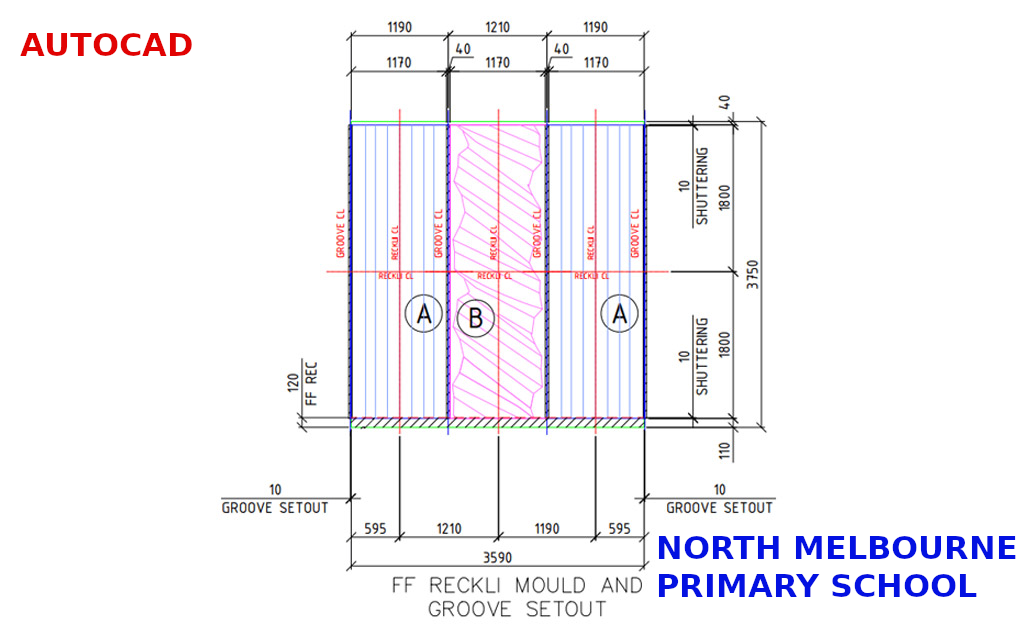
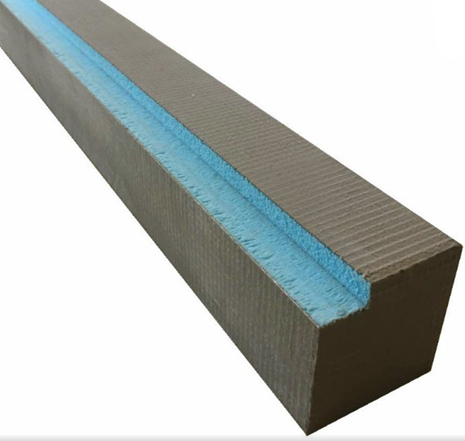
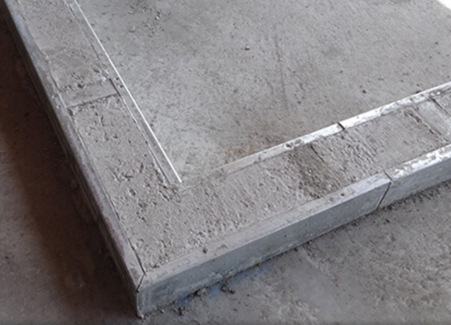
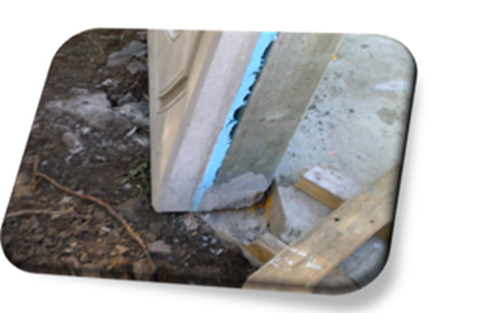
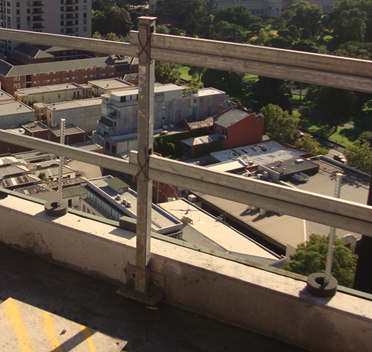
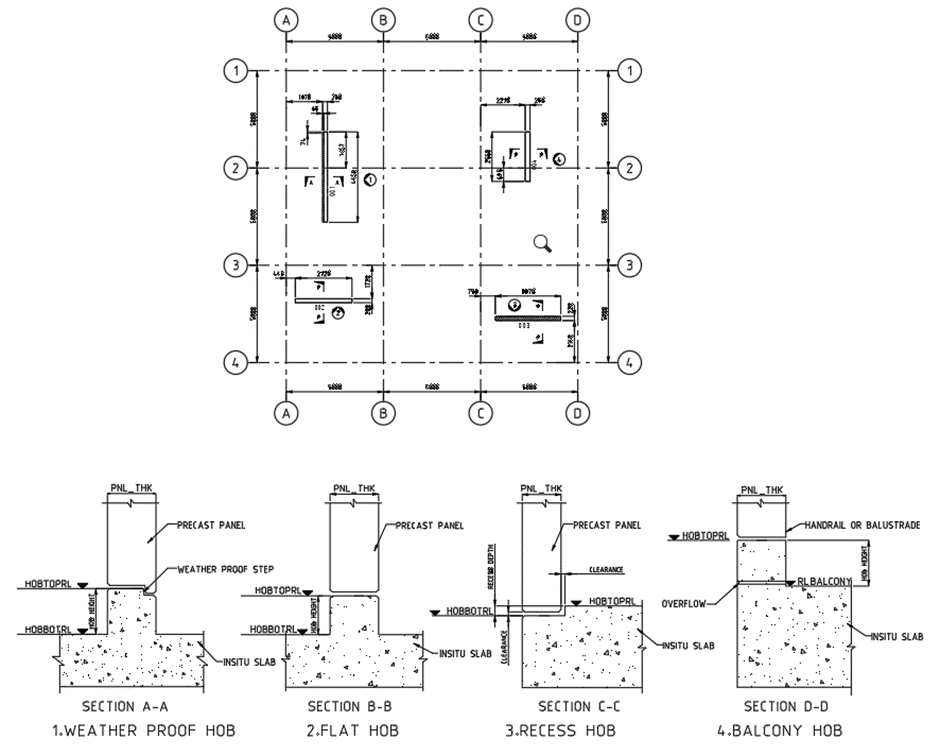
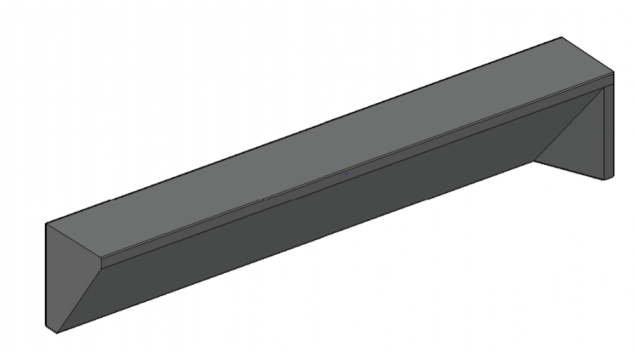
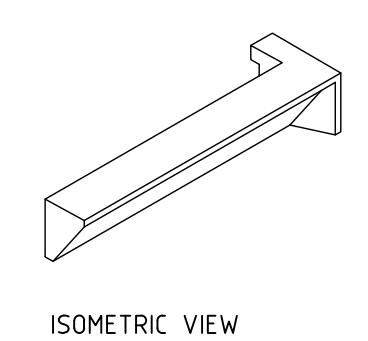
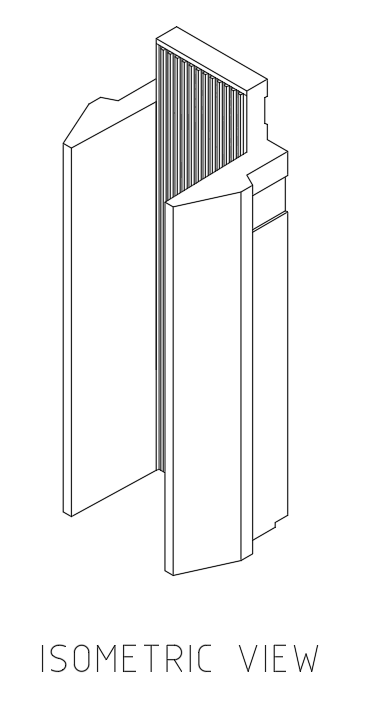
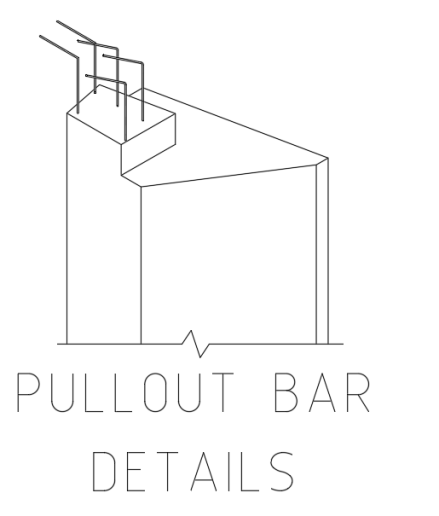
HOB Hob is projection or recess on the top of slab, which is made up of concreate or sometimes precast. It will act as a base or foot for the precast panels and balustrade which are to be placed above the actual SSL (Structural surface level) and a locating guide sometimes with weather proof.
HOB TYPES
1. Weather proof Or Stepped Hob: This type of hob has projection from slab SSL, which is used to separate inside (living spaces) and outside (balconies and wet areas) of the building to resist water to enter the building. It has recess at the outside of the building on top of the hob, which means top face has step along the outside of building. Refer Section A-A for weather proof hob.
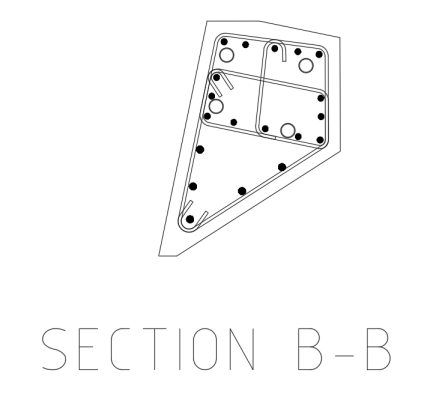
2. Flat hob: It is also projection type hob, but top face is in full width flat without step. Usually, it will locate between either inside-inside or outside-outside area. Refer Section B-B for flat hob.
3. Recess hob: It is further back from SSL or ditch or recess on slab. It will also act as weather proof. This hob needs some gap clearance on the higher side to make easily sit precast on it. Refer Section C-C for recess hob.
4. Balcony hob: Balcony hob also be the projection type; it is used to outside of the building in outermost wall to resist spill of water or use as balustrade. Balustrade purpose hob have considerably higher than the all-other hobs. Refer Section D-D Balcony hob.
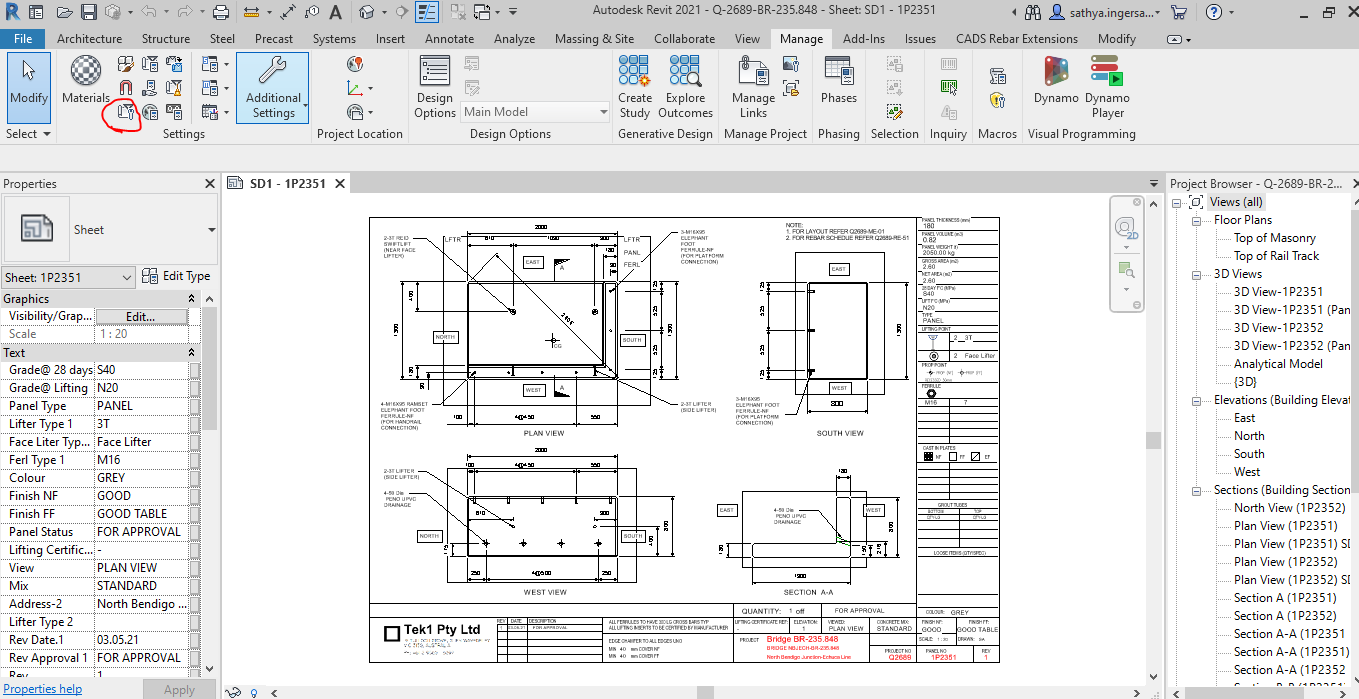
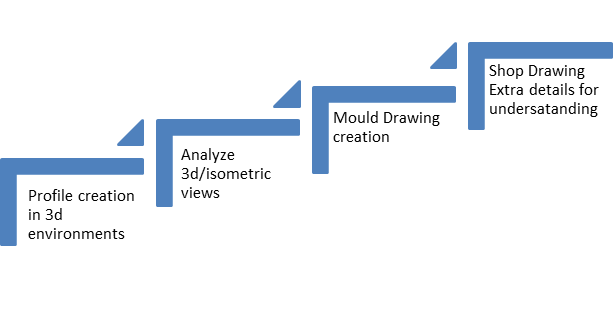
Tek1 has extended their tool kit by adding Revit Structural and Tekla Precast to detail precast concrete.
We were trialing precast for a few months now. We have developed some internal tools to handle precast panel shop drawing efficiently.
Tekla for Precast
We are experts in using Teka for steel detailing. Now are embarking on using Tekla for detailing precast. As first step, we have upgraded our 2 steel detailing Licenses in Melbourne to Global License and upgraded to enterprise. We are running parallel trials with Revit and Tekla to test whether Tekla will make the grade.
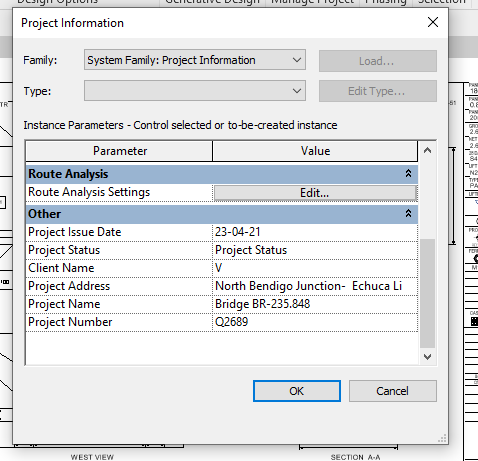
Project Details – Does the Revit file allow us to create Project Details. How and where is the data available to read?
For Project information the details will be added and done in the Manage tab as shown below
Step 1: Clicking to manage tab and click on the red clouded region as Project Information
Step 2: Entering the Data about the Project as Shown above
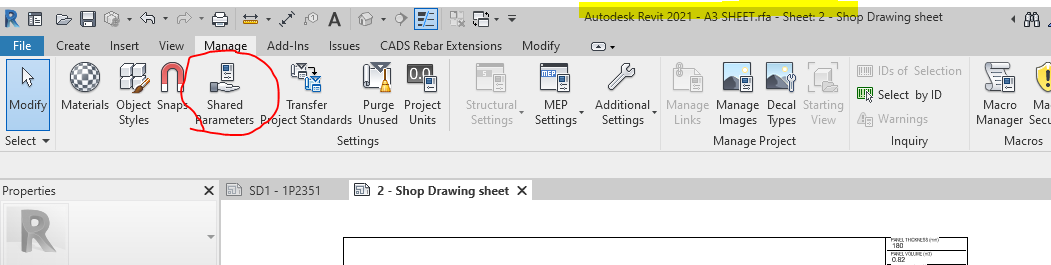
Step 3: Open the sheet family and click on the Shared Parameter Option in the Manage tab
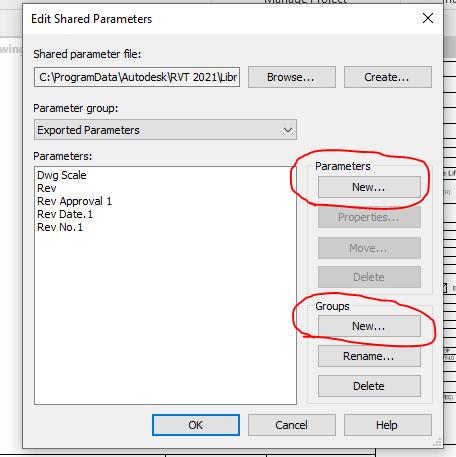
Step 4: Create the new parameter if needed and Create new group where the parameters are to be called for.
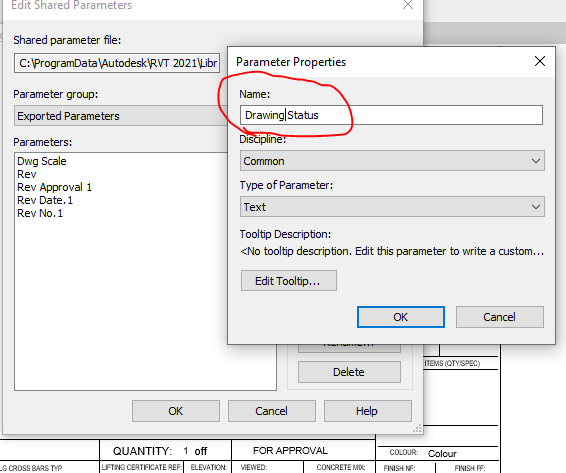
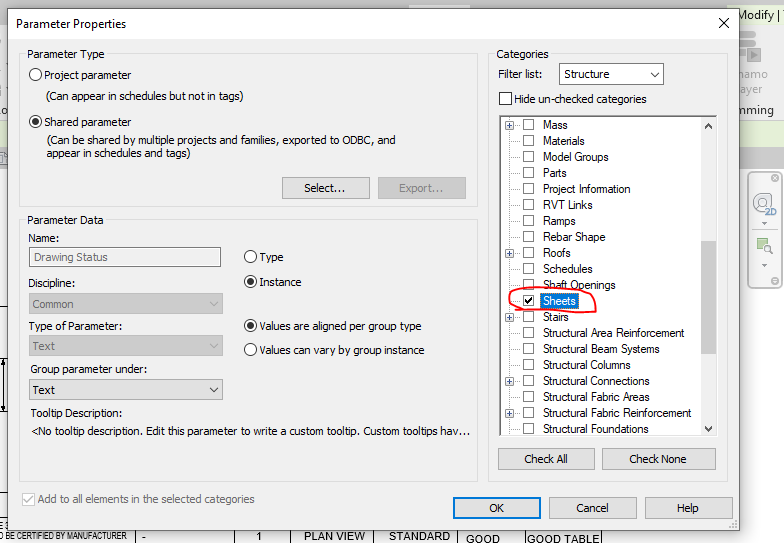
Step 5: Add the new parameter in the Paremter property. Once parameter done it can’t be edited and it has to be removed and create a new one .
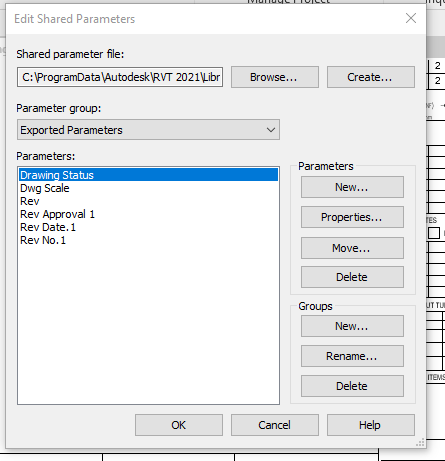
Step 6: Now the “Drawing Status” Parameter are now called under the Parameter group exported parameter.
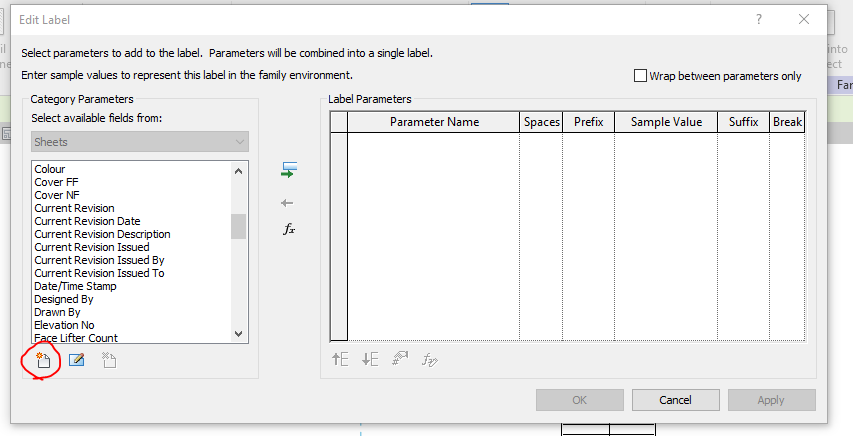
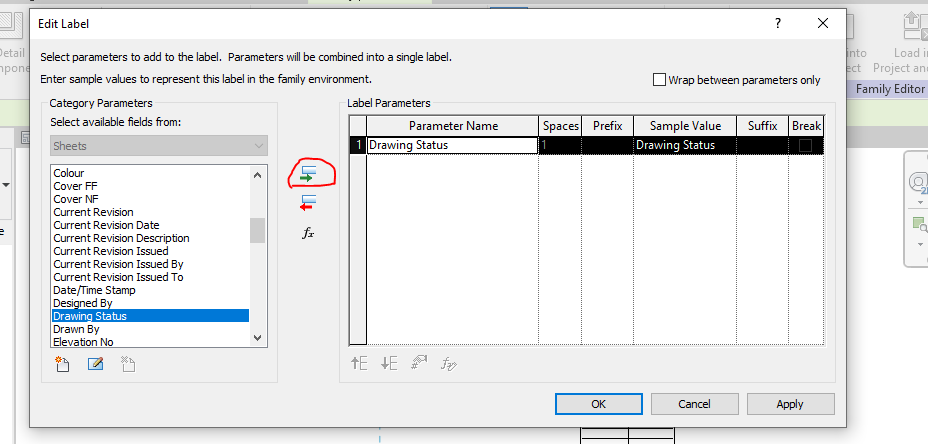
Step 7: Click the Label Parameter to call the label that are already created in parameter
Step 8: The parameter which was created in shared was not displayed so click on the add parameter to call from the group.
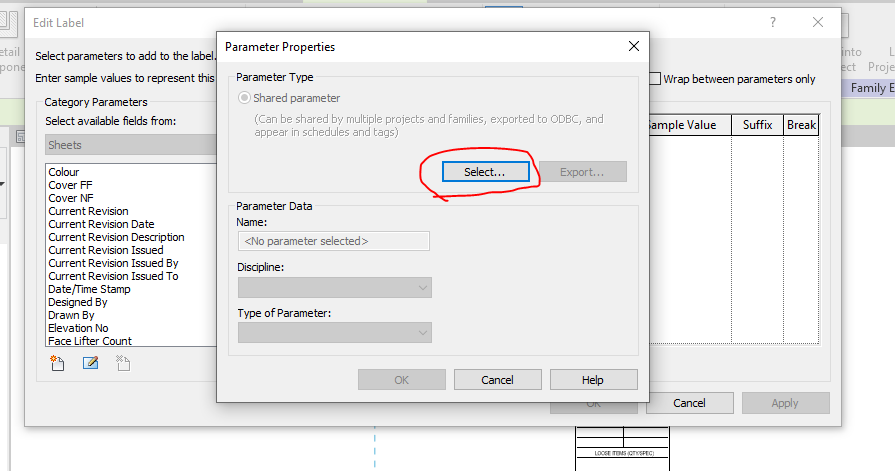
Step 9: Click on the select button to call the shared parameter group defined.
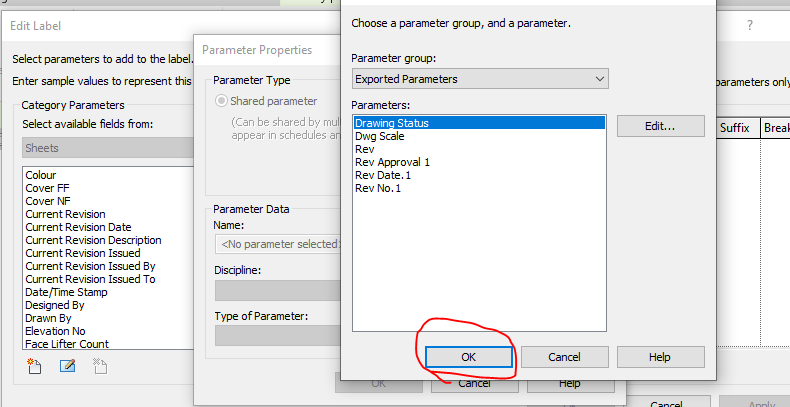
Step 10: Click on the required parameter to call and click on ok
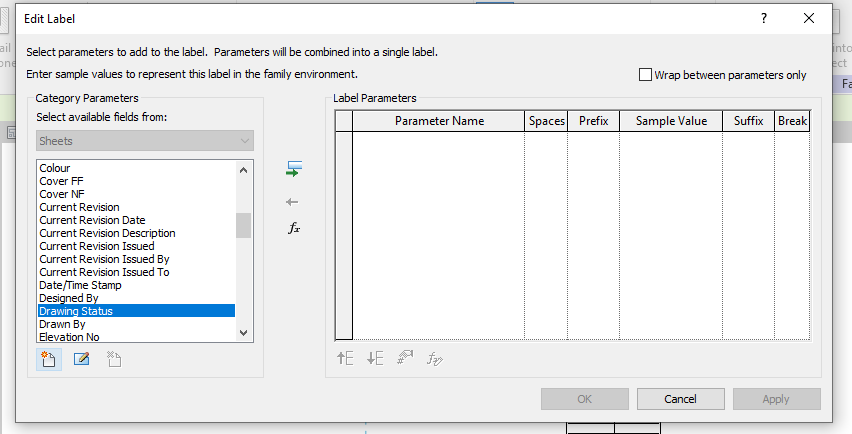
Step 11: The parameter which was not available in the list are now generated and called
Step 12: The parameter which was not available in the list are now generated and called to edit parameter list
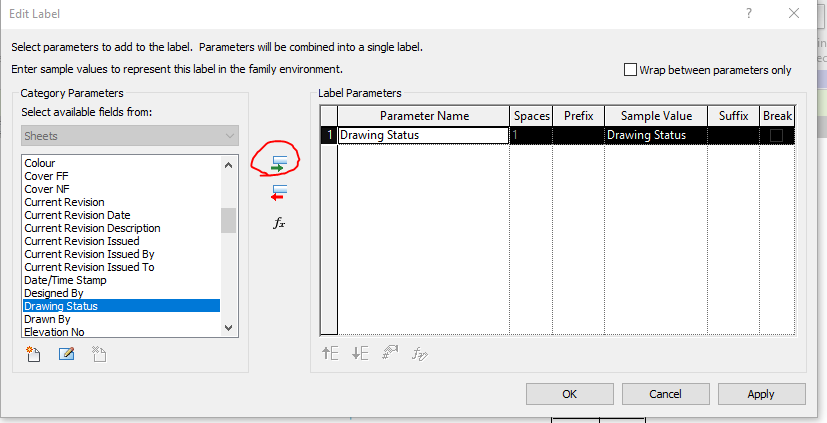
Step 13: Then click the add parameter lab clouded in red and the following parameter will be added in the label and then click ok.
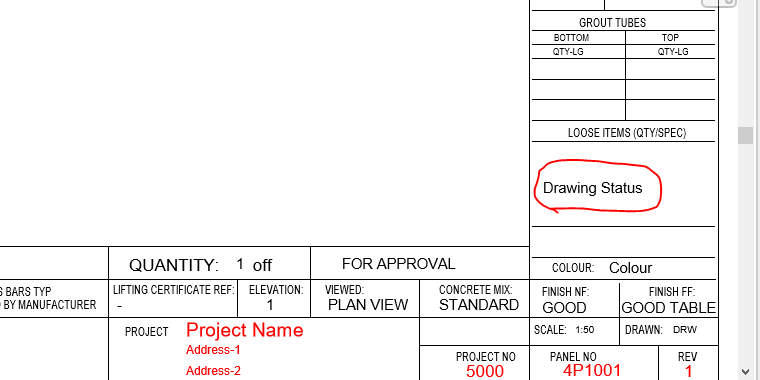
Step 14: The Label “Drawing Status” was now added in the Sheet Family
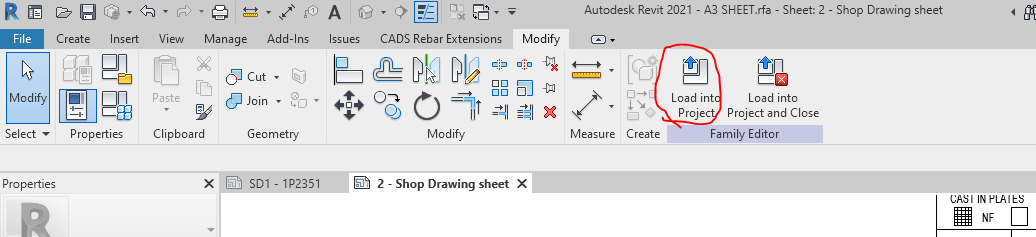
Step 15: Then click on the “Load into Project“ button to load the Shop Drawing Sheet in the Project.
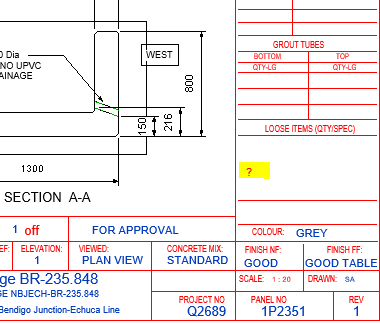
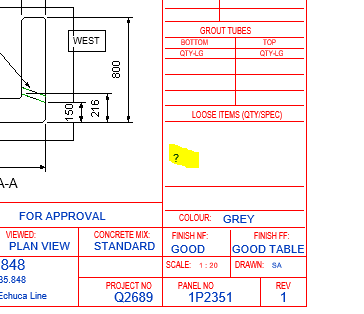
Step 16: The question mark we highlighted are the Parameter “Drawing Status” and it’s not editable at this stage because this shared parameter was not called in the Project Parameter. To sort this please follow the below steps.
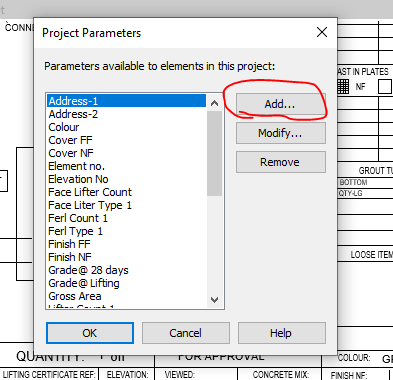
Step 17: Click on the project parameter to call the shared parameter we defined in Sheet family
Step 18: Click on to add button
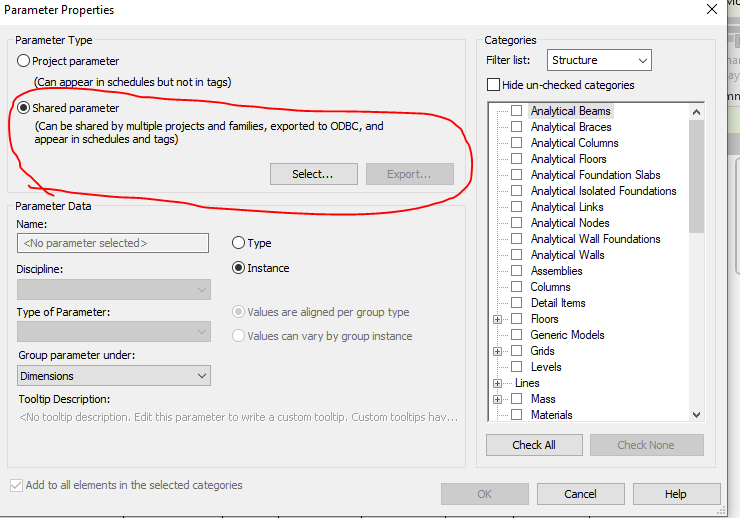
Step 19: Click on to the shared Parameter and then click select button
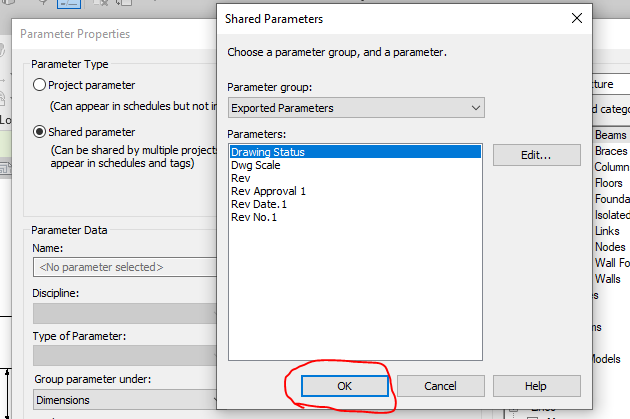
Step 20: Click on the Parameter you defined previously and need to be editable and click ok.
Step 21: Once the shared parameter are defined on Project Parameter then click the Check box on the right end shown where the parameter to be display in your revit file and then click ok.
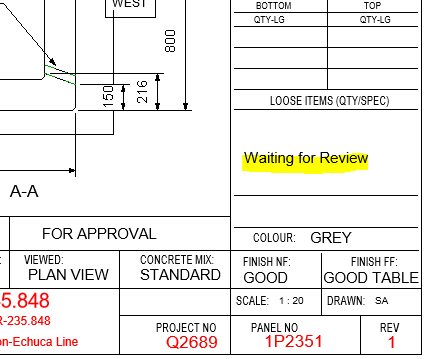
Step 22: Now you can see the question mark colour changes from red to blue which is editable one.
Step 23: The Parameters are added and edited in the Shop Drawing Title Sheet.
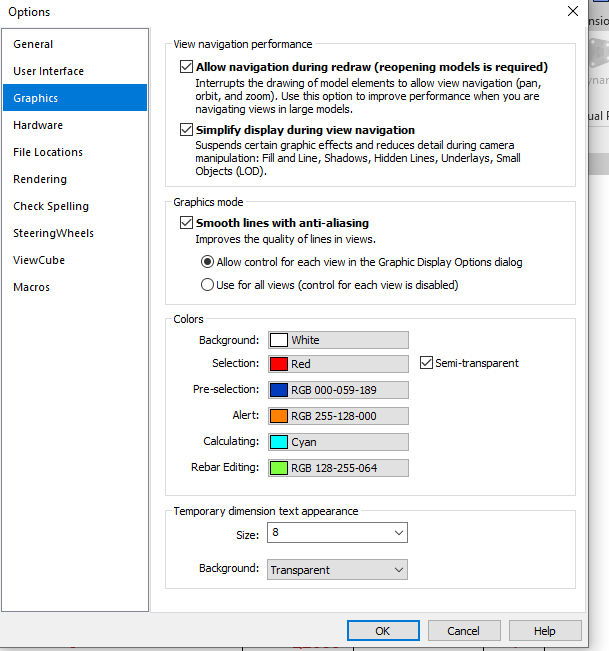
Idea: If you like to make your visuals to find the parameter is in editable or not editable please do the following thing below
Go to file tab and click on the option button below and set the graphics by changing the colours as shown below instead of same colour
Thanks to Koshy, Ben ,Venkat and Parthee for Supporting and guidance .
Here we are going to explaining about the thing needed to focus on STRUCTURAL PLAN for precast detailing
Width /Thickness of panel:
Panel width and thickness should satisfy min structural requirement because structural engineer worked with that structural requirement of panel to provide building strength and stability. If we provide less than structural thickness and width then we cannot achieve strength and stability.
Greater than structural thickness will come because of groove/pattern but it should not be less than structural thickness. (If groove/pattern returns on panel edge, raise RFI to confirm width extension).
Mesh detail:
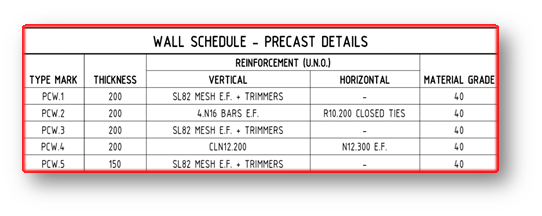
Schedules created and specified its required type for each and every panel. Legend type need to take from plan and refer it with schedule.
Refer reinforcement schedule if they provided or else refer handover reinforcement schedule. (if schedule missing please discuss with Builder)
Grade of panel:
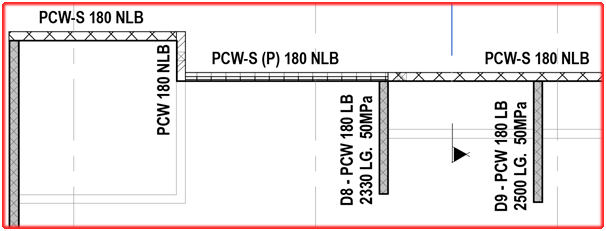
Mostly plans shows direct grade value of panels
Schedules created and specified its required grade for each and every panel. Legend type need to take from plan and refer it with schedule.
For spandrels, they will not provide any values. In that case use 40MPa grade.(UNO)
For columns, shear walls and cores grade to be referred from its respective schedule.
Fig: Structural plan showing Grade value
Load bearing/ Non- Bearing of panel:
These are decided by engineers and specify on structural plans
Generally precast panels are
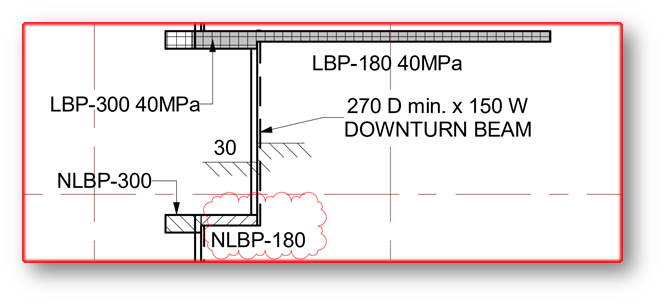
Load bearing panel– Separate hatch will show or legend will show as LBP
Non-load bearing panel– Separate hatch will show or legend will show as NLBP
Partially load bearing panel-If they provided some distances only as LBP means then that remaining part of panel is non-load bearing. So that panel will be partially load bearing.
In some special case if structural engineer instructs to refer any drawings, we must refer that drawing for NLBP/LBP region
As default spandrels are NLBP but don’t show it on panels.
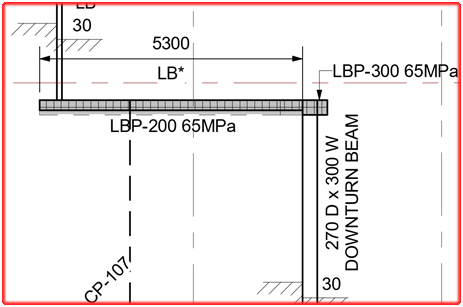
Fig: Structural plan showing LBP and NLBP
Slab thickness:
Thickness of slab provided in this plan
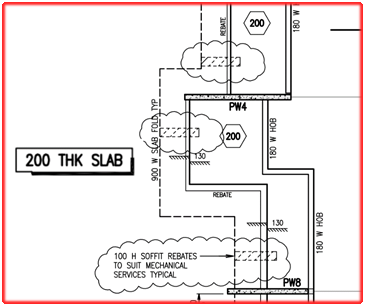
Extent of Folding on slab profile values also given in this plan
For critical profile draw slab profile in 1:1 ratio
If no step ups/down slab thickness provided, in that case use minimum slab thickness value along with step value. (If hidden line step occurs on under-side of slab and if continuous line step occurs on upper side) – Those details are clearly visible only on PDF.
Stair landing slab thickness usually not given in stru plan, we need to refer that from relevant stru stair drawing
Most of cases nominal slab thickness for particular level will be noted in its title sheet. So PDF reference is must.
If Sectional details provided, it must be refer for additional information
Fig: Structural plan showing Slab Thickness and Slab Folding
Temporary movement joint/construction joint:
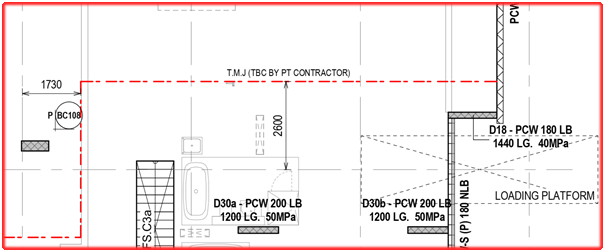
A line with legend for temporary movement/ construction joint shown in structural drawings
We need to consider this while providing panel breakup because slab pouring sequence may change and it will affect panel
In case no other way to provide breakup at those location, we need to detail our panel profile based on joint location
It must be consider while providing props location/ GT breather face.
Temp connection is not needed when precast seat on different pour.
Fig: Structural plan showing Temporary movement line
Extra reo details :
Sometimes structural engineer requires additional reo specification for certain panels
In this case they provide separate elevation with drawing number, we have to go through that elevation and provide reo for our panel
In plan itself they provided excess reo detail
Some indication will provide for additional reo detail and that relevant detail will be provided on title sheet.
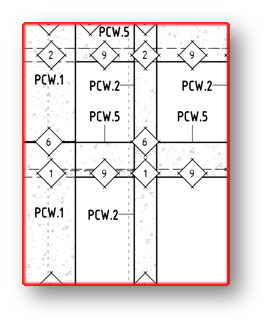
Fig: Structural Elevation showing for Panel Types
Fig: Structural Wall Schedule for Precast Details
In-situ connection detail:
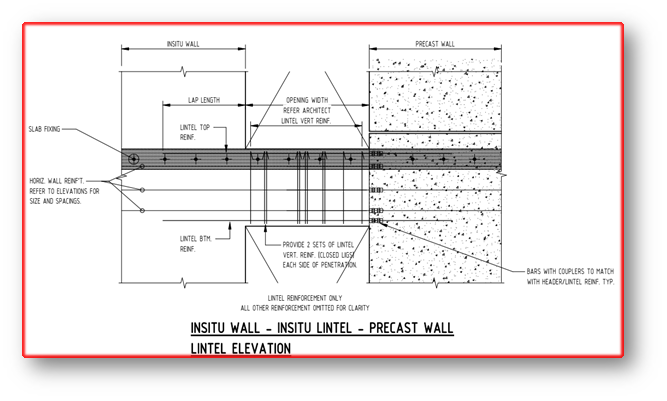
Precast that are connecting with in-situ will be highlighted in handover & structural drawings.(it differs only on some special cases)
Separate drawings or sectional detail provided for connection between insitu and precast. We need to study and collect connection information from it.
If Precast connects with in-situ and connection details not provided means we have to raise TBC for it.
If NLBP connects with in-situ we must confirm with Builder
Fig: In-situ connection with precast panels
Slab profile type:
Slab profiles are determined and highlighted in special legend.
Those determined profiles are classified as different types and provide it in a separate drawing
By study those type and legends sometimes we need take slab profile cut values and folding values for slab profile
Fig: Structural plan showing Special legend for slab profiles
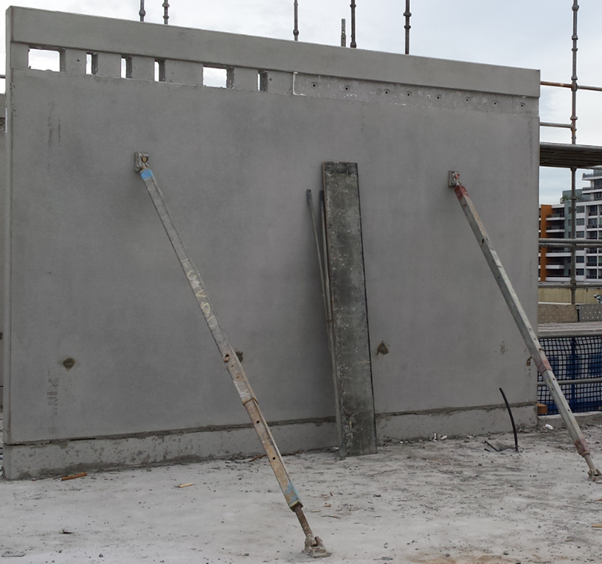
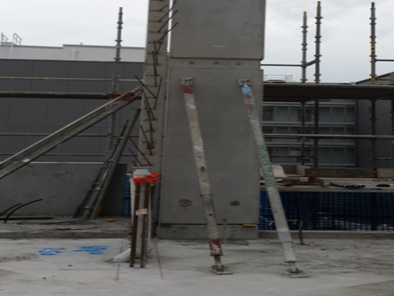
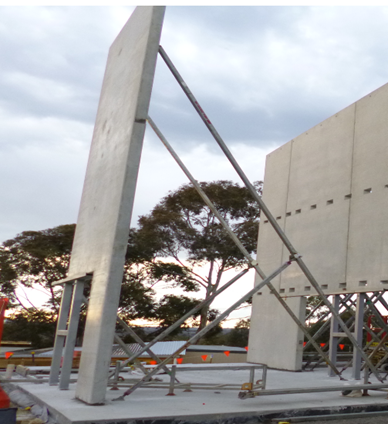
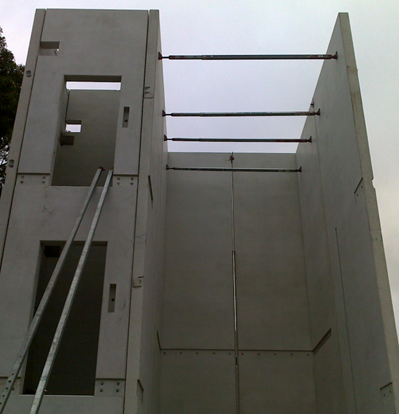
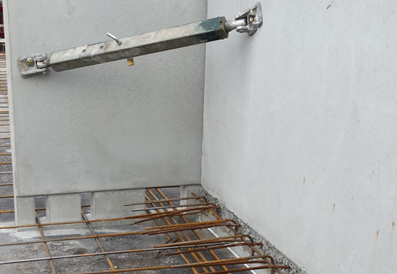
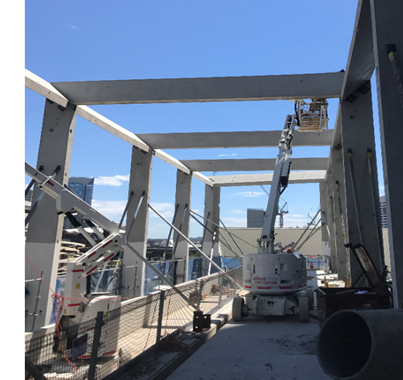
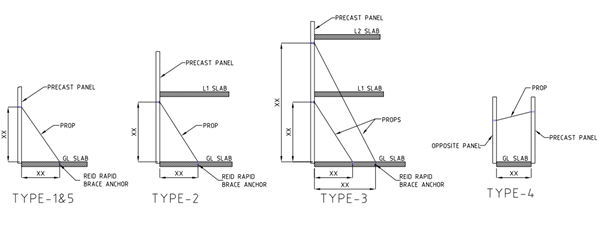
Brace are used for temporarily support precast concrete elements until the permanent fixing are made. 1. Single storey (Drop-in) panel propping 2. Double storey (Spin-up) panel propping 3. Panel higher than double storey propping 4. Panel to panel propping 5. Edge Propping 6. Spandrels propping
1. Single storey panel propping: Single story panel are normally used 2 props a panel. Some times more than 2 props are used based on panel design.
2. Double storey panel propping: Double story panel are normally 2 props placed 200mm below the underside of slab. Some times more than 2 props are used based on panel design.
3. Panel higher than double storey panel propping: This type of panel needs two level of propping. Two props on the below level and two props on the above level. If there is a slab in above level the propping system will pass through the below level slab by providing a pocket on the slab
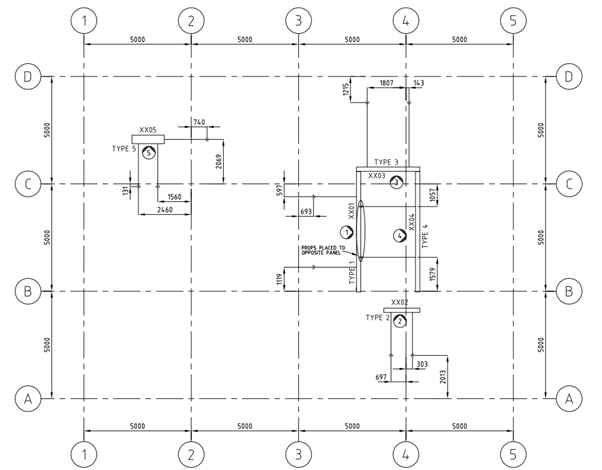
4. Panel to panel propping: Provide ferrule in the opposite panel Or Adjacent panel for propping. Especially this kind of propping system are applicable for lift and stair core area, where there will be no slab to support the prop.
5. Edge Propping:
These types of propping are used for column and some panel having cantilever. Provide ferrule in the edge of the panel.
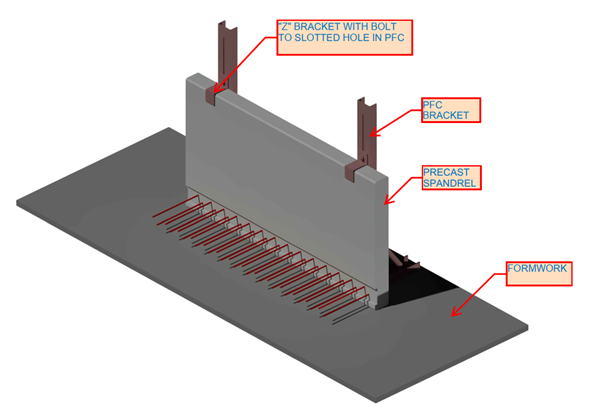
6. Spandrels propping: These types of propping are used for spandrels. Provide ferrule at the top of panel. Where the ferrule will be connected with the member which hold the propping system.
Here we are going to explaining about the thing needed to focus on ARCH CONC SETOUT PLAN for precast detailing
Panel Set-out & width:
Mostly we prefer to use Precast Set-out from Conc set-out but before proceed with this drawing , we need to raise RFI to Builder to confirm this Drawing need to follow for this entire project.
If panel set-out, dimensions, openings annotate on conc set-out means use that value.
Please look over for special indication that denotes architectural patterns
Slab RL:
SSL value is provided on conc plan with respect to top profile of slab.
Slab step downs/ step up profiles are specified in this plan by its RL values and some special legends
Slab thickness:
Some architects, they clearly specify their slab thickness in concrete setout itself but we need to confirm that slab thickness with structural drawings.
Parapet/spandrels/window &Door RL:
In most of the cases spandrels top RL specify in this plan
In some case, for parapet wall (top of wall)RL should take from this plan
In some case ,sill RL and header RL for window will be given in this plan
In some case ,sill RL and header RL for door will be given in this plan
Overflow location :
Overflow need to provide at balcony/terrace areas
Location and size of those overflow can be taken from precast panels concrete setout
If overflow location not provided we need to raise TBC for overflow location.
Slab / wall peno location:
Penetrations are require to provide for varies purposes
Service penetrations at slab
Service penetrations at wall
These penetration locations and sizes are need to take from this plan as well as elevation.
Profile Type:
Slab profiles are determined and highlighted in special legend.
Those determined profiles are classified as different types and provide it in a separate drawing
By study those type and legends, sometimes we need take slab step ups/downs values and nominal folding values for slab profile.
Alimak /loading platforms/ Hoist locations:
Those void locations are helpful in providing breakups and panel erection type
Alimak are type of material transport car, used to transport building materials to all levels. Where alimak is present we can’t erect precast.
If panel locate at alimak/loading platform /hoist, it will affect construction materials transportation.
So some modification on construction process will require at those locations ,precast may also be changed to in-situ and some cases it can be as post –fixing panels
Breakups also need to consider while doing marking plan.
Pattern Groove Set-out:
Pattern groove set out – some rare case only, architect show pattern groove set out in conc plan. (Mainly refer architect elevation)
If they provided it will more helpful in providing panel breakup, based on groove only we need to provide breakup for panels in continues elevation.
Ramp profile:
Ramp slab: Data’s provided for ramp in two ways
Ramp profile increasing ratio (percentage) will provide between two points, length will be measured between those two points
Starting point and ending point RL’s will provide between two points, length will be measured between those two points
If additional ramp sections provided, then we also need to consider it.
Above data’s will provide in conc setout plan. We need to take those data and work it out for exact ramp profile of slab
Slab boundary line:
For slab boundary line, we need to refer slab extent in conc plan
Extraction of individual Bubble deck Slab from Layout to Sheet
Calculation for Volume and weight for minimum slab pour in Factory
Placement of Lifters on the Min slab pour to lift the Min slab after pouring and curing form the factory
Reinforcement setout panel copied from the Source panel
Reinforcement Arrangements are done based on the Original Slab depth value given to the copied panel
Trimmer bars If the panel has Profile breaks and column Opening
Dimensioning of Panel ball set out for Panel Profile, Balls and cast in components present in the Min Slab Pour
Dimensioning of Reinforcement set out for Slab cover from the start of reo bar. Reinforcement setout Point selection and dimension for Truss arrangement.
Heading Notes for Panel ball set out with finish notes and Reinforcement setout
Notes for Block out and Penetration in Panel Ball setout
Notes for Trimmer Bar , Splice Bar and Loose U Bars in Reinforcement setout
List part for the cast in Components present inside the min concrete Slab
Thanks to Koshy, Ben and Venkat for Supporting and guidance .
Precast detailing is the process of create detailed drawings of each component in precast. The precast drawing is responsible for extract structural design calculations and Architectural innovative.
Precast detailer utilises Architectural, structural and services drawings to gain a working knowledge of the overall design intent of the building. precast detailers will draw the precast detailed drawing with refer Architectural, structural and services with some technical standard to achievable manufacturing, transport ability and Build ability
So detailer should aware about the information Gathering from consultant drawings to precast detailing
Here we are going to explaining about the thing needed to focus on ARCH GA PLAN for precast detailing
♦ Viewing direction:
Viewing direction should be from INSIDE of building (i.e. should not view from Visible side of building) because panel FAR FACE should be at TABLE FACE to get GOOD TABLE finish. Based on Finish purpose and mould similarity we can also view from outside of building
But we need to consider some conditions here
Up stand/corbel /crank profiles are quiet difficult to cast in far face so viewing direction need to place based on to match those profile comes at NEAR FACE
Architectural pattern(e.g. Groove, Reckli, Brick snaps etc.) always try to place FAR FACE,
Note: Study all levels before provide viewing direction of panel at bottom level because once direction provided it should not be changed for that elevation until end of that panel.
FF Finish – Table, Good Table, Reckli, Polished, Retarder, Patterned
Mostly we use Trowel and Float finish, Good table
Other type of finish used only when clients special requirement
Study GA PLAN or WALLS drawings and provide trowel finish at visible area.
Refer Arch Elevation for additional finishes and pattern requirements, if any things specified in handover
♦ Inside and Outside:
Study GA plan based on general arrangement on plan like bedroom , balcony ,corridor living room , study room , Lift area , stair area etc.
Provide visible places/outside of building as Outside and Non visible places/ inside of building as Inside.
If given OUTSIDE, factory will take additional care for finish.
♦ Weather proofing:
Weather Proofing for a panel provided based on panel locate at below condition
Inside / Outside – weathering require
Inside / Inside – No weathering require
Outside / Outside – No weathering require
By considering inside and outside location of panel and arrangement on GA plan provide weathering and return values for panel
Provide weathering at window sill level and lintel level.
Provide weathering at spandrels if bottom area covered with window
Mainly weather proofing is used to terminate fluid flow into the building
♦ Exposed edge:
Study GA plan and provide Exposed edge at visible edge of panels like outside edge of panel, door & window frame openings and top of panel which are visible
Service openings on panel also need to provide exposed edges(Not require for small penetrations)
♦ Horizontal Groove requirement :
For spin-up panels present at visible area of building we need to provide HORIZONTAL GROOVE to match adjacent drop-in panels breakup or some case good visibility purpose.
We need to raise RFI to confirm those groove requirement to follow for that entire project
Edge Groove or Return Groove requires only when FF groove continues and also comes at NF (NF visibility at outside). In these cases NF groove usage need to confirm with Builder.
Study GA plan and provide as per requirement of that panel location.
♦ FSL RL detail:
In some projects they clearly specify FSL- FINISH SLAB LEVEL RL in GA plan.
Take that value from GA plan and use it while detailing Overflow, & Lift Door opening.
♦ GT breather face:
Breather face provided based on slab access- Should not provide no slab access face
Perpendicular walls/ panels clashes – provide GT extension if clashes with it or else change face if both sides are trowel finish
NF/FF Finish of panel-avoid breather on exposed face(visible face)
Breather must not provide at arch pattern face
Its Easy to manufacture breather face locate at FF/ TABLE FACE
♦ Prop face :
Recess for prop provide based on finish for that we need to refer GA plan
Prop face provided based on slab access- Should not provide no slab access face
Perpendicular walls/ panels clashes – change or move prop location if not provide suitable prop type
Check with structural /Arch conc setout to find prop not locate at slab penetration location
Check with PT drawings to find prop not locate at PT stress pan
Its Easy manufacture PROP face locate at FF/ TABLE FACE
♦ Door and window openings:
If No Door/ window schedules provide for that project we need to refer location and size of door / window form GA plan and must confirm with Builder.
For height, manually calculate height from CAD elevation file and ask TBC with Builder.
♦ For extent of arch pattern refer GA plan wherever applicable
Note: – In next session we will focus on Information Gathering from ARCH CONC SETOUT PLAN to precast detailing.it will be post ASAP
Thanks to Ben for supporting me in blogging login & posting, special thanks to Koshy & Venkat for supporting on this document & regulatory me