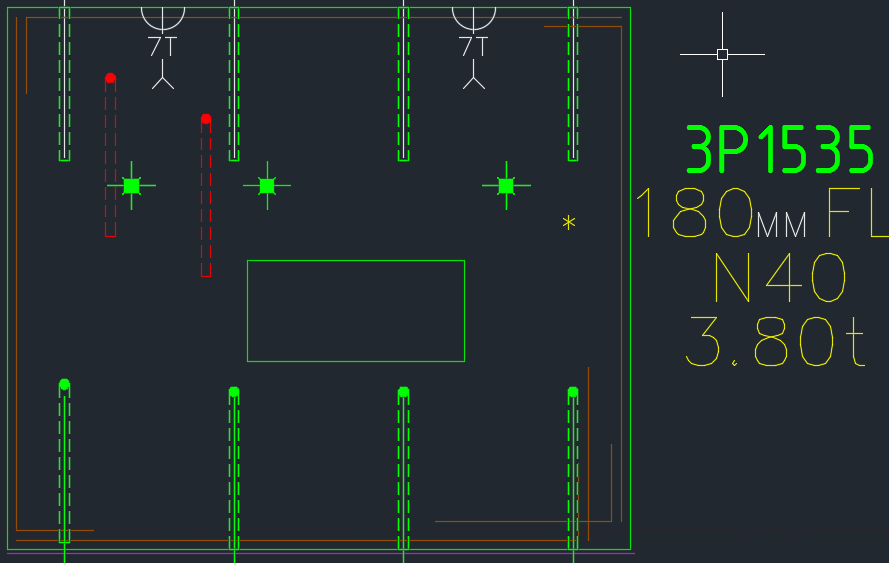
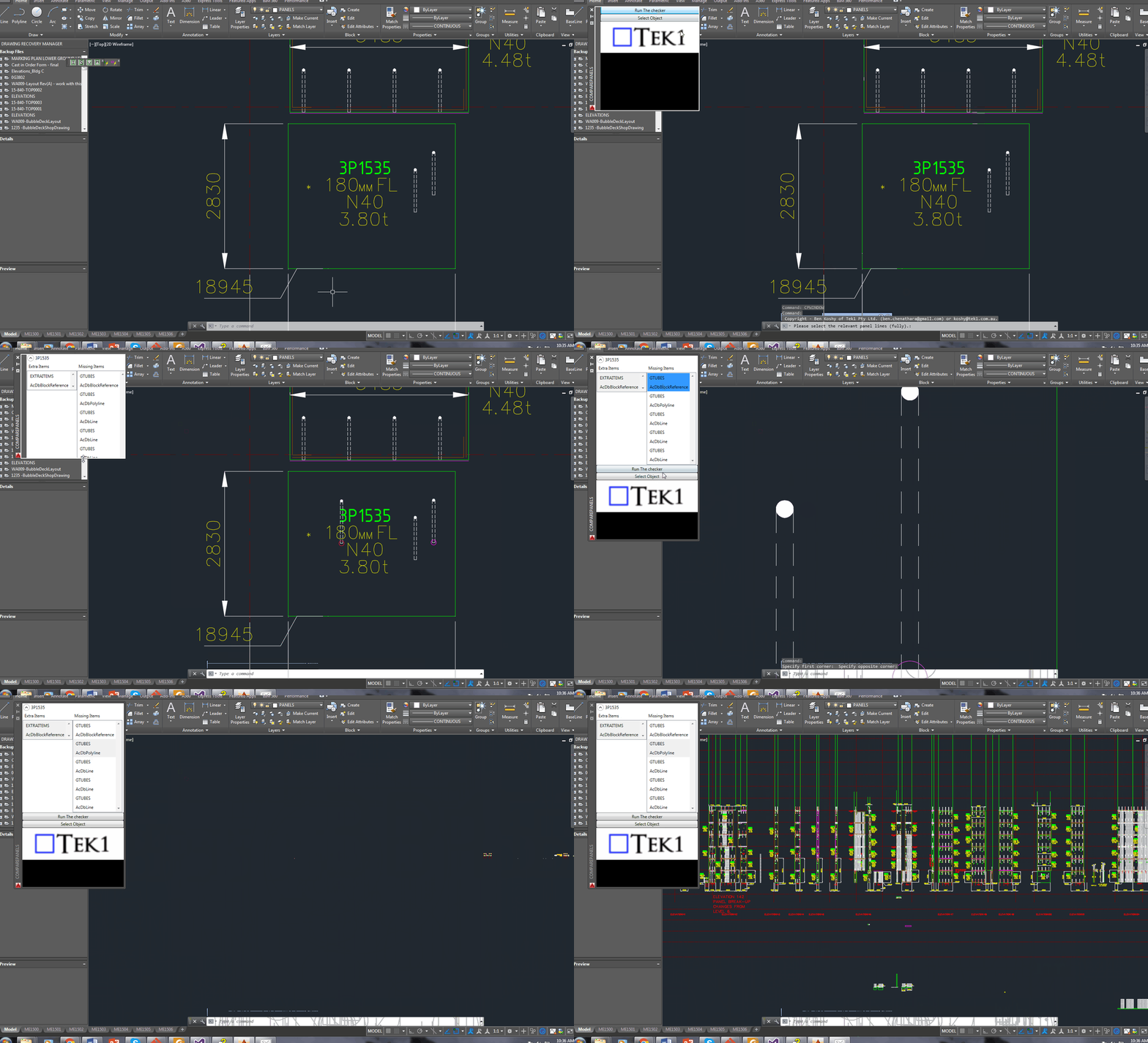
Showing a sample elevation panel with deliberately misplaced panel elements.
This is big. Huuuuge! I’ve talked before about our ability to easily cross check between the Layout and Shop drawings. Now you can cross check from the other direction – when you are in the shop drawing, you can now check the corresponding panel which exists in the layout.
You can clearly see any differences.
So now if someone moves a ferrule or a cast in plate etc. you will be able to easily see those changes.
It could save you from some expensive errors.
Here is the demo. I hope you enjoy it!
It can work for all clients with only very minor modifications. Very well abstracted out in the code.
It is super fast. Comparing the thousands of elements in each drawing takes a bit of computing power – but with smart algorithms, you can cut down the time.
It works for all sorts of edge cases – what if the panel was made up of arcs, polylines and straight lines – this plugin can handle all sorts of things. It can also handle voids.
If there’s a very high learning curve involved in using your software – chances are that a lot of people simply will not use it.
This post details an important issue in programming (and in the development of solutions which solve certain problems): the problem of human nature. It outlines my experience and the lessons which I have learned. I will share them for the benefit of
our readers.
What happened? What was the problem?
I had originally created all the data a client needed and more – streamlined and efficiently placed in pivot tables – in neat rows and columns that allow you to configure and query the data to find out anything and everything you need to know. To me it was a no brainer – surely they’d opt for this solution over the earlier inefficient solution. This data basically was a list of items that needed to be ordered, their quantities, and lengths, listed by the panel number which they were to be cast in. It’s like giving you the power of the sun, but in the palm of your hand. It’s amazing!
I presented this solution to the client, hoping that they would appreciate it and understand its value, its beauty and simplicity. It sure beat the old fashioned way by which items were ordered: hand counted and then manually compiled into a table in AutoCAD – of all places – yes you read correctly, in AutoCAD, not Excel or some RDMS. From AutoCAD, revisions are nearly impossible to track, especially when you have thousands and thousands of items to be ordered. And from there, from the AutoCAD drawing, that data is then again **manually** recompiled into another Excel spreadsheet that sits at the client office. There is so much duplication, needless inefficiencies, and the potential to make costly mistakes. It’s crazy!
What if there were revisions to say, 100 panels? Wouldn’t it be handy to know that you don’t need to order an extra 30 or so cast in plates (given they were previously ordered) – and cast in plates ain’t cheap? It’s a walk in the park for a pivot table. But there just one problem: that was not what the client wanted.
What was the lesson to be learned?
Nope: the client wants their data presented in a certain way, in a certain style. Pivot tables are a whole new kettle of fish. The client does not want Excel. The client wants AutoCAD. And moreover, that data must be presented in a certain style: red text, white lines, and the curious anomaly of those sheets having the same data unnecessarily repeated numerous times throughout the same page. Now that’s fine by me. But it raises a very important lesson which is worth sharing:
Don’t depart too far from what your users are used to. If you do, they simply won’t use it or appreciate your solution. In this case, the pivot tables were too big a leap. It is not easy and it’s complicated. It’s like presenting to users Git, and telling them that it will solve all their version control problems – when those users are used to simply “Saving As” – as their version control system. It’s too big a leap and too far a learning curve.
Give them what they want: Your customer wants red text. Give that to him. Your customer wants white lines: give that to her. Sure, you have an obligations to suggest other alternatives which may be of benefit to them – but at the end of the day, it’s their call. Don’t argue with them about what is best for them: shut up and simply give ‘em what they want! This is the most important lesson that I learned.
Ordering thousands of items in a layout is not easy. Order efficiently with Tek1!
This is a demonstration of how we use Excel-Add ins and AutoCAD plugins to simplify the process by which order forms are created for Precast panel jobs.
(Unfortunately it’s not a block table record dictionary definition – but it kind of is :))
Some how or other all the block definitions associated with a drawing were not defined on layer zero – this is less than ideal. I guess it goes right up there with another instance I heard about: (i) about drawing everything in paper space, or layer zero, for example.
Accordingly, it feel to me to change all the block definitions. I could foresee that there might be some other requirement associated with changing all the block definitions, so I thought it apposite right now to employ the strategy pattern to solve the problem.
Here is the code in its entirety. I like using LINQ, it’s concise and efficient, so I beg the patience of those whose views differ:
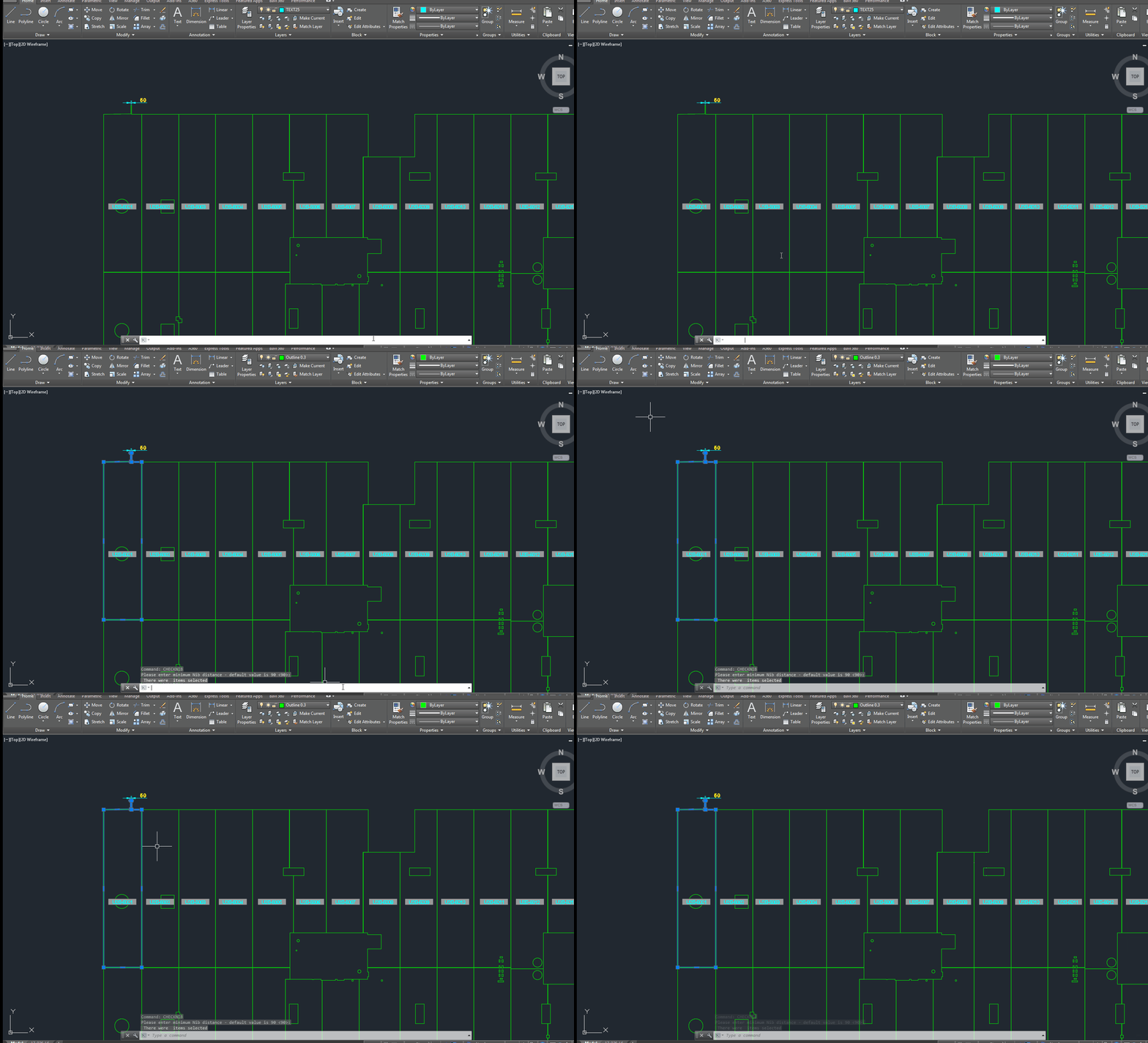
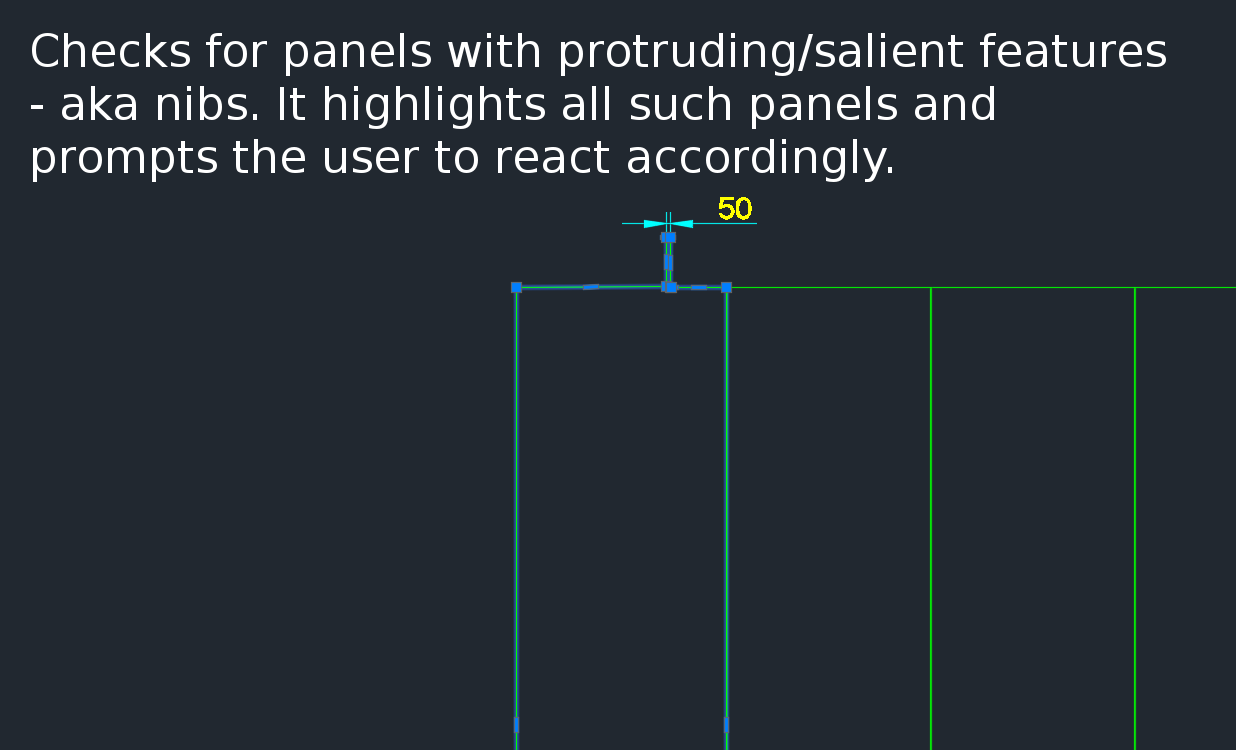
A gif showing how easy it is to check for nibs on bubble deck slabs using my command. There are certain panels which we have that have protruding elements – salient features. These can be problematic if they go to production unnoticed. Given there are entire teams of people doing things, it can be hard to track – people forget that they cannot draw a panel with such a dimension.
This is a plug in which enables one to easily identify all such panels with nibs like this:
There is a need to identify panels with protruding features because they could be problematic if fabricated.
How are you going to ensure that the starter bars do not clash? You’ve got 1000s of panels to detail and a dozen detailers working on different projects. How are you going to manage this?
What is the problem?
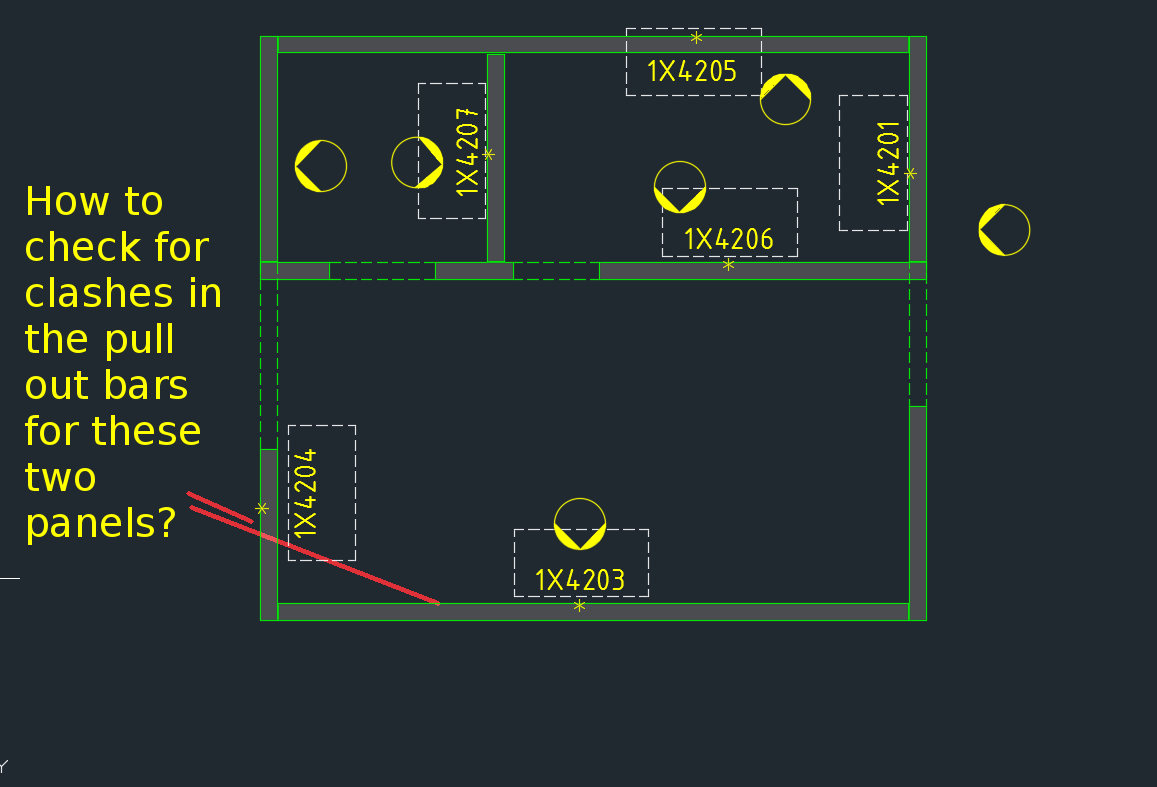
Consider this situation – you’re got a marking plan in front of you. You want to make sure that the ferrules in corner panels do not clash. How are you going to do that?
How would you solve the problem?
You’d have to find the corner panels, and then go to the appropriate drawing – both of them mind you – and you’d have to make sure that they are at different heights. That can get very tedious and it’s very time consuming, and more than likely, you’ll make some mistakes – because the panel elevations might not be adjacent to each other.
It’s not the easiest thing to see and compare in AutoCAD.
What is a better way to solve the problem?
But now you have a tool which allows you to easily compare the heights of the ferrules in two panels, straight from the marking plan.
There’s a lot of code and logic which goes with this. Perhaps I will outline it in another blog post.
Code Synopsis
For a very, very brief description of the overall route used, you can check out the code synopsis from my sister blog here. There I post the base class and interfaces used to derive the result – but have excluded all the implementation details.
Video Demonstration
Here is the video demonstration – and yet another example of the type of technologies and innovations you will have at your disposal if you work with us:
If you’ve run AcCoreConsole and can’t bring back the normal user interface, just remember this trick.
So I’ve just managed to run AcCoreConsole – some script. And it’s changed some settings. And now when I open regular AutoCAD, when I type in netload – it seems that I’ve lost the ability to open/select things using the user interface. Now I have to manually type out long file names into the command line which is the height of tedium.
Why did it happen?
It happened because we were not meticulous in the running of our AcCoreConsole scripts. We should be sure to ensure that we save settings properly so that when users use the regular AutoCAD program, they don’t have to reconfigure the entire environment away from what works well for AcCoreConsole, back to what they are normally used to.
How to fix the problem immediately
You can file the problem by typing in:
That should change those settings back to normal.
How to avoid the problem in your script file
Don’t forget to return it to the original settings: anything beginning in a semi-colon is a comment and will not be executed.
A commenter had some trouble loading the files. So perhaps the AcCoreConsole is confusing people. So here is a post which will hopefully clarify how to do it.
It’s quite simple:
Have the LISP file ready.
Load the lisp file
Call the command.
It works exactly the same as in AutoCAD – the UI version. But remember you cannot call any commands which make use of Windows forms or WPF. It is strictly command line only. So things like APPLOAD are not going to be very effective in the AcCoreConsole.
A demonstration of using a WPF User control to display information pertaining to missing and/or extra items within a panel, using the ComparePanels Command.
While writing the above AutoCAD plug-in, I faced a small conundrum in the below code:
The question for you is: will the transaction be disposed of, and committed given I have returned the bool before it reaches the end of the using statement?
Will it be disposed?
The short answer is yes. The transaction object implements IDisposable. So, finally you can trust that the transaction will be disposed, and that any objects that it opens will also be similarly disposed.
Will the transaction be committed?
I had a peak into the Dispose methods using Reflector. I didn’t see any automatic committing of any transactions – so I am venturing to say that no, the transaction will not be committed. In other words, we’ll have to restructure the above code to ensure that the transaction is committed before we issue the returning statement. Perhaps the AutoDesk team should abort a transaction if it is not committed before a transaction is disposed?
Summary
So the lesson is: (i) always be sure your transaction is being committed, and (ii) a using statement obviates the need to ensure that your transaction is actually being disposed of.