Category: .net (c#)

I am going to post a series of articles which attempts to explain complicated ideas in a simple fashion.

  • Time Waits for Nobody: Steward your resources effectively

    Use your time wisely
    Efficiently steward your resources: namely time.


    Massive Investment With Little Return?

    There are a million things out there in the world. Are you going to learn/master it all? Here’s how the typical educational program works – a monumental waste of resources in my opinion:

    1. 12 years in basic secondary and higher ‘education’.
    2. Another 3-6 years in tetiary ‘education’.
    3. Learning a billion other frameworks

    And all the while, you are “learning” things without combining it with any real practical applications whatsoever. In fact, the application of your learning is some contrived hypothetical problem in an exam. That’s a waste. If you’re going to learn, then you should learn while also producing something useful to mankind: there’s no sense in wasting 3 years on a PhD which has no practical purpose apart from giving you the right to call yourself a PhD. (Don’t get me wrong, tertiary education does have some awesome benefits too).

    In programming, in the same way:

    1. Are you going to master HTML, then
    2. CSS
    3. Javascript
    4. React
    5. The HTTP specs
    6. TPC/IP
    7. Data structures and algorithms (Knuth’s four volumes).
    8. As well as useful tidbits of info like Martin Fowler’s Refactor, or Uncle Bob’s books,
    9. As well as Ruby, and the rails framework,
    10. Databases and SQL
    11. Git
    12. Ioc containers
    13. Then Windows desktop programming: Tekla API and AutoCAD .net plugins + Unit testing and mocking frameworks.

    …..before you then start programming your world-changing application?

    The key is to learn as little as possible. And when I mean little, I mean as little as possible. One day for learning some basics, before starting to write your first rails app etc.

    You’ll definitely struggle.

    But provided you can quickly resolve those issues, you will have done A LOT without spending too much down time ‘learning’ a lot of useless crap. You’ll win out on time.

    Get something half working, and if it has promise, then you can invest further resources into perfecting it. By the time you learn something, you may find that it is obsolete.

    Avoid Massive Capital Expenditures If Possible: Get An Expert To Do The Work

    Even better is to entirely avoid learning the implementation but to focus on learning and understanding the principles of what/why something is working as it is working and to simply outsource the implementation of those details to an expert. A fixed price for time. The hard part is finding that expert. That connotes you being able to distinguish between professed experts and those who aren’t – and that in turn requires knowledge of high-level functions. But if you don’t even know the higher level functions of what is going on, and if you don’t know how to procure an expert, then you’re effectively no better than a highly trained chimpanzee.

    In other words, the common problem in programming (as well as in business) is to find a way to obtain maximum output with the least amount of expended resources (both current and future).

    The basic point being: Everything takes time. Make it work with the least amount of time and resources expended.

    Summary

    1. Time and resources are limited.
    2. Do the most you can with the least you have.
    3. If something shows promise, then add some fuel to the fire and let it shine!



  • Ignore White Lines in Selection Filter (AutoCAD .net API)

    Lines of a certain color.
    We want to select line times of a certain color.

    We want a selection filter which simply ignores certain types of colors.

    Here is the ‘simple’ result I came up with:

  • Refactoring the Code – Printing Selected Beams to Excel – Part 3 – (Tekla Open API)

    An apposite photo for refactoring, yet it is also oxymoronic.
    Refactoring is when you change, but don’t change.


    Let us now continue to refactor according to good design principles.


  • Refactoring the Code – Printing Selected Beams to Excel – Part 2 – (Tekla Open API)

    Ok, so we’ve done some significant refactoring.

    We’ve considered a lot of things. Some things still to be improved:

    • Naming,
    • Better utilization of the ClosedXML library – because our techniques are quite primitive right now.
    • Testing (this really should be done first, but no matter).
    • Further refining the code according to SOLID design principles.

    Here is the code thus far:


    Ok, that’s certainly a bit better. Still the namining of the classes is quite poor; and we have the dependency inversion issues that we need to fix. Also is there any need to pass in the beams object direction when at the end of the day, we are converting it to a data structure which the printer can understand? Perhaps we should just pass in the printed data structure? We will address these concerns in Part 3 of our refactoring.

  • Write Selected Beam Members to an Excel File (Tekla Open API – Tutorial)

    Members. Looks good.
    Some nice looking steel. The picture has nothing to do with the Tekla API but it’s cool nonetheless.

    What is the task at hand? 

    1. The user selects some beams.
    2. We then want to collate the following information into various Excel spreadsheets:
      1. Name
      2. Profile
      3. Length and finally Weight
    3. We want two views: the first aggregates the beams by their name and finish, and the second merely lists all the beams selected with the information listed above (length/weight etc).


    WARNING: The code is very dirty. There’s a lot of repetition here. And I’ve gone up some cul de sacs incorrectly. But that’s ok. It’s code which works. We can worry about refactoring for another day – in fact, that will make for a very good exercise. Here is a link to where I document the refactoring process.


    I’ll walk you through the code:

    Here is the full code unencumbered by commentary:

  • Create Truss (Process) – BubbleDeck Detailing

    Not a truss, but it looks good.
    Not a truss, but it looks good.

    A nifty little tool that automatically inserts trusses into bubble deck panels depending on:

    • Their thickness
    • their width

    And also their:

    • specified ball / void spacing.

    Please remember to select all the panel lines.

    You can see a video demo here:

    Create Truss – Tek1 Tools for BubbleDeck from Tek1 on Vimeo.

  • Extracting Bolt Distances of Single Part Drawings (Beams) With an Output In Excel – Part 3 (Tekla Open API)

    Some holes in a person-hole lid.

    In the last part we left off having obtained all the bolt distance and placing them in a domain object. In this instalment we will try to export all that data into an Excel Spreadsheet. Please note that the following code is untested – unfortunately there was a lightening storm in Melbourne which short circuited my flux capacitor which means I cannot connect to the TeklaServer – so rather than wait, I thought to get this code out to you.

    Which library to write to Excel?

    There are many libraries out there: XLS compatible and not:

    1. OpenXML libraries
    2. ClosedXML libraries
    3. NPOI
    4. EPPlus


    The consensus is that the worst of the above is still better than using Microsoft’s office interop dll. If you use that approach, you will need to ensure that MS Office is installed in your deployment machine, and secondly, be sure to dispose of all relevant objects. If you forget, then you’ll be leaking memory. This is a very important point.

    How to use ClosedXML in your code:

    1. Firstly download closedXML using NuGet Package Manager. That should add the relevant references.
    2. Secondly add the `using ClosedXML.Excel` directives.
    3. Then add the code snippets I’ve provided for you below:

    Notes on the code:

    * A significant change has been made – we are now filtering the SinglePartDrawings based on: (i) whether they are beams or not and (ii) whether they have the relevant profile – a reader wrote an email asking for this version of the code. I have left the previous version out there as well.

    * I’m not an expert with ClosedXML – I just wanted to get the code out there. So it’s a very hackish and non-elegant solution, but I hope it serves to illustrate the point.

  • Entity Framework by with a Mysql Database


    A pictorial representation of how Entity Framework, in the world of code, would look if it was a corporeal object.
    A pictorial representation of how Entity Framework, in the world of code, would look if it was a corporeal object.

    The problem with using a database, when you have another primary source of information, is that the database needs to be updated. Constantly. If someone forgets to update the database, then you will be relying on information that is old/erroneous and not updated. That’s a huge risk. It’s the type of thing that you want to do only if your staff are disciplined, and the gravity of failure is low, should they forget. But if the reverse is true, then you’re sure to eat humble pie, and cause a lot of needless trouble and expense for yourself and all you deal with.

    There was a political war over the implementation: I was for using the original database, and the boss was for creating a new one. Accuracy vs speed. Speed won the victory. And I must oblige by constantly updating a database with panel information.

    Anyways enough with the back ground. [Here’s how you do it.]( https://forums.mysql.com/read.php?174,601264,601264)

    And I’ll paste it in below, just in case the link fails, as it is wont to do, inevitably – at some time in the future.


  • Extracting Bolt Distances of Single Part Drawings (Beams) With an Output In Excel – Part 2 (Tekla Open API)

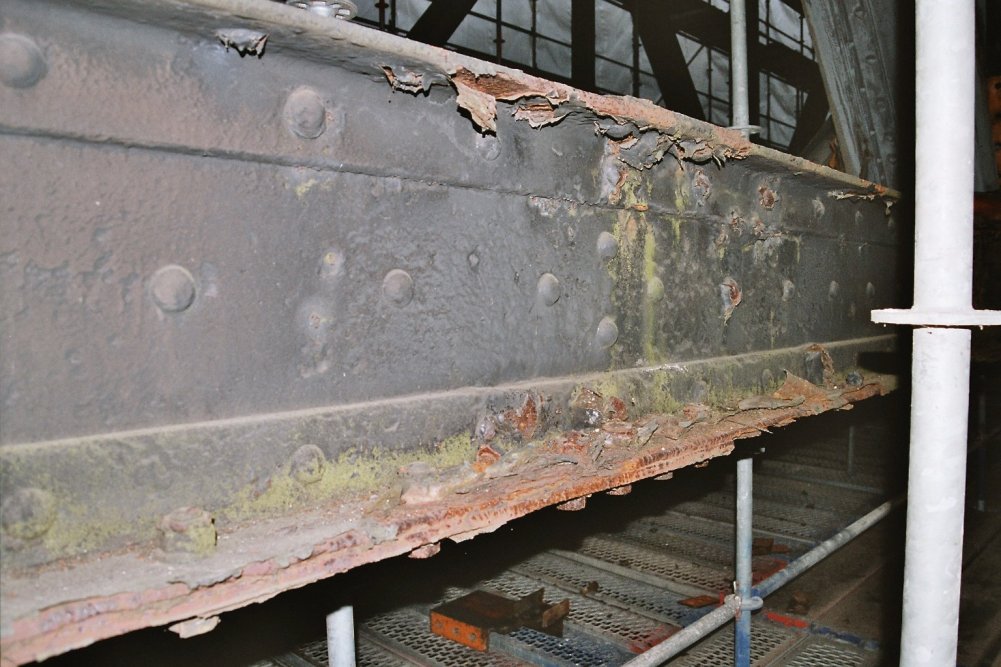
    This is a picture of a rusty beam. I added the picture here because it looks cool and for no other reason.


    In the last part, we left off having collected the relevant Single Part Drawings that we were after. Hopefully we have applied the correct property to filter out the ‘HEA’, ‘IPE’ and ‘CC’ drawings. We will now focus on part II – extracting the distance of the bolts from the beam’s start position.


    1. Get every SinglePartDrawing which name starts with “HEA/IPE/CC”
    2. Calculate the distance of every bolt distance from the start of the corresponding Single Part. ** This blog post will address Part II.
    3. Write the name of the Single Part and every bolt distance to Excel.
    4. Refactor the code.


    I did refactor the code a little bit, so it might not look exactly the same as the last version. The code is pretty self explanatory. But you will note that:

    • I am projecting the bolt positions along the beam’s vector (defined from the start to end point of the beam).
    • Therefore we do not need to save and set the transformation plane.
    • A corollary (and potentially unintended consequence) is that this will capture the bolt positions of all bolts, no matter if they are on the flange of the beam, or on the web etc. This may have some unintended consequences. Again, caveat emptor – programmer beware!


    Here is the code in all it’s glory – simply follow the well detailed comments and it should be fairly straightforward. As always, any questions, feel free to ask.

    We now have extracted the relevant information. Part III will delve into extracting this data in an Excel format. We will most likely use an OpenXML on other such library for that purpose. That post will come shortly, when I get a spare moment. Till that time, enjoy the following – or perhaps it can be left as an exercise for the user?!