Pop-quiz: how do you identify the local coordinate system vs the world coordinate system?
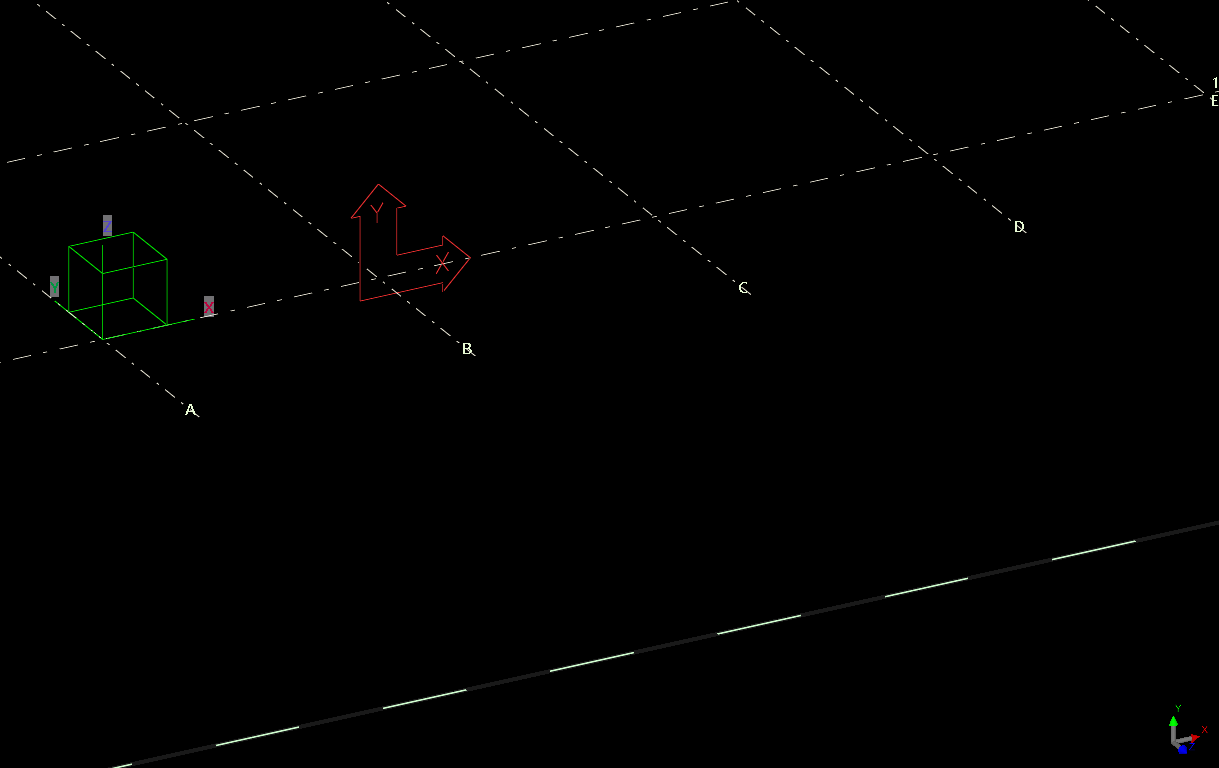
The answer is below:
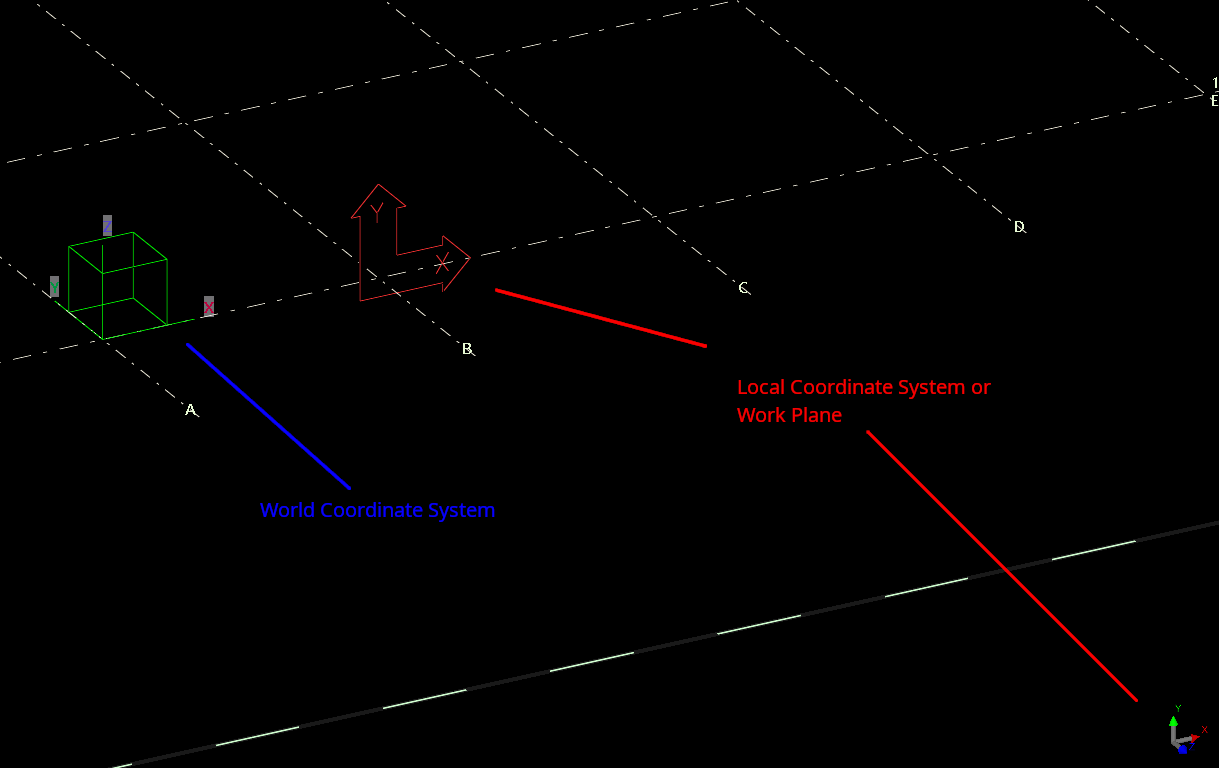
Green box denotes the WCS. The UCS is denoted in two places. The UCS is the “work plane”.
Pop-quiz: how do you identify the local coordinate system vs the world coordinate system?
The answer is below:
Green box denotes the WCS. The UCS is denoted in two places. The UCS is the “work plane”.
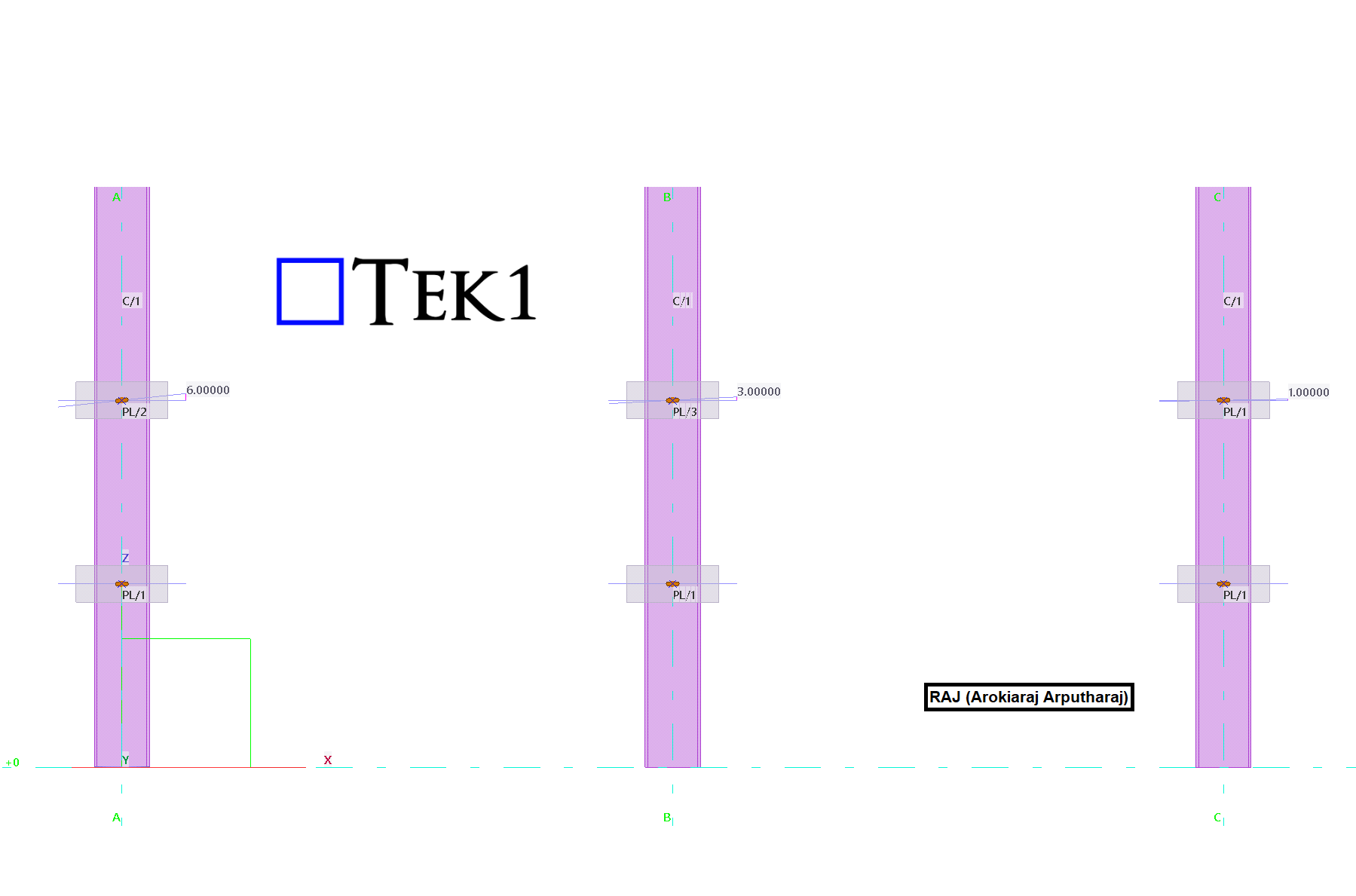
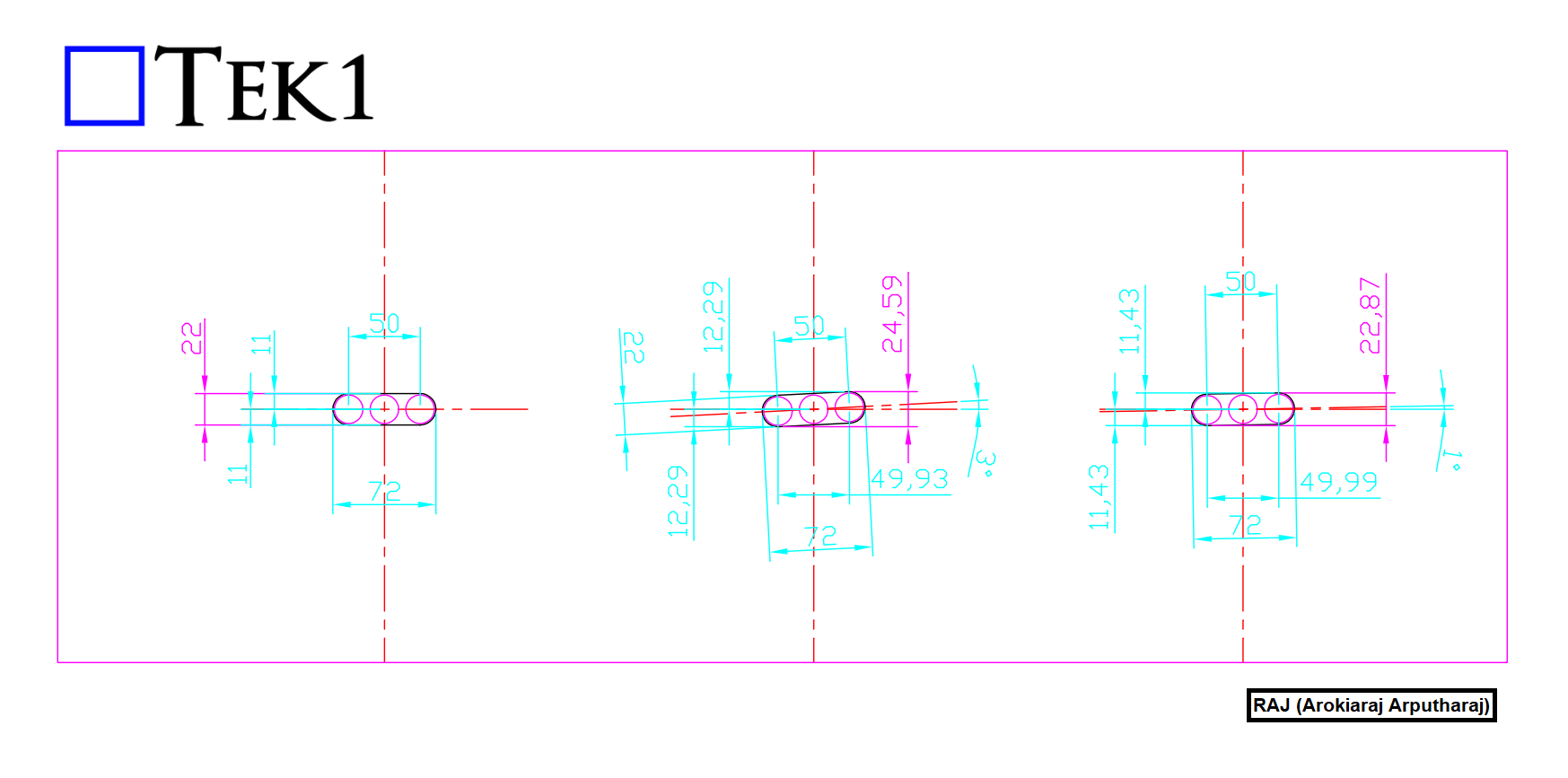
This article explains the Tekla Part Mark Issue with 1° Rotated Slotted Holes and provides a practical solution.
One common issue in Tekla Structures is assigning the same part mark to different-looking plates.
This occurs when two plates have identical dimensions, thickness, material, and slotted hole size.
One plate contains a standard horizontal slotted hole.
The other plate has the same slot rotated by only 1°.
Although the slot orientations differ, Tekla evaluates both plates using its 1 mm geometry tolerance.
The 1° rotation creates a geometric difference within this tolerance.
Therefore, Tekla considers both plates identical.
As a result, Tekla automatically assigns the same part mark.
The Tekla Part Mark Issue with 1° Rotated Slotted Holes occurs because Tekla compares geometry using its default tolerance.
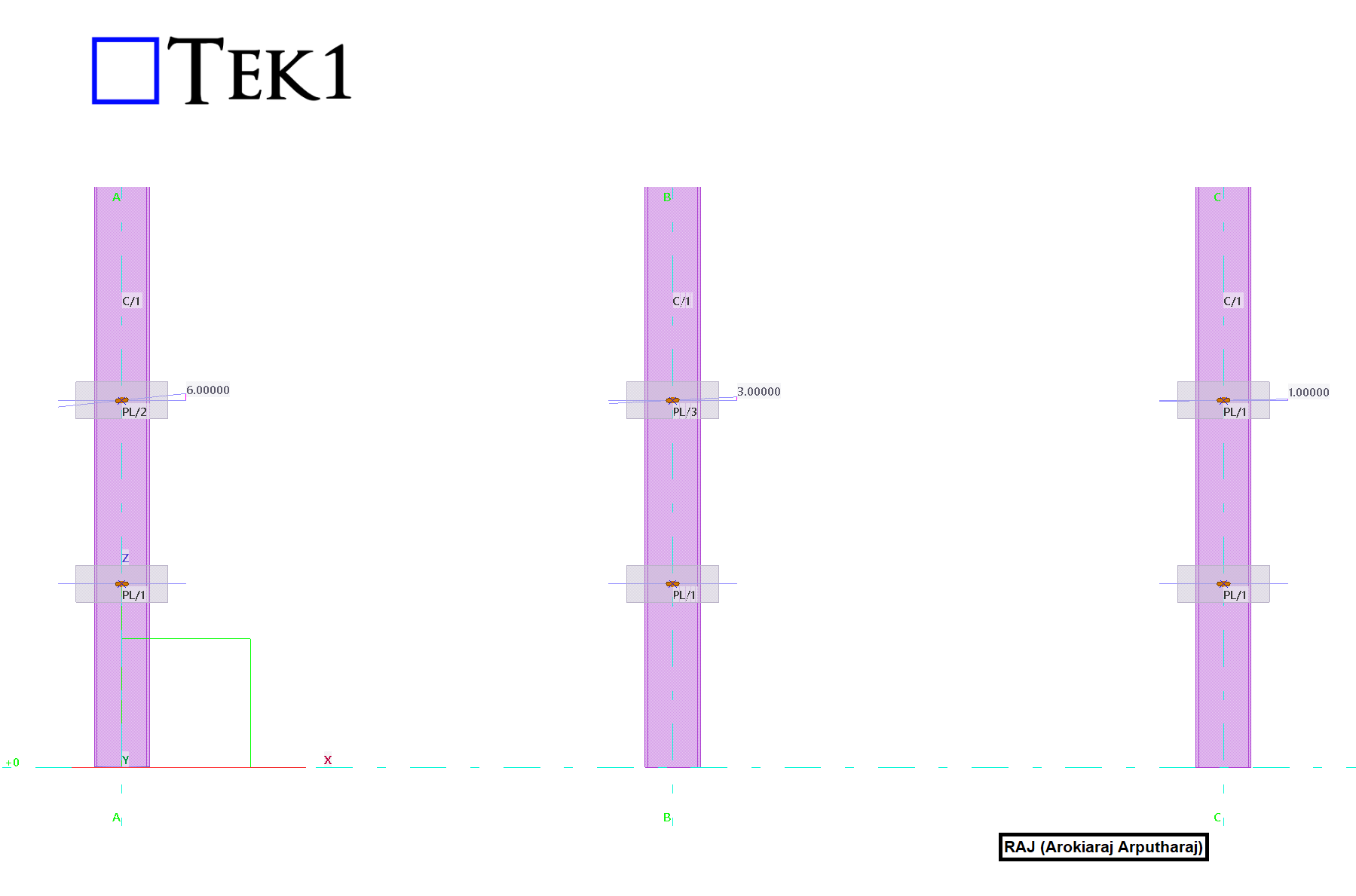
This behavior can create confusion during detailing and fabrication.
Detailers may expect different part marks because the slot directions are different.
Fabricators may struggle to identify the correct plate for each connection.
The issue can also affect CNC data generation.
Quality inspections may become more difficult.
Site assembly can also be affected when slot orientation is important.
Understanding the Tekla Part Mark Issue with 1° Rotated Slotted Holes helps detailers avoid unnecessary part variations.
A simple solution is to standardize the slot geometry.
Avoid creating separate plates with slightly rotated slots.
Instead, use a larger diameter horizontal slot for all similar plates.
The larger diameter slot accommodates the required installation tolerance for the 1° Rotated Slotted Holes.
Every similar plate then shares the same geometry.
All plates also receive the same part mark by design.
This approach removes unnecessary part variations.
It also maintains the required functionality and installation fit.
By following this method, you can permanently resolve the Tekla Part Mark Issue with 1° Rotated Slotted Holes.
Standardizing slotted holes provides several additional benefits.
It reduces the number of unique parts in the model.
It simplifies detailing and drawing production.
Fabrication becomes easier and more consistent.
CNC programming also becomes simpler.
The risk of manufacturing errors is reduced.
Assembly errors are less likely to occur.
Inventory management also becomes easier.
Fewer unique plate types need to be tracked.
This method is considered a best practice whenever extra slot tolerance is acceptable.
Always verify that the larger diameter slot meets project requirements.
Confirm compliance with engineering specifications before implementation.
Also ensure the connection design remains unchanged.
Using standardized slots creates cleaner Tekla models.
It improves fabrication efficiency
and reduces unnecessary detailing work.
also eliminates part mark conflicts caused by minor slot rotations.
By following this method, you can permanently resolve the Tekla Part Mark Issue with 1° Rotated Slotted Holes.
We hope this guide helps you solve the Tekla Part Mark Issue with 1° Rotated Slotted Holes in your future Tekla projects.
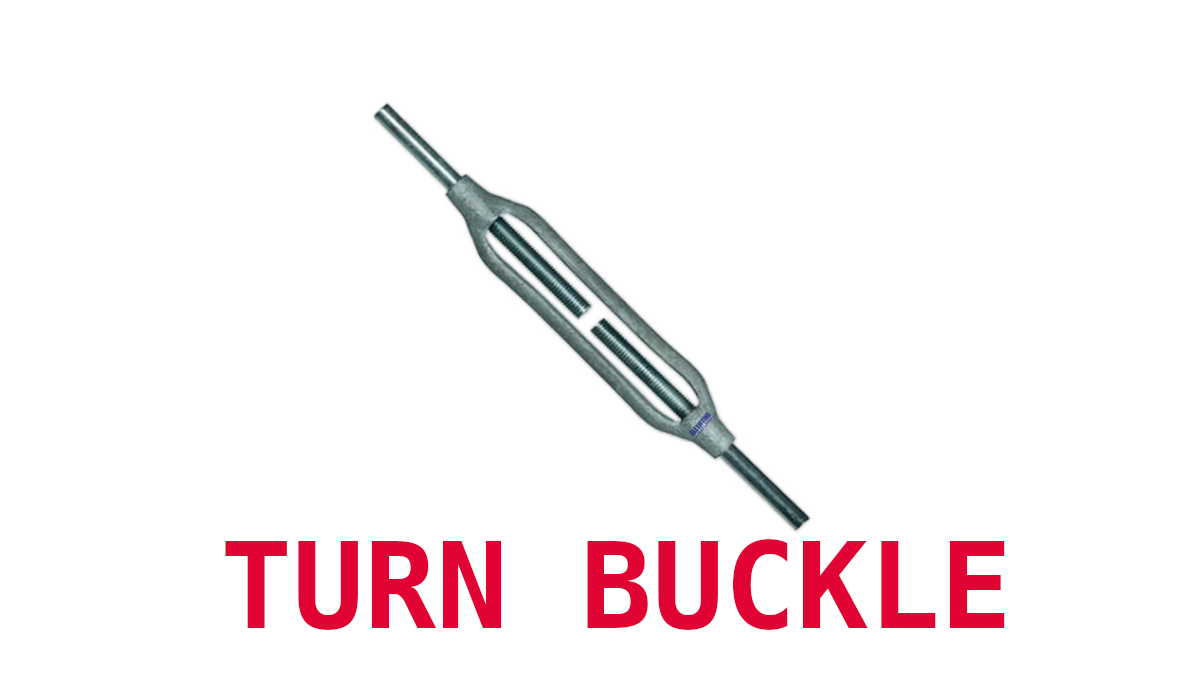
There is a maximum length for threaded rods we can procure.
Very often the bracing lengths are more than these lengths.
For D24 rod this is 9m max and for D20 rod this is 9.4m max. This means we will need to add breaks and turnbuckles to the oversized lengths.
You have to look up the Turn buckle lengths from manufacturers catalogues.
Here are some suppliers

Tekl1 modelers typically create and develop Tekla models close to the model origin (0,0,0) to maintain optimal modelling performance and accuracy. However, when sharing IFC files for coordination, clash detection, or BIM integration, the model may need to be positioned at its actual project location using global Easting and Northing coordinates.
By exporting the model using a Base Point, multiple IFC models from different consultants and contractors can be accurately overlaid within BIM coordination software.
To export a Tekla model to global coordinates:
When the IFC is exported using this Base Point, the model origin is shifted to the specified Easting and Northing coordinates, allowing the model to be correctly positioned within the global coordinate system.
In addition to using the model origin, Tekla allows any point within the model to be selected as the Base Point.
This provides greater flexibility when project coordinates are referenced from a specific grid intersection, column location, survey point, or benchmark. The selected point can then be assigned the required Easting and Northing coordinates during export.
The Base Point functionality also allows the model to be rotated relative to the selected reference point. This is particularly useful when the project grid is not aligned with true north or when a specific orientation is required by the client or project team.
By defining both the coordinate location and rotation, the exported IFC can accurately represent the model’s real-world position and orientation.
The video below demonstrates the complete procedure with a practical example, showing how to:
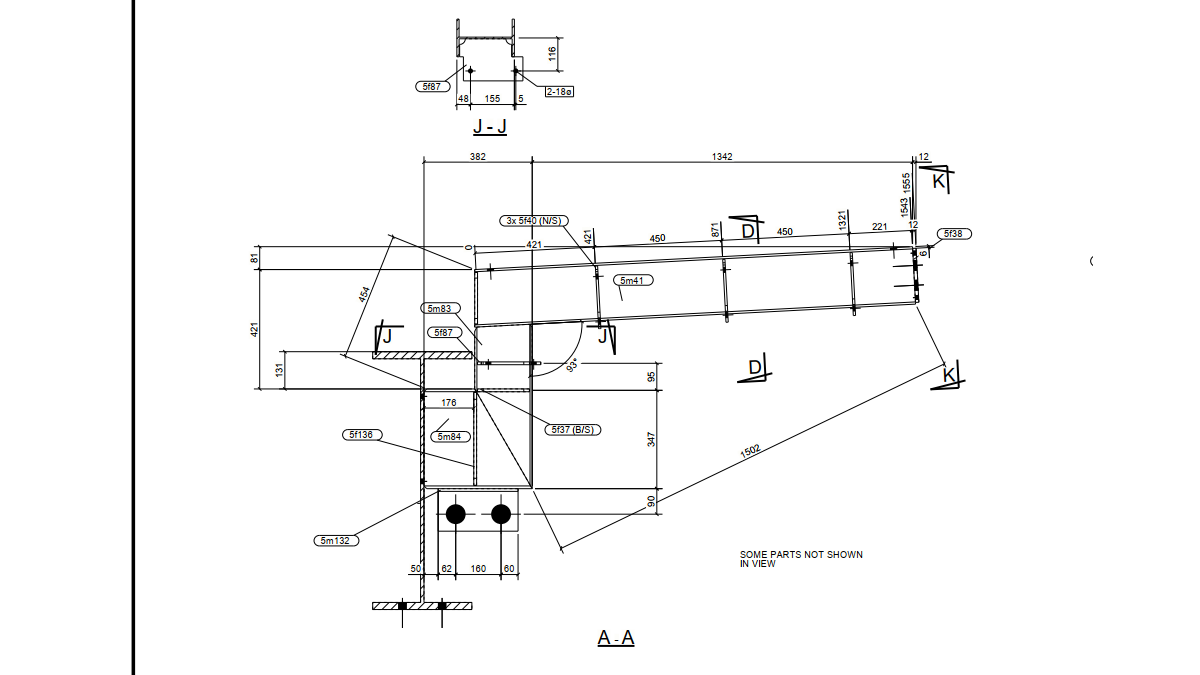
Download Model and PDF from Google Drive
Split Large complitcated assemblies into sub assemblies.
Preferably do that in the modeling stage. But if you have already modelled and do not want to change, split groups of parts into virtual sub assemblies for detailing purposes.
Detail the the sub assemblies. That will reduce clutter in the main view of the drawng.
Parts are cut to single part drawings, palletted and given to the boiler maker with Assembly drawing. Part drawings will be missing.
But the boiler maker will need know some dimension in the parts to assemble the weldment correctly.
Hence you may have to produce single part drawings within the assembly drawing.
This will reduce clutter and make life easy for you as well as for the boiler maker. Make sure necessary single part drawings are added in the assy drg
In a cluttered drawing, main views will have many parts shown which basically makes those views very difficult to use.
You add detail views and hide parts for clarity.
Short Cuts
You must have Show / Hide parts in drawing short cuts. Else you will spend a lot of time showing and hiding with right click
Content for Subject 2
In this blog, we will look at how to create and share new materials in a Tekla model. By default, Tekla comes with a predefined list of materials stored in the system drive (C drive). However, in many projects, we often need to add custom materials based on project requirements. To add a new material, go to the Menu at the top left corner, navigate to Catalogs, and then open the Material Catalog. From there, select an existing material, right click & selct “Add Grade,” rename it as required, and assign the appropriate density. Once saved, the new material will be available in the model.
When sharing the model, especially using the db1 file to reduce file size, the newly added materials may not be available to the recipient. This is because custom materials are stored separately. To ensure the other user can access the same materials, you need to share the file named “matdb.bin” from the model folder. This file is created only when new materials are added and must be included along with the db1 file.
Alternatively, there is another method to share materials. In the Material Catalog, you can use the “Export” option available at the bottom to save the material data as a separate file. This file can then be shared, and the recipient can import it into their Material Catalog to access the same materials.
Watch the video below for a step-by-step demonstration of this process.
| database | mysql (10.11.8-MariaDB-0ubuntu0.24.04.1) | must be installed and enabledWrong $CFG->dbtype. You need to change it in your config.php file from ‘mysqli’ to ‘mariadb’ |
| site not https | if this test fails, it indicates a potential problemIt has been detected that your site is not secured using HTTPS. It is strongly recommended to migrate your site to HTTPS for increased security and improved integration with other systems. |
Upload the reference models when you upload the model to trimble connect.
Now any one can make some quick checks.
You can turn off/on the reference models for quick checks.
May adjust the transparency too
#Trimble Connect #Tekla
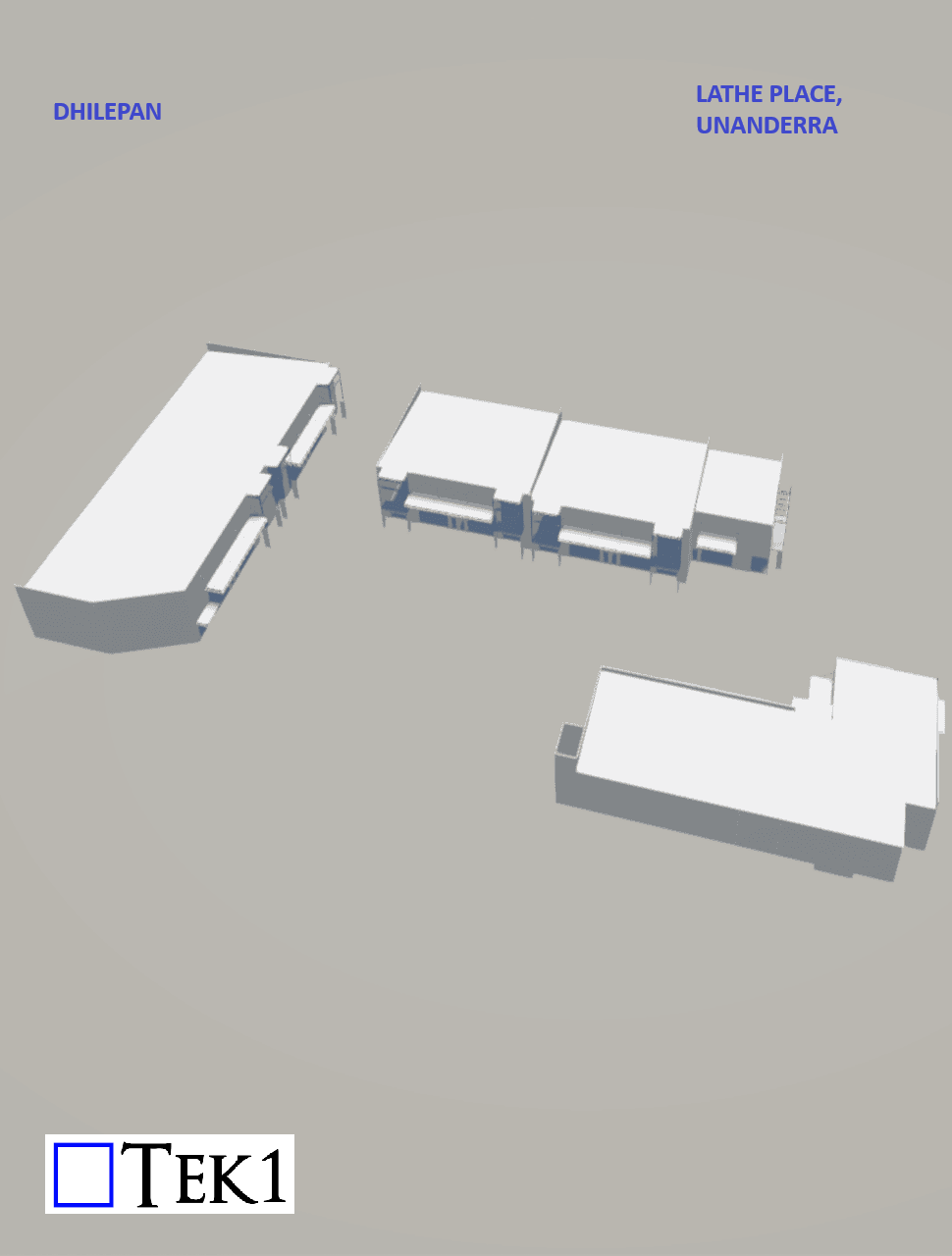
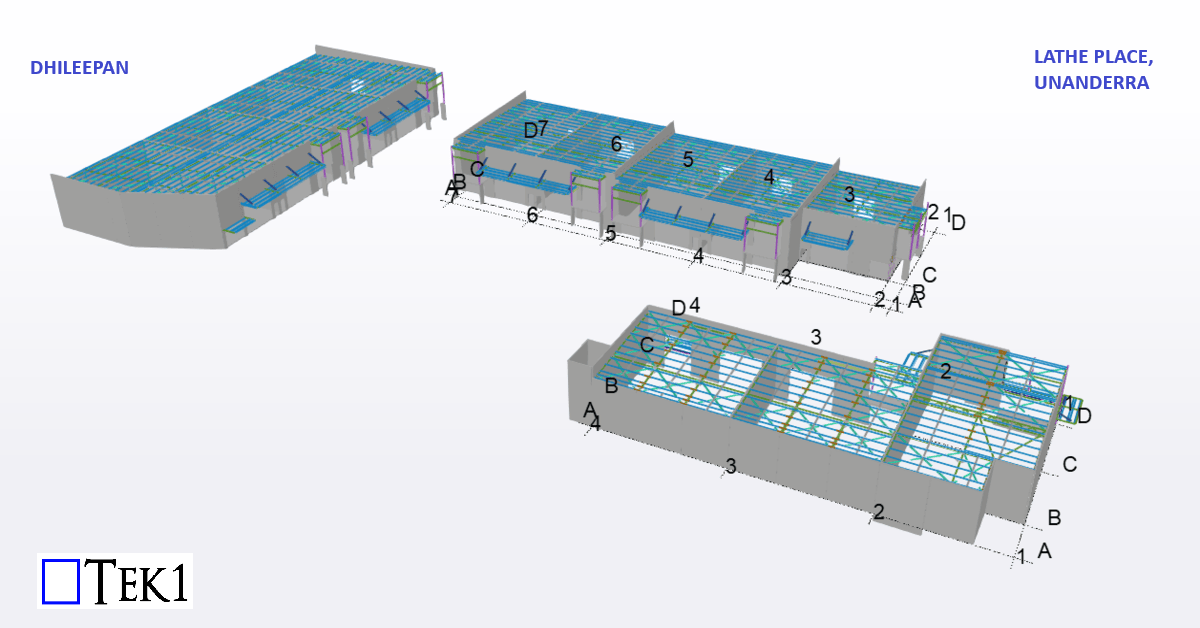
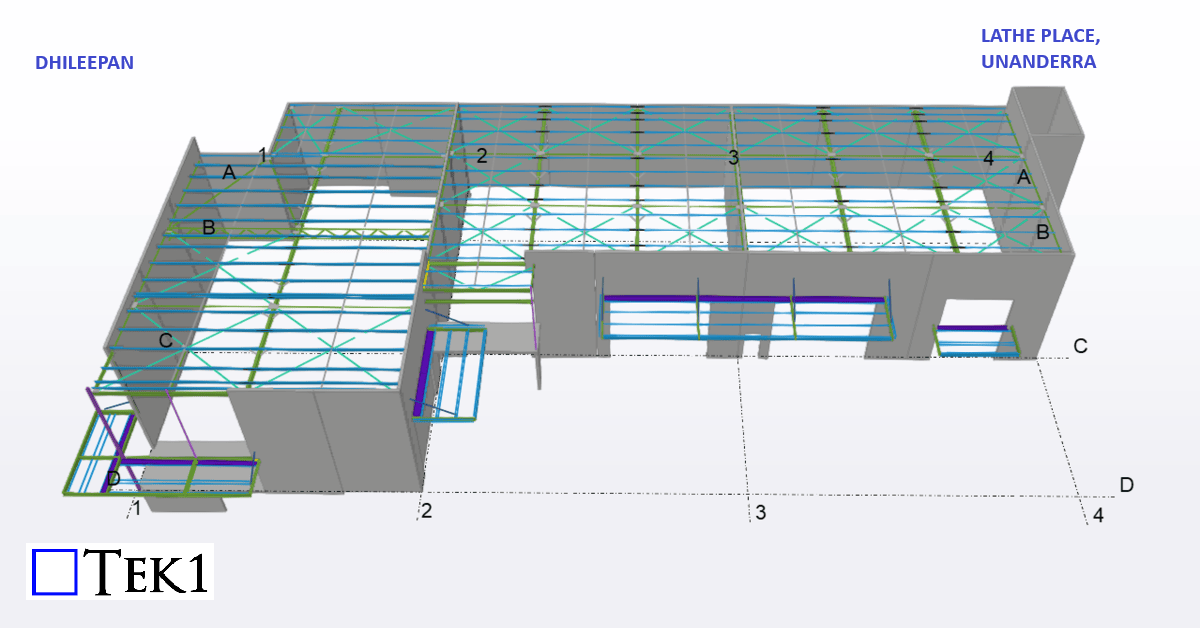
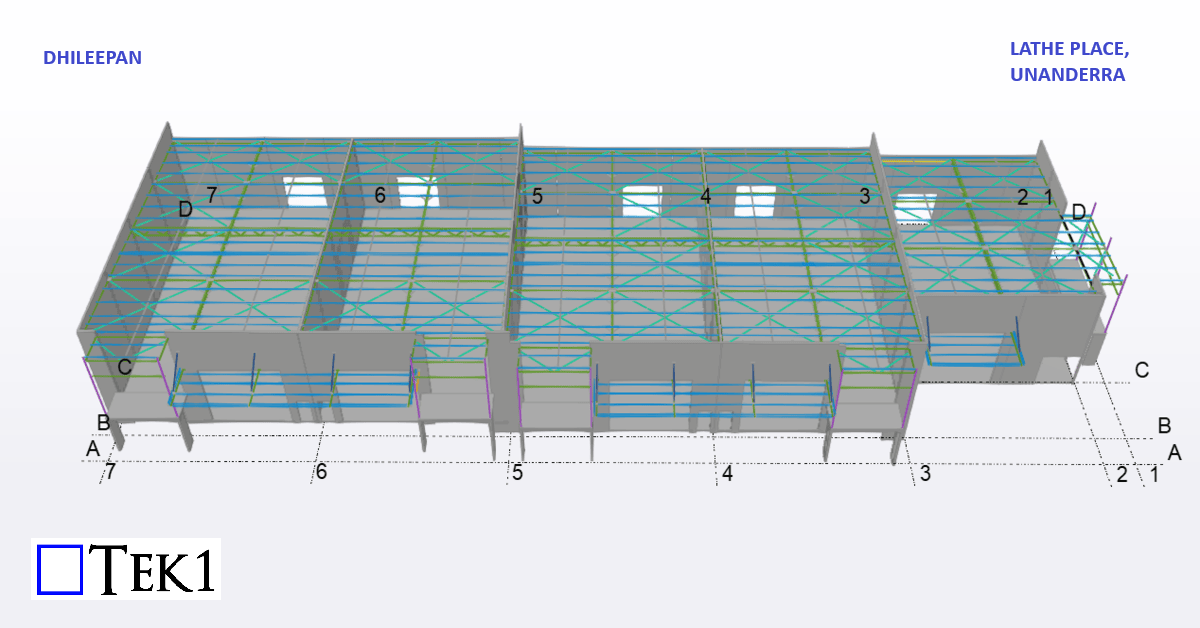
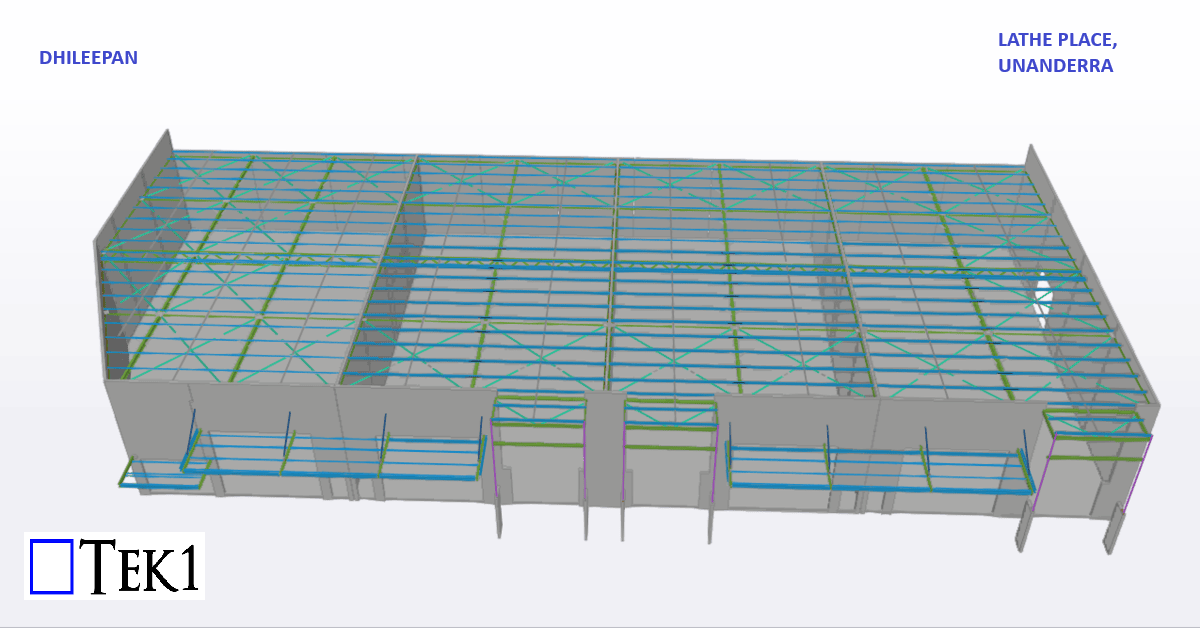
This blog provides an overview of the modelling and detailing work completed for the Lathe place project at Unanderra.
This industrial development has 3 block comprising of 12 units. Each block has precast panels all around with steel roof & awnings.