
Part 1 of the custom component take you through the following items.
- Defining parameters
- Setting Create option in the Component tree
A series of blog posts exploring the Tekla API. Code examples, explanations and (where relevant) videos will be provided.
Part 1 of the custom component take you through the following items.
Here is a demo on how a Rhino model can be brought into Tekla
How to create custom Contour Plates using the Tekla Open API from Tek1 on Vimeo.
Manually creating contour plates from CSV file inputs will likely be disastrous. You’ll inevitably make mistakes and things won’t fit on site: it will be an uphill battle. You can obviate these issues by using the Tekla Open API to solve a lot of those problems.
See the video associated with this post for a demostration of our capabilities using the Tekla Open API.
Thank you for passing by!
Many have been writing for a basic sample: so you may try this below:
Is programming knowledge necessary only for a Software developer? You will find an answer for this question in this blog. With automation ruling the world, it is important for every business to adopt it into their workflows to stay competitive.People may encounter lots of issues and errors in day to day work which may affect the efficiency and productivity. Laborious tasks can be automated using simple tools which can enhance productivity. This is where API comes into action.
An API (Application Programming Interface) is a set of tools, protocols and methods offered by companies for their commercial software. Some of those companies offering API are Google, Mircrosoft, Autodesk, Tekla and the list goes on. Everyone who are using their software may want to have a customized tool to suit their special requirements. Hence for this purpose the application developers expose some of their core codes for their customers. Now the customers could query, retrive data, set values and do much more.
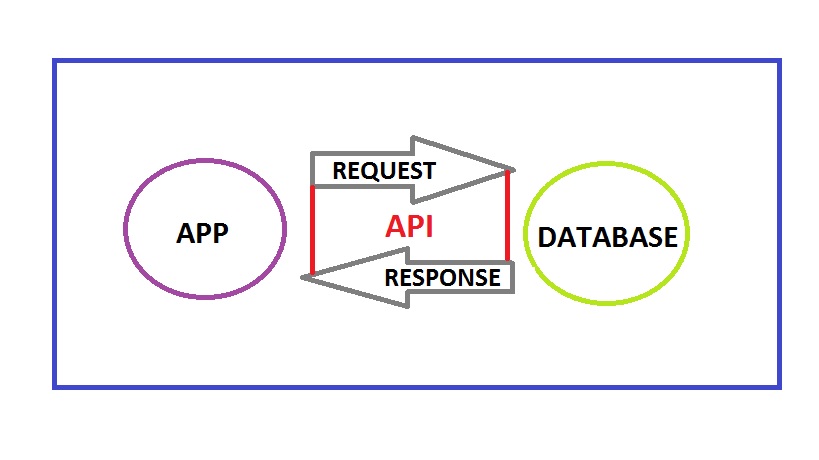
A Civil engineer may be working with many software and when he has some knowledge on programming he could develop solutions using these API without hiring a software engineer and explaining all sorts of things to him. When he himself gets to explore the API, various possibilities will come into light and he could develop more productive tools for his business.
All one needs to get started with API is some basic understanding of the high school computer science concepts on C or C++. Even though they are low level programming language unlike JAVA and C# which is required to work with API the concepts remains the same. JAVA has a lot of scope than C# which is mainly used to develop Microsoft Windows applications. But the selection of which one to learn depends entirely on what your requirement is as each API has been built on its own language. Once you get a fair bit on the language next important thing is the documentation of the API.
This documentation is available in the websites of the software. It serves as a guide which explains the entire hierarchy of the software, data types, classes, methods etc. One needs to dig into this at the very beginning before accessing the API. Now you could start your coding after acquiring the basic knowledge on these things. Keep in mind that lots of trial and errors will only lead to success for a beginner. You should be continuously learning from the errors arising in the code and working on it further.
Hope this blog has provided an insight on how important programming could be for people in industries other than IT. Well then get started to learn coding and explore new heights in your business and work.
Ever wondered how to automate the processes in modeling of steel structures, increase efficiency and accuracy. Grasshopper has got all the answers. Grasshopper is a visual programming interface like the Dynamo we saw in the previous blogs. It is built in within the 3D modeling software called Rhino. Tekla has released a link which enables algorithmic modeling for Tekla Structures using Rhino/Grasshopper. Even the toughest and tiresome models can be easily created using the Grasshopper-Tekla Live Link provided you have a strong visualization capacity and good understanding of the underlying geometry.
We have tried using it for our jobs and it provides great flexibility to alter the parameters. One of the job we used for is creating a Spiral stair and the process was pretty easy and we got accurate results. Another challenging job we experimented was the outer framing for cladding panels, along the sides of a bridge which had a tricky geometry. Have a look at these in the following video.
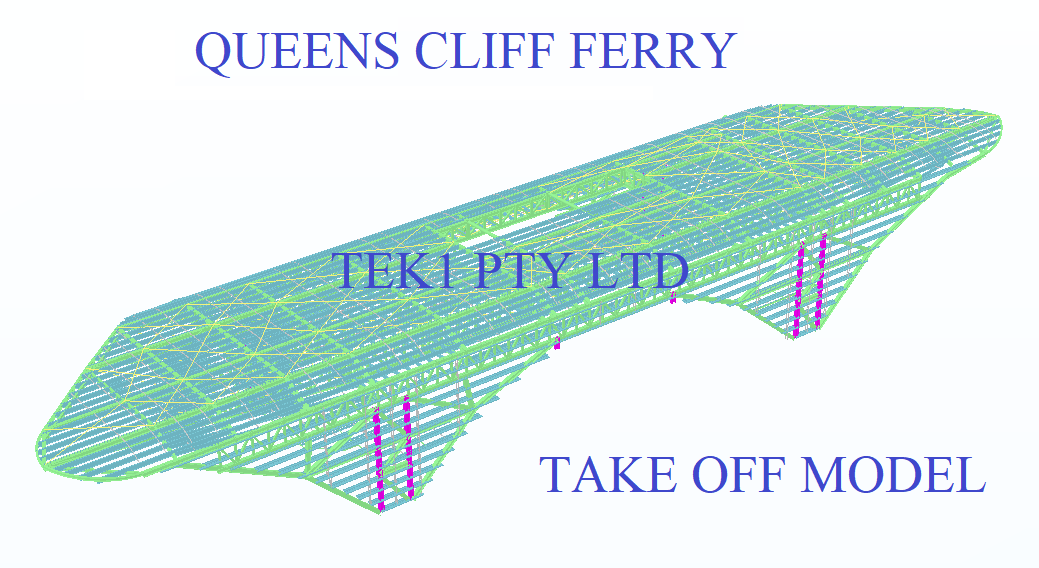
Tek1 has developed .dwg based plugins which talk to Tekla to carry out take-off efficiently
Take off is completed in .dwg based Cad systems very similar to modeling in Tekla. For BIM model the model is converted to Tekla
Reports can be taken either from .dwg system or Tekla. Right now reports are being taken out of Tekla. Our next effort is to develop a plugin which will convert the .dwg model into an IFC model.
If anyone is able to help us in this developing the plug int convert .dwg based model to an IFC model we will be very interested.
Here is a sample file.
If you are dealing with the Tekla API, you have to watch out for the following gotchas:
Anamolies in the way Tekla handles Rotations from Tek1 on Vimeo.
Tekla has got model sharing with latest releases. However, nothing like that exists in previous releases.
Now with API plugin from Tek1 you can share member placements on earlier versions. There is no Lic fees to for model sharing to be paid to Tekla.
You as the main modeller decide to farm out member placements to external modellers. You give them a log in and assign the project to the external contractor.
The external contractor models the elements. The modeler selects the elements and users of our API to share the model elements.
The main modeler then users our API to synchronize the model elements with the main model. The main modeler or the contract modeler can now adjust set outs and RLs on their model and the respective model can be synced with full control (accept or reject sync)
Update: This API is not available for sale. We thank you for your interest nonetheless.
Friends, there is no substitute to reading the documentation. The most up to date version of this is located in our Team Drive – but here is a local copy nonetheless.
AutoCAD-Tekla-Interop-Documentation
Following minimum checks should be carried out for interop
To draw cols (Autocad/nanocad)
Commands you can run using Tekla Interop (Autocad and Tekla)
Files you will require
Location of lisp file