
This is a demonstration of how we use Excel-Add ins and AutoCAD plugins to simplify the process by which order forms are created for Precast panel jobs.
Please watch the below video:
Print Bubble Deck Order Forms from Tek1 on Vimeo.
This is a demonstration of how we use Excel-Add ins and AutoCAD plugins to simplify the process by which order forms are created for Precast panel jobs.
Please watch the below video:
Print Bubble Deck Order Forms from Tek1 on Vimeo.
Tek1 Sign MOU with Saudi Arabian Company Freih Bin Owaidha Al-Qahtani Sons Co. Ltd, Alkhobar.
Freih Bin Owaidha Al-Qahtani Sons Co. Ltd will be representing Tek1 in all business in Saudi Arabia for detailing of Structural Steel and precast panels. Local office with technical staff will be established to cater to major clients in Saudi Arabia so projects can proceed smoothly and communication hurdles can be removed.
Contact Details in Saudi Arabia. Phone – +966 13 865 4760, email info@alfreih.com.sa, P O Box 3073, Al-khobar 31952 Saudi Arabia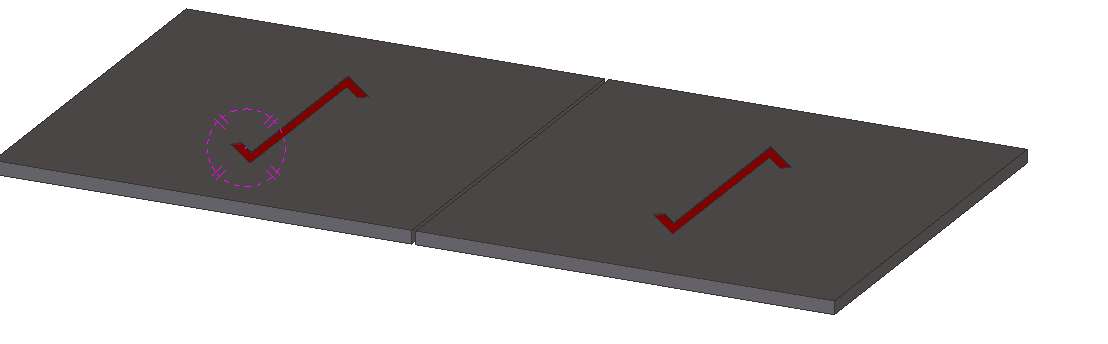
How to avoid grating and chequred plate errors being wrong , due to the view being wrong.
We have a copped a few of these errors where the chquered plate (or grating) was drawn upside down.
The way to counter measure this error is to put an orientation part cut on the plate. Make sure on the part drawing the full lines of the cut is shown. Cut will have to be on the top surface of the plate and must not penetrate to the other side.
Please see the video below:
How to Avoid Grating Errors from Tek1 on Vimeo.

Imagine you are in the Tekla Drawing space.
We want to dimension certain objects in the drawing.
First we need to identify the objects that we want to select. Since the Tekla Closed Open API doesn’t have much of a picker exposed, we would be forced to select the objects we need before running our command. We can do so with a pick first selection (to use the AutoCAD terminology).
The code is quite simple, but is very important:
(Unfortunately it’s not a block table record dictionary definition – but it kind of is :))
Some how or other all the block definitions associated with a drawing were not defined on layer zero – this is less than ideal. I guess it goes right up there with another instance I heard about: (i) about drawing everything in paper space, or layer zero, for example.
Accordingly, it feel to me to change all the block definitions. I could foresee that there might be some other requirement associated with changing all the block definitions, so I thought it apposite right now to employ the strategy pattern to solve the problem.
Here is the code in its entirety. I like using LINQ, it’s concise and efficient, so I beg the patience of those whose views differ:
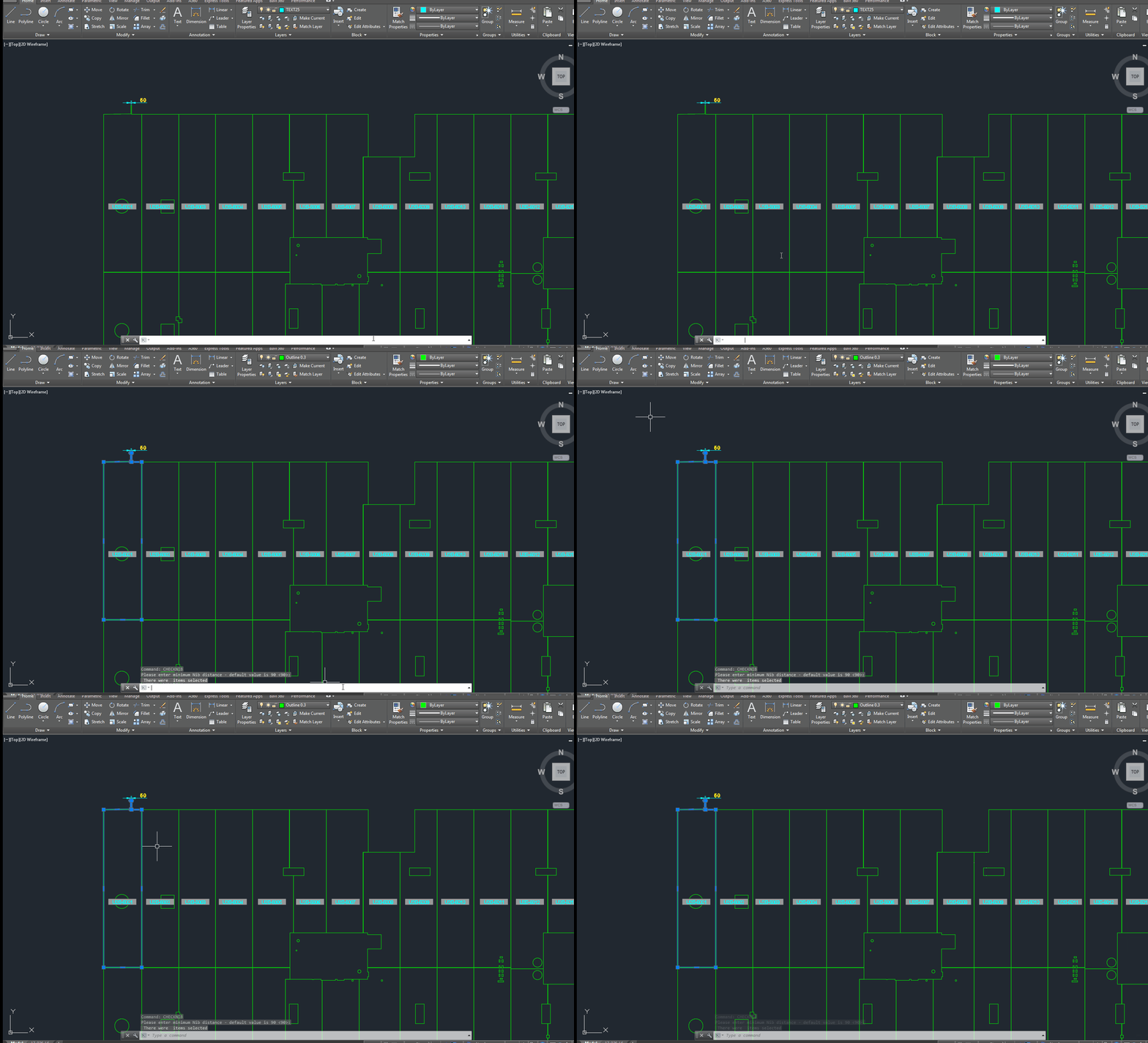
A gif showing how easy it is to check for nibs on bubble deck slabs using my command. There are certain panels which we have that have protruding elements – salient features. These can be problematic if they go to production unnoticed. Given there are entire teams of people doing things, it can be hard to track – people forget that they cannot draw a panel with such a dimension.
This is a plug in which enables one to easily identify all such panels with nibs like this:
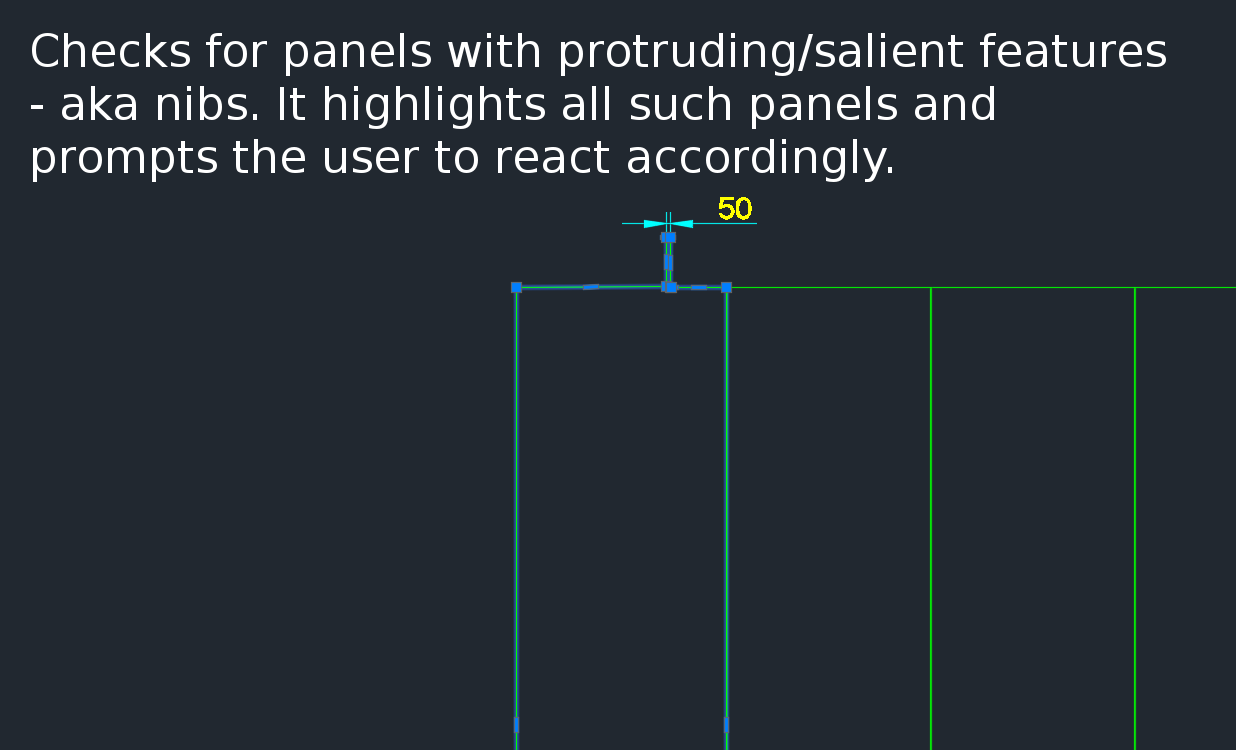
Here is a video demonstration:
Bubble Deck Detailing – checking for panels with salient features from Tek1 on Vimeo.
Summary:
How to Use The Time Sheet from Tek1 on Vimeo.
Tekla Structures is wanting features in detailing plate work. Here is a video showing how Advance Steel handles Plate work. This type of cuts are not possible with Tekla Structures. I think it is mainly because of the data structure of Tekla. Of late Tekla has changed their data structure to deal with these type of situations. But I have not seen any videos from them.
This is a repost from our sister site – I needn’t repeat it here, but it’s something that I’ve worked on, and which we hope to utilize to a greater degree when working with Tekla. Anyways, you can get the full blog post if you click this link here. Thank you for stopping by.
Select Bolts From Tekla Model Based on its Tolerance using WPF (Tekla Open API) Video Demo from Tek1 on Vimeo.